IMPORTANT SAFETY INSTRUCTIONS
13 TASCAM CD-VT2
Quick Start Guide—Basic Operation
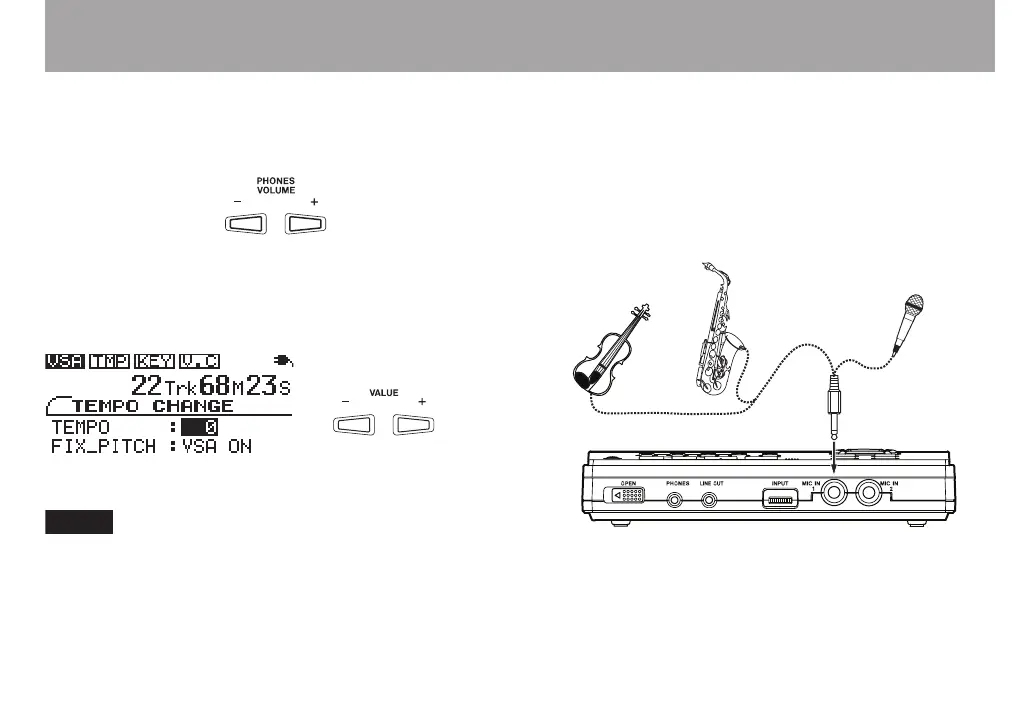
Adjusting the volume
Use the PHONES VOLUME (+, –) keys to adjust the head-
phones volume.
Changing playback tempo
Press the TEMPO key to open the TEMPO CHANGE screen.
With the TEMPO value selected as shown below, use the
VALUE (+, –) keys to change the tempo value.
When the product is shipped new, the VSA function is
ON, allowing tempo to be changed without changing the
pitch. To change the pitch along with the tempo, use the
¶ CURSOR key on the TEMPO CHANGE screen to select
the FIX PITCH item, and then use the – VALUE key to
select VSA OFF.
Playing and singing along
Connecting a mic
Connect a mic or contact mic attached to an instrument to the
MIC IN 1 jack on the front of the unit. Before connecting, turn
the INPUT dial next to the jack down to 0. Turn the volume up
after connecting.
Mic
Contact mic attached
to an instrument



 To Next Page