IMPORTANT SAFETY INSTRUCTIONS
27 TASCAM CD-VT2
Listening to CDs
Reducing the sound of recorded vocals
and solo instruments
You can reduce the playback sound of recorded voices and
instruments on a CD.
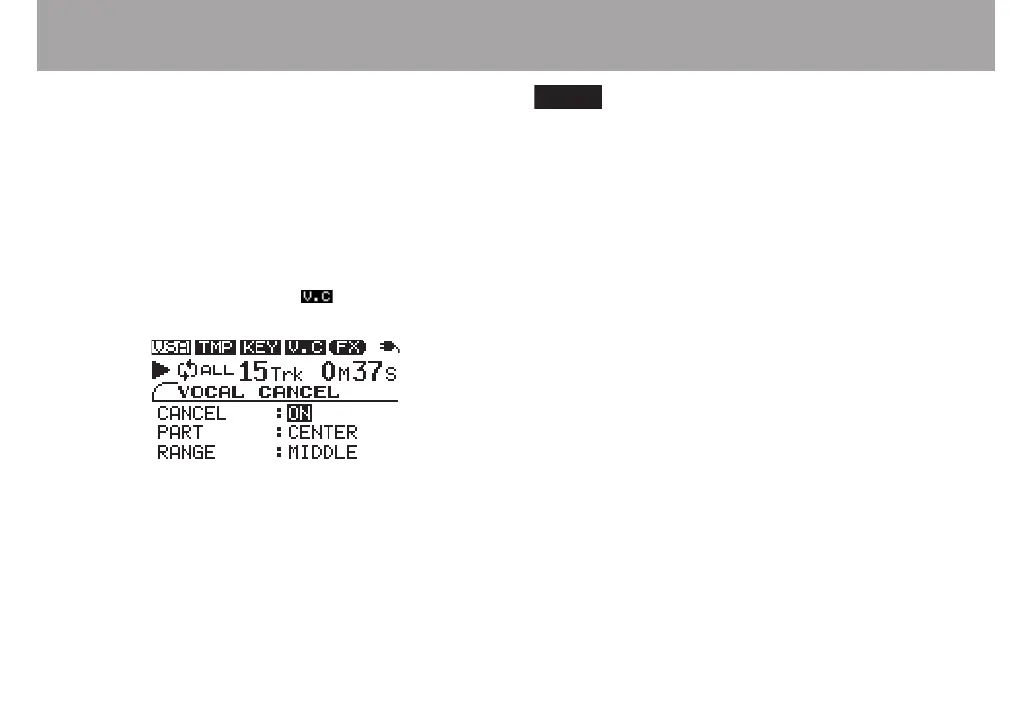
1 Press the VOCAL CANCEL key to open the VOCAL
CANCEL screen.
2 With the CANCEL item selected, use the VALUE (+, –)
keys to turn the setting ON. When the VOCAL
CANCEL function is ON, the icon at the top of the
screen appears in inverse.
Depending on the music, the vocal cancel function may
not reduce the recorded vocal (or solo instrument) sound
sufciently. If this occurs, changing the PART and RANGE
settings might make the reduction more effective. Listen to the
music as you adjust the settings to achieve the best effect.
Depending on the recording of the music, reduction of
the vocal (or solo instrument) with this function may not be
possible.
PART
Adjust this setting to match the stereo position of the sound
that you want to reduce between LEFT 10 and RIGHT 10.
The initial setting is CENTER.
RANGE
Select MIDDLE or ALL for the range of sound reduction. The
default setting is MIDDLE.



 To Next Page