IMPORTANT SAFETY INSTRUCTIONS
23 TASCAM CD-VT2
Screen appearance and operation
Other screens
Shared features
The screen name, power status, CD player operation status,
track number and CD playback time are shown on every
screen.
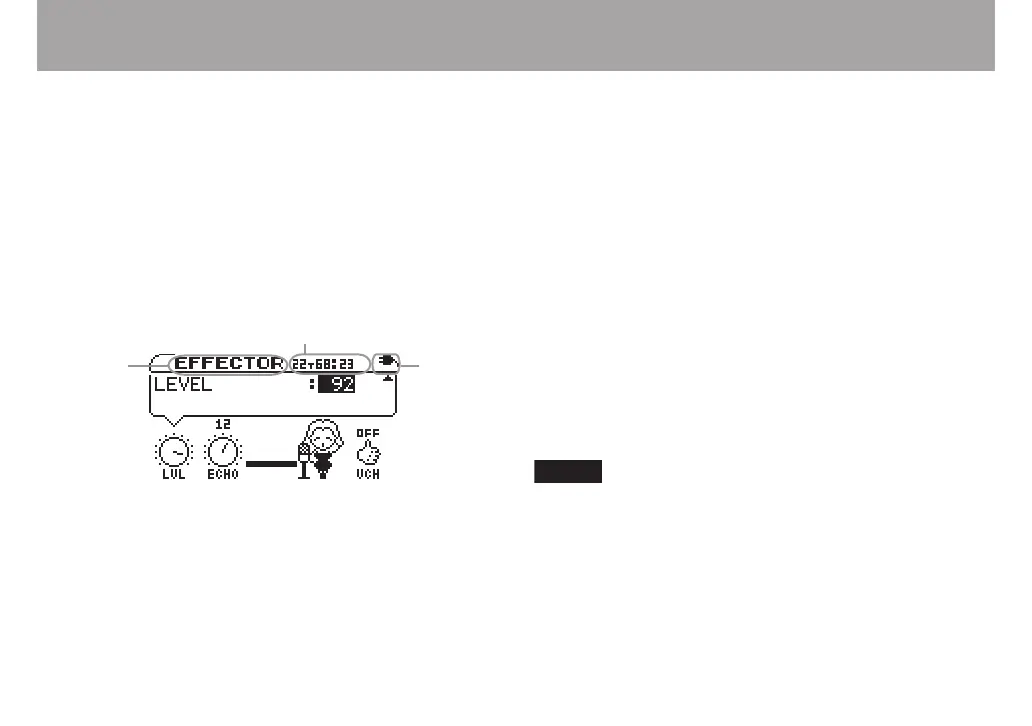
The EFFECTOR, LEVEL and TUNER screens appear as
follows. All other screens appear the same as the TIME
DISPLAY screen. (See the “TIME DISPLAY screen”
on page 21.)
Screen
name
Power
status
Track number, time, play status
Display of playback functions (VSA, TMP, KEY, V.C)
The status of every playback function is shown at the top
of the TEMPO screen, KEY & PITCH screen, VOCAL
CANCEL screen, and SETUP & MISC. screen in the same
way as on the TIME DISPLAY screen.
Settings
Every screen other than the TIME DISPLAY screen has
settings. See “Making settings” on page 23 for details.
Making settings
Settings and selections can be made as necessary on every
screen except the TIME DISPLAY screen. Use the CURSOR
and VALUE keys as necessary to make settings and selections.
Selecting items for setting
Use the CURSOR (§, ¶) keys.
The value of the selected item is shown in highlighted in
inverse.
On the EFFECTOR and LEVEL screens, some items are
selected by the CURSOR (˙, ¥) keys.
When there are other items above or below the items
currently onscreen § or ¶ appears on the right side of
the screen.
Setting item values
Use the VALUE (+, –) keys. The selected values (settings) take
effect immediately. (Conrmation is not necessary.)



 To Next Page