IMPORTANT SAFETY INSTRUCTIONS
29 TASCAM CD-VT2
Listening to CDs
Selecting the play mode
This device has the two following play modes.
ALL mode (initial setting)
This is the ordinary mode. Once you start playback, the disc
will play through to the end.
SINGLE mode
After playback of a track is started, that track will play to
the end.
Use the following procedures to select the play mode.
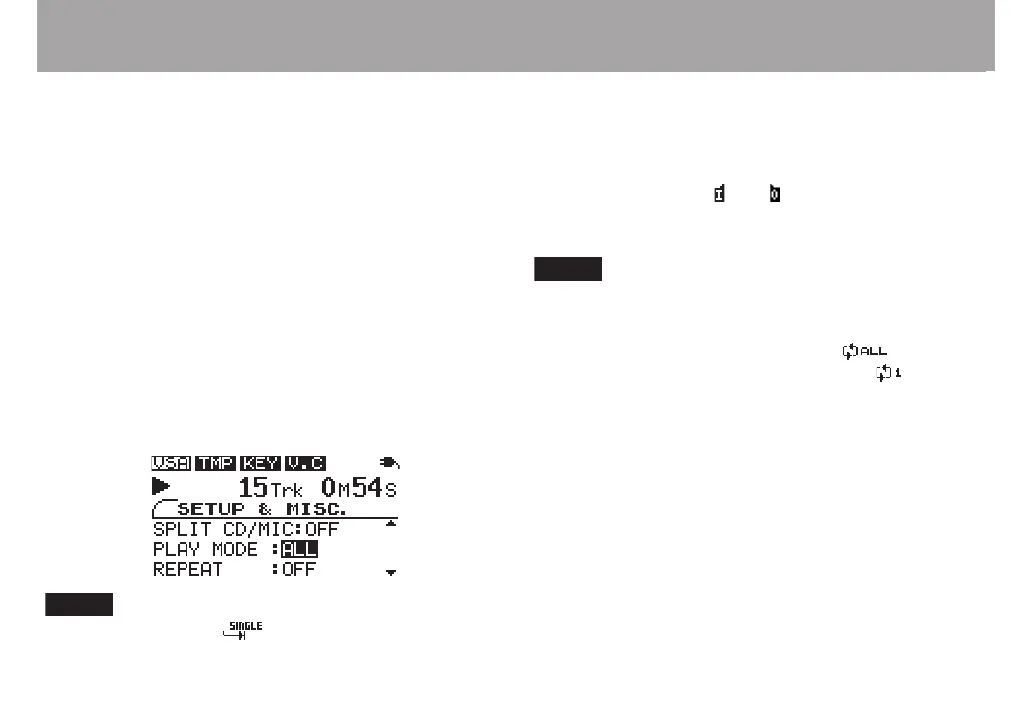
1 Press MISC. to open the SETUP & MISC. screen.
2 Use the CURSOR §/¶ keys to select PLAY MODE and
the VALUE (+, –) keys to select ALL or SINGLE.
If you select SINGLE, appears to the left of the
time display.
Repeat playback
In repeat playback mode, depending on the play mode setting,
all tracks (ALL play mode) or the current track (SINGLE play
mode) will play back repeatedly.
When loop playback in ( ) out ( ) points are not set, press the
LOOP key to start repeat playback.
Use the REPEAT item on the SETUP & MISC. screen to set
repeat playback ON and OFF.
When the repeat setting is set to ALL, appears.
When the repeat setting is set to SINGLE, appears.



 To Next Page