IMPORTANT SAFETY INSTRUCTIONS
33 TASCAM CD-VT2
Other functions
Using the metronome
This device has a built-in metronome that you can use in voice
and instrument practice, for example.
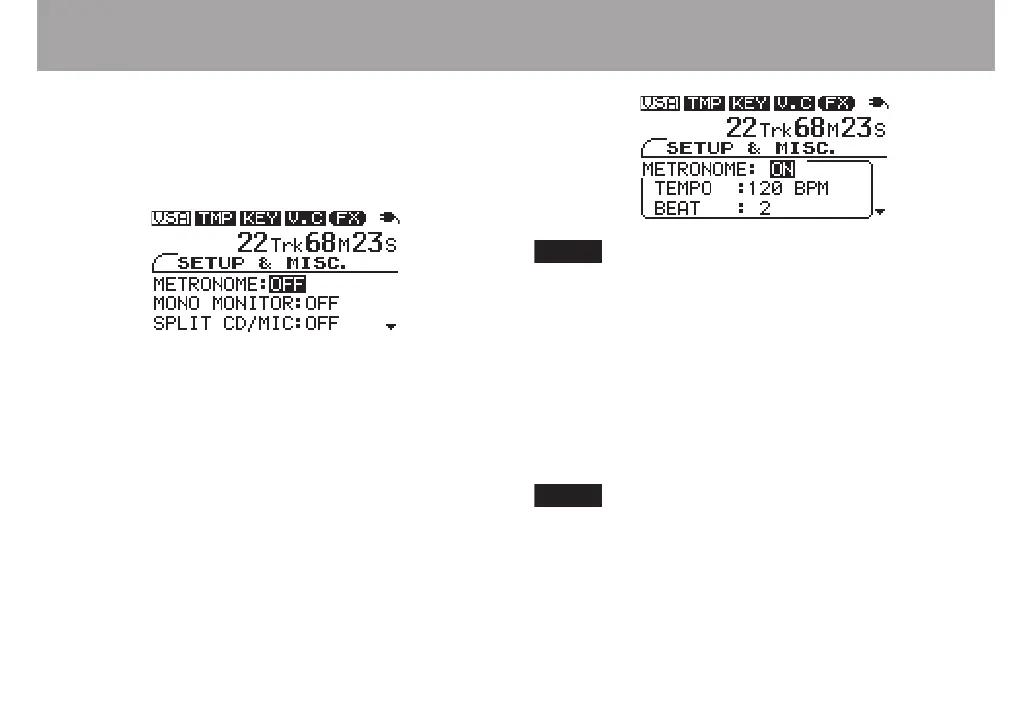
1 Press the MISC. key to open the SETUP & MISC.
screen.
2 Use the CURSOR (§, ¶) keys to select the
METRONOME item.
3 Use the VALUE (+) key to turn it ON. The metronome
starts with the tempo and beat settings last used (or
the default settings if this is the first time used).
4 When the metronome is ON, its TEMPO and BEAT
settings appear. Use the CURSOR (§, ¶) keys to select
the items, and the VALUE (+, –) keys to change their
settings.
Turning the metronome ON will stop CD playback.
TEMPO
Set the tempo between 40 and 220 beats per minute (BPM).
BEAT
Set the rhythmic pulse between 2 and 6 or set it to “0” for no
accented beats.
TEMPO and BEAT settings are save when the power is
turned OFF and will be the same the next time that you
use the metronome.
If you press the CURSOR ¶ key when the BEAT item
is selected, the MONO MONITOR item is selected and
the metronome settings window disappears. Press the
CURSOR § key to return to the metronome settings.



 To Next Page