32 TASCAM CD-VT2
IMPORTANT SAFETY PRECAUTIONS
Using mics with the trainer
PRESET
Choose the effect that you want from among 18 effect presets.
See the “Effect preset list” on page 39 for details about the
effect modules in each preset.
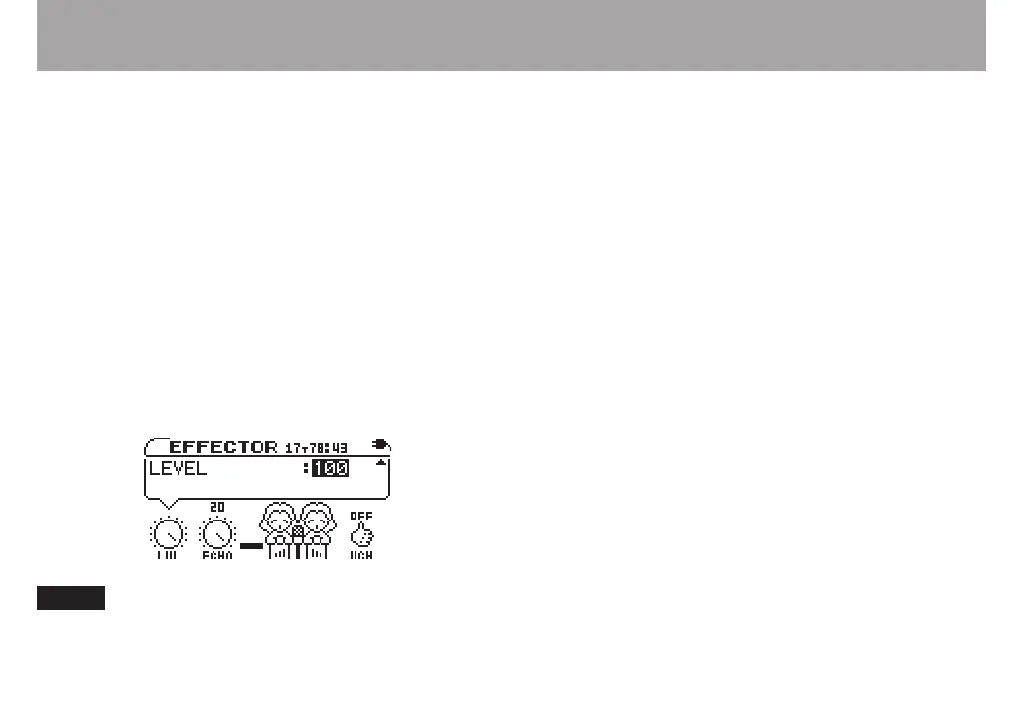
LVL knob
Adjusts the output level of the effect. Use the CURSOR (˙,
¥) keys to select the LVL knob and open the pop-up with the
level value highlighted. Use the VALUE (+, –) keys to adjust the
level setting between 0–100.
ECHO knob
Adjusts the selected effect. Use the CURSOR (˙, ¥) keys to
select the ECHO knob and open the pop-up with the value
highlighted. Use the VALUE (+, –) keys to adjust the setting.
Although this knob is always labeled “ECHO,” the
parameter controlled is different for some effects. Please
try them out to hear what they do!
Voice Change (VCH) knob
The sound from the mic inputs can be raised or lowered
one octave using the voice change function. This is useful
to achieve special sounds. Use the CURSOR (˙, ¥) keys to
select the VCH icon and open the pop-up with the value high-
lighted. Use the VALUE (+, –) keys to adjust the setting.
DOWN lowers the input pitch one octave
OFF does not change the input pitch
UP raises the input pitch one octave



 To Next Page