Tape as Source
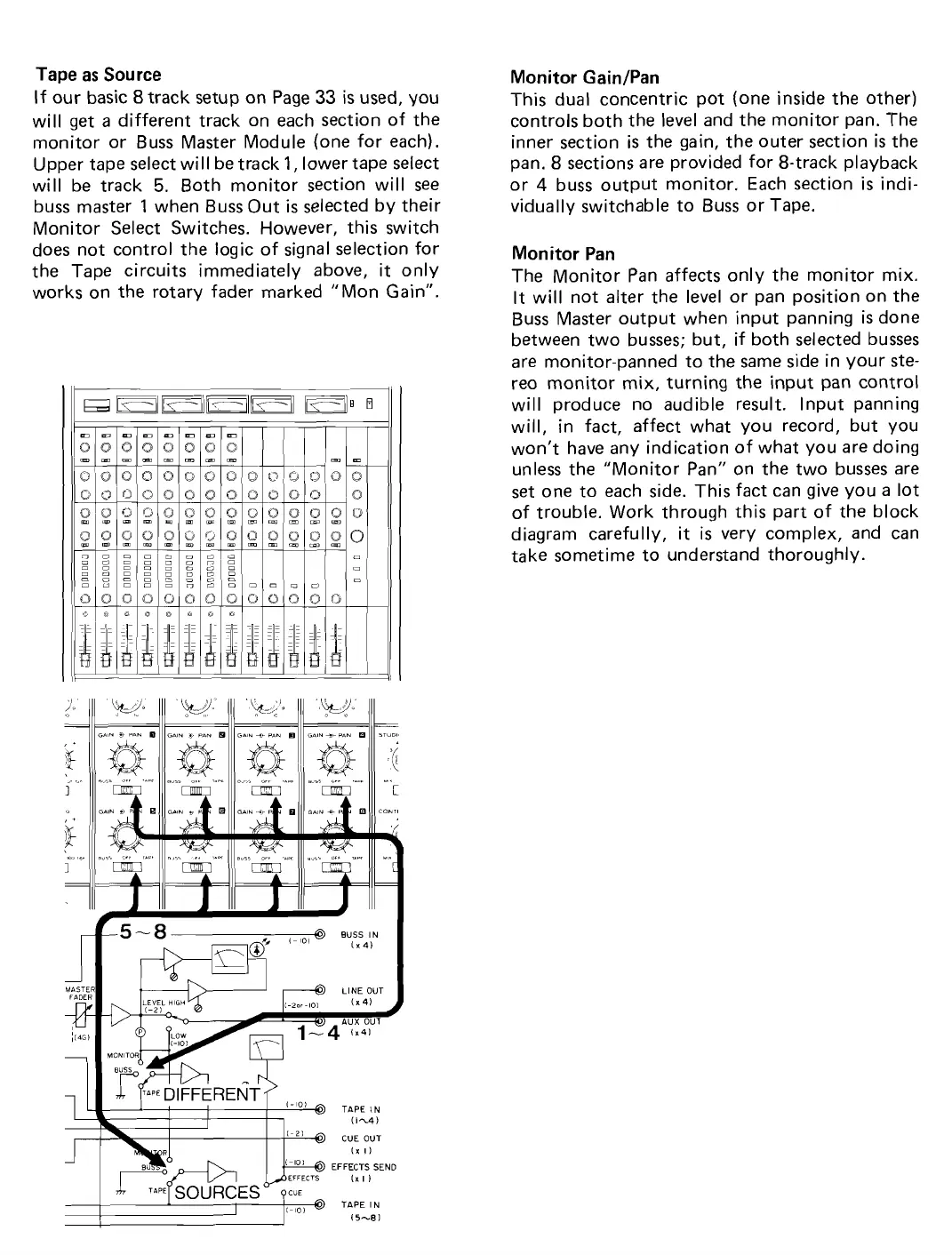
If our basic
8
track setup on Page
33
is
used, you
will get
a
different track on each section of the
monitor or Buss Master Module (one for each).
Upper tape select will be track
1,
lower tape select
will be track
5.
Both monitor section will see
buss master
1
when Buss Out
is
selected by their
Monitor Select Switches. However, this switch
does not
control the logic of signal selection for
the Tape circuits immediately above, it only
works on the rotary fader marked "Mon Gain".
Monitor
GainIPan
This dual concentric pot (one inside the other)
controls both the level and the monitor pan.
The
inner section
is
the gain, the outer section
is
the
pan.
8
sections are provided for 8-track playback
or
4
buss output monitor. Each section
is
indi-
vidually
switchable to Buss or Tape.
Monitor Pan
The Monitor Pan affects only the monitor mix.
It will not alter the level or pan position on the
Buss Master output when input panning
is
done
between two busses; but, if both selected busses
are monitor-panned to the
same side in your ste-
reo monitor mix, turning the input pan
control
will produce no audible result. Input panning
will, in fact, affect what you record, but you
won't
have any indication of what you are doing
unless the "Monitor Pan" on the two busses are
set one to each side. This fact
can give you
a
lot
of trouble. Work through this part of the block
diagram carefully, it
is
very complex, and can
take sometime to understand thoroughly.


 To Next Page