36
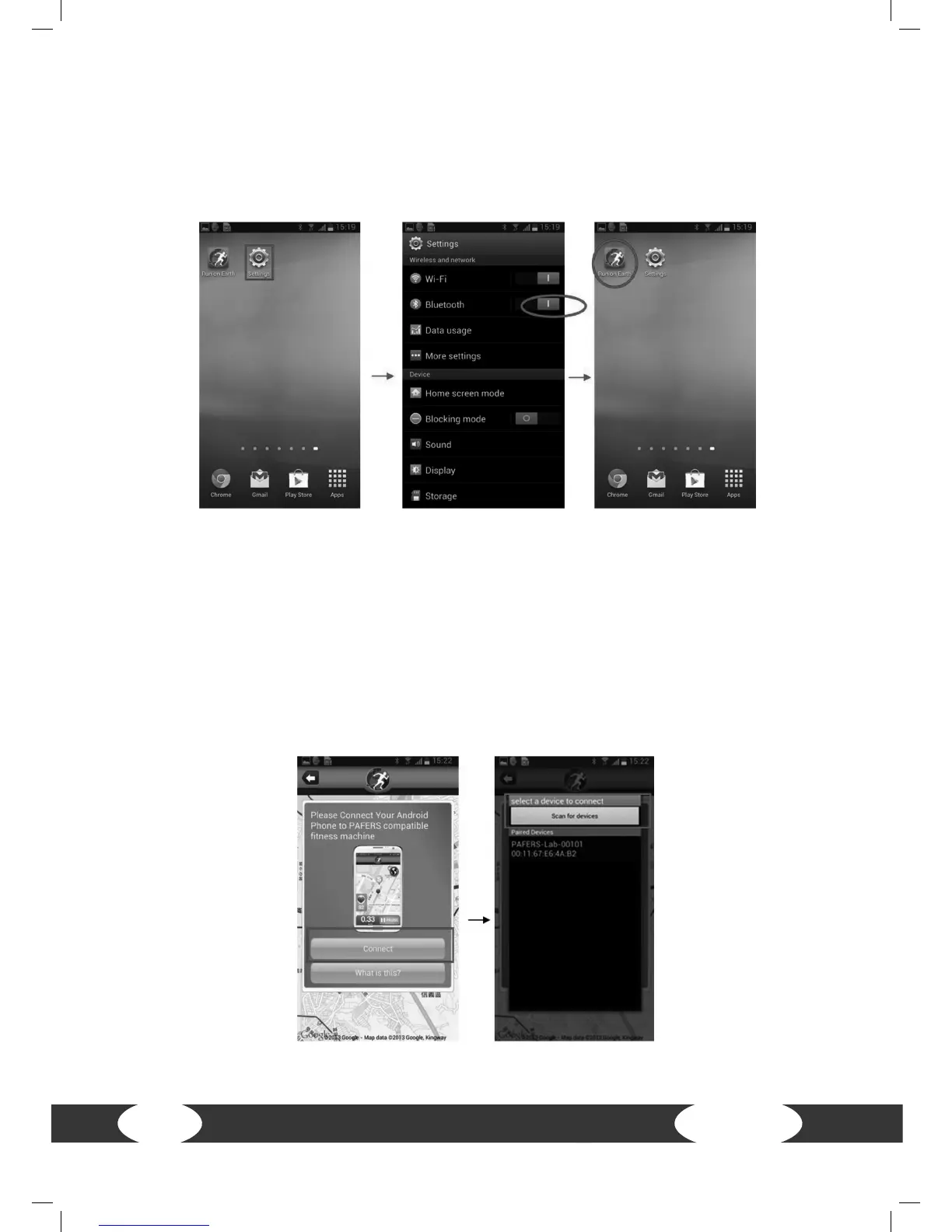
2. Find Bluetooth device and start APP
Step 1: Please place the Android Tablet in front of the LCD screen.
Step 2: Enter the tablet setting programs and open the Bluetooth.
Step 3: Press HOME in order to get to the desktop and open the APP that you
downloaded from the Play Store.
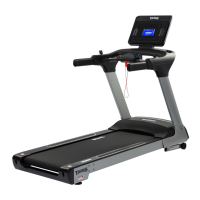
Step 4: Once you have gotten to the APP page, the treadmill will nd the APP. Then a
page will appear with the connection option. Press Connect and the Android Tablet
will detect all Bluetooth devices in its range. Search for the Bluetooth device name
from the treadmill and click on it to connect - As soon as the Bluetooth devices are
detected, but you do not know the corresponding name, please contact your contract
partner.


 To Next Page