PROGRAMMING
SET UP AUTO-LOCK TIME DELAY
IMPORTANT:
1. Default auto-lock time delay: 10 seconds.
2. Auto-lock time delay range: 10-99 seconds.
3. Three flashes and beeps will be presented if incorrect amount is
entered e.g. less than 10 or more than 99 seconds.
Follow these steps:
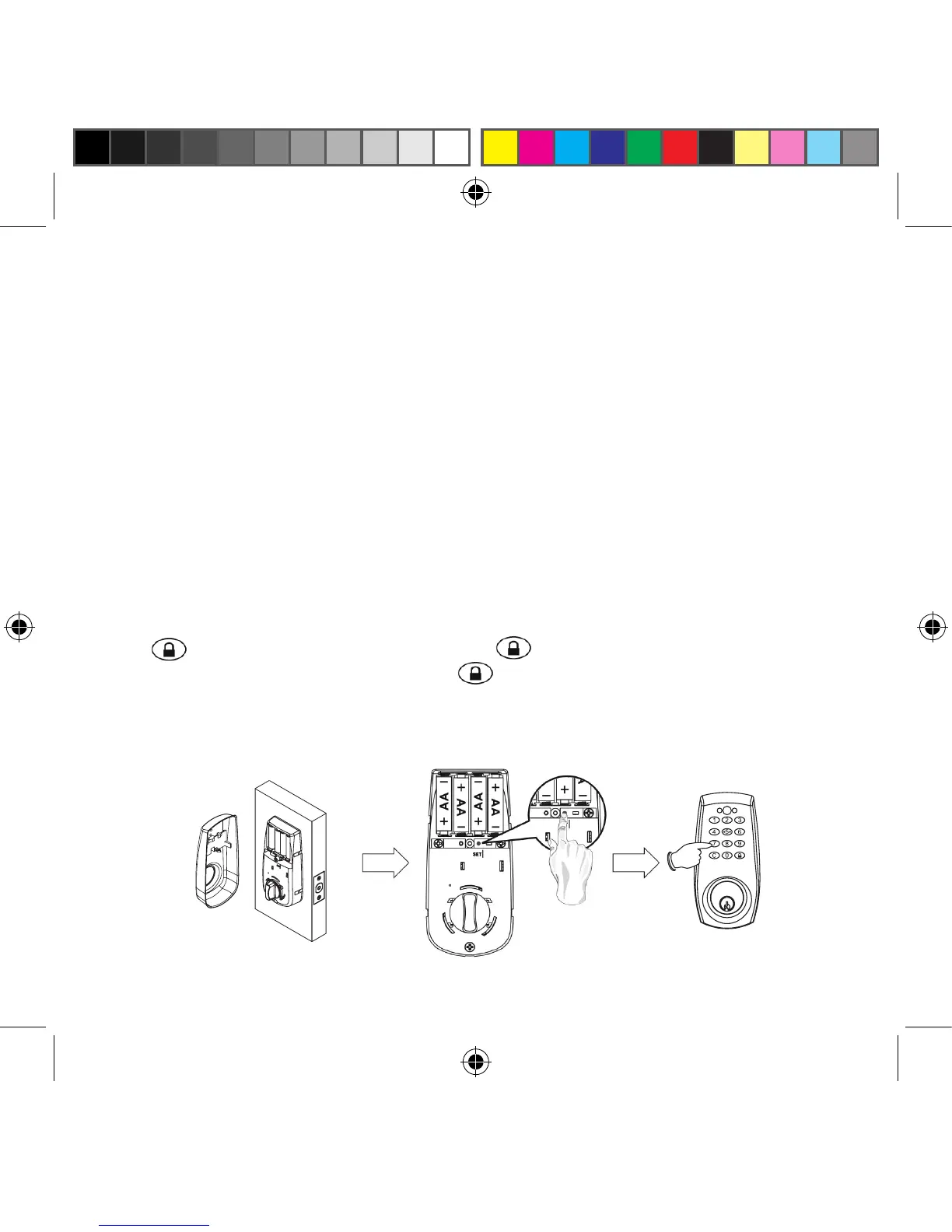
1. Press [SET] button for 2 seconds. The Red LED will light up and
a “beep” will sound twice. You are now in the programming mode.
2. Enter 1-2-3-4-5-6 (or current Programming Code) and press the
button. Enter [ 70 ], press the button, enter new amount
(10-99 seconds) and press the button. The lockset will beep once
after each step as confirmation. The Red LED will light continuously
for 10 seconds. Programming is completed.
ted.
® REGISTERED TRADEMARK OF TAYMOR INDUSTRIES LTD.
30


 To Next Page