18
THE MULTI-EFFECTS ENGINE
Multi-Effects Engine
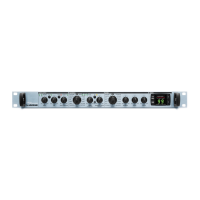
Effect Selector
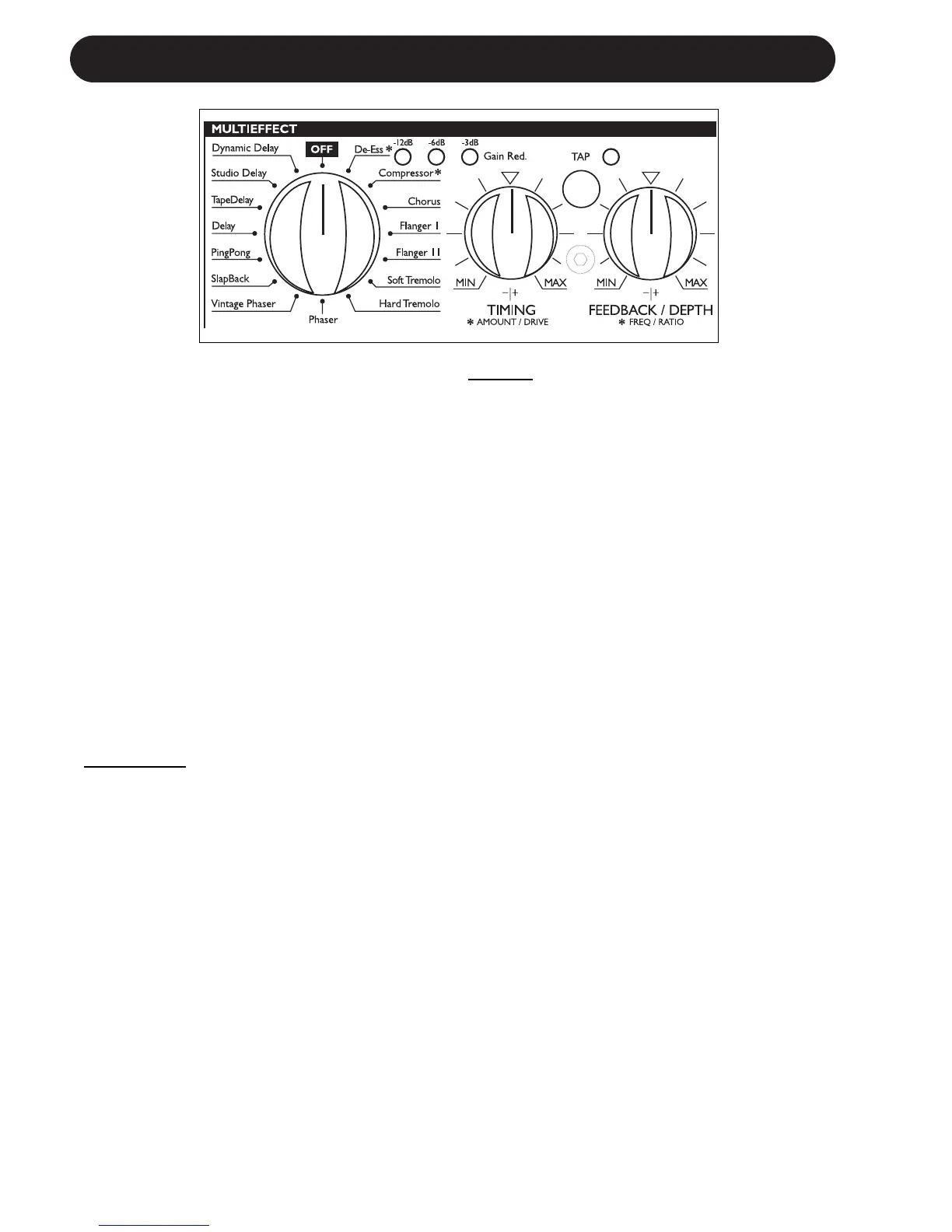
With the EFFECT selector you select between
one of the following effects and Off.
• Dynamic Delay • De-Esser
• Studio Delay • Compressor
• Tape Delay • Chorus
• Delay • Flanger 1
• Ping Pong • Flanger 2
• SlapBack • Soft Tremolo
• Vintage Phaser • Hard Tremolo
• Phaser • Off
-12dB, -6dB, -3dB Gain Reduction LEDs
These LEDs indicate the applied Gain reduction
in the Compressor and De-Esser algorithms.
TAP key and TIMING knob
Delay Ef
fects:
The tempo of the Delay effects is set using both
the TAP key and the TIMING knob.
By tapping the TAP key you set a “global
tempo“ that you can increase/decrease using
the TIMING knob that operates as a multiplier
in the Delay algorithms.
The range of the TIMING knob is 0.5 to 2.
Example
Let us say that you tap quarter notes in tempo
120BPM using the TAP key. With the TIMING
knob in 12 o’clock position you now have a
Delay time off 500ms*.
If you turn the TIMING knob fully counter-
clockwise the actual Delay time will be
0.5 times 500ms= 250ms
If you turn the TIMING knob fully clockwise the
tempo will be:
2 times 500ms=1000ms (1 second)
When powering up the M300 the default Tempo
is 120BPM, but as explained above the position
of the TIMING knob defines the actual tempo.
*The nature of a Slapback Delay is very short
Delay times and the range of this Delay type is
therefore much shorter.


 To Next Page