21
STORE - RECALL & M300THE DISPLAY
Preset Modes
The M300 holds two significantly different
modes. To toggle between these modes press
the PRESET ON/OFF key.
“Preset On” mode
In this mode it is possible to load any of the
previously stored presets.
The “Preset On” mode is active when the
display shows location numbers from 1 to 99.
If you try to load a preset from a location
where no preset is stored - no action will
take place.
“Preset Off” mode
In Preset Off mode the M300 will process the
signal according to the position of the front
controls. A “what you see is what you hear” -
setting.
Once you have accessed the Preset Off
mode and return to the Preset On mode
the preset number will blink indicating
that you must press LOAD to recall the
settings stored with that particular
preset.
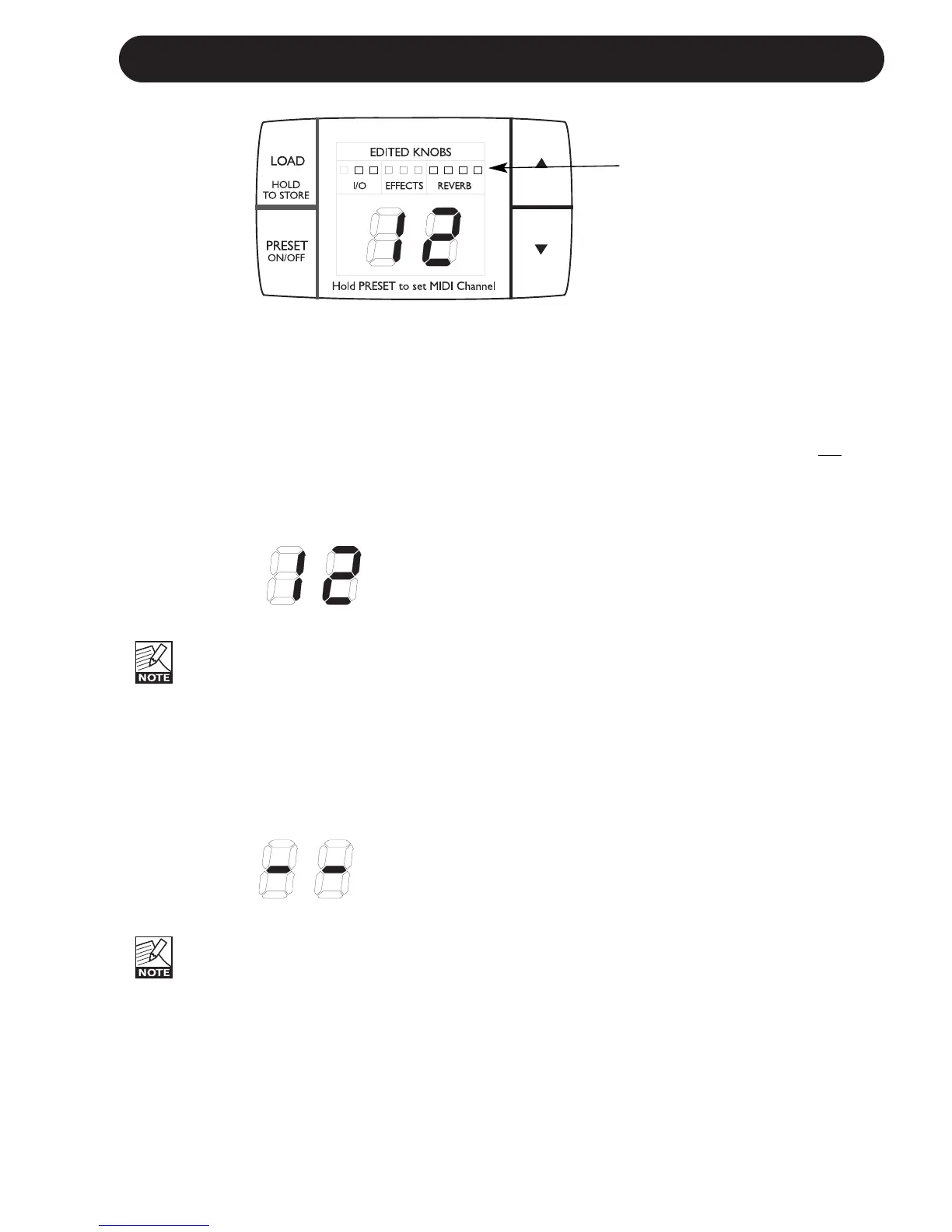
Display
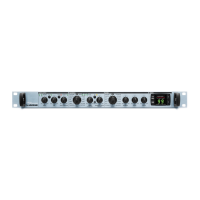
Edited knobs LEDs
(relevant only in Preset ON mode)
These LEDs refer to the 10 front panel controls.
See illustration above.
They indicate when the front controls do not
match the current settings of the active preset.
When you turn any of the knobs and pass the
position physically matching the current
parameter value, the parameter is “grabbed”,
the LED goes off and you can adjust the
parameter.
Load/Store Presets
Load User Preset
• Enter “Preset On” mode using the PRESET
ON/OFF key. The M300 is in Preset On
mode when the display shows location-
numbers 1 to 99.
Use the UP/DOWN arrows to select desired
preset (1-99).
• The digits are now blinking to indicate that
you are previewing the preset and it has not
yet been recalled.
• Press LOAD to recall the preset and the
digits are now steady.
Store User Preset
• Enter “Preset On” mode using the PRESET
ON/OFF key. The M300 is in Preset On
mode when the display shows location-
numbers 1 to 99.
• Use the UP/DOWN arrows to select desired
preset location where you intend to store the
preset (1-99).
• The digits are now blinking to indicate that
you have not yet stored the preset.
• Press the LOAD (
HOLD TO STORE) key for
approx. 2.5 seconds until the digits turn steady.
Edited knobs LEDs


 To Next Page