31
APPENDIX - MIDI CC & RESET & BULK DUMP
MIDI Bulk Dump
By performing a MIDI bulk dump you are able
to dump all presets to an external MIDI device
such as a sequencer for backup.
• Press and hold the PRESET ON/OFF key
approx. 2.5 sec.
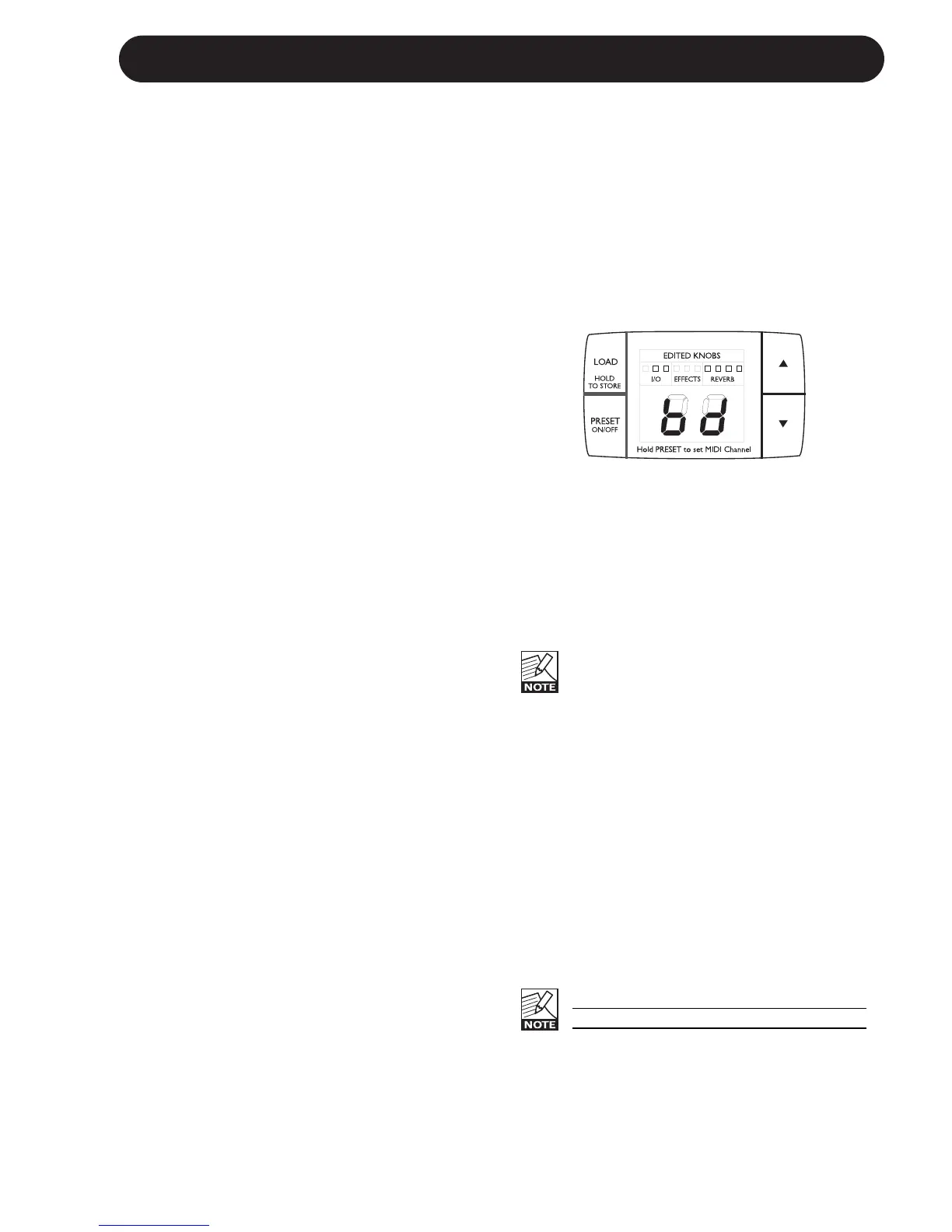
• Use the ARROW UP/DOWN keys to select
Bulk Dump mode.
The display will show:
• Set the receiving device in MIDI bulk receive
mode. A standard MIDI sequencer program
should typically be set to record a MIDI track.
(Please refer to the user manual of the
receiving device).
• Now press LOAD once, and the MIDI Bulk
Dump is performed.
The M300 is always ready to receive a
MIDI bulk dump unless the receive MIDI
channel is set to off “OF”
Reset Procedure
If you would like to do a complete reset of the
M300 and return to factory settings follow this
procedure:
• Power down by disconnecting the power
cord.
• Press and hold TAP while reconnecting
power. The display will show a flashing “R”.
• Press Load to reset.
• Power off - power on.
The unit is now reset.
Be aware that all User presets will be
lost when performing a factory reset!
Via an external MIDI device sending MIDI
Control Changes you are able to control the
parameters listed below.
Parameter Control Change
number:
In Level 12
Mix 13
Effect Bal. 14
Digi. In 15
Bypass 81
MultiEff. Type 50
MultiEff. Off 82
Timing 16
Tap 80
Feedback 17
Rev. Type 51
Rev. Off 83
PreDelay 18
Decay 19
Color 20


 To Next Page