10
3.2. SETUP THE LAN COMPUTER
3.2.1. Using a Network Connection
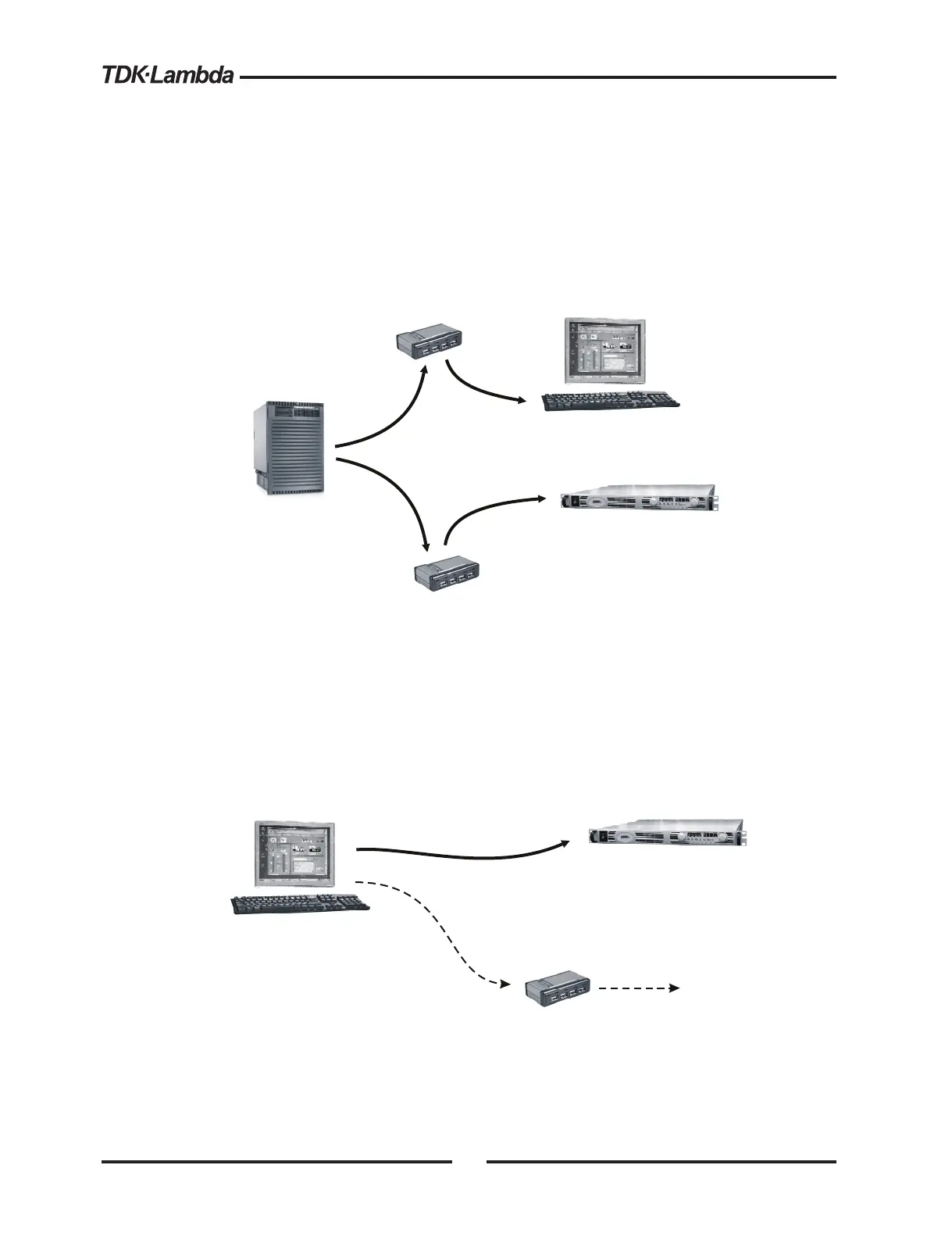
If the computer you are using is connected to a network server (as shown below), and the
Genesys™ power supply is connected using routers, switches or hubs, then no further
setup should be required for the computer
Network
Server
Ethernet
Hub
Genesys with LAN Option
Computer with Web Page Viewer or
VISA program for SCPI commands
Ethernet
Hub
CAT-5
Cables
(IP address is assigned using DHCP
or using static IP address)
Figure 4. Network Connection Diagram
3.2.2. Using a Peer-to-Peer Connection
It is possible to connect the Genesys™ power supply directly to a non-server computer (as
shown below). This is called a Peer-to-Peer connection
Genesys with LAN Option
Computer with Web Page Viewer or
VISA program for SCPI commands
CAT-5 Cable
(patch or cross-over)
(IP address is assigned using
an Auto-IP address in the range
169.254.xxx.xxx)
A second LAN card must be installed
in the computer to reach any other network
Optional
Ethernet Hub
To Ne t work a n d
Internet Gatewa
CAT-5 Cable
(patch only)
LAN0
LAN1 (Optional)
Figure 5. Peer-to-Peer Connection Diagram
By default, the power supply will create it’s own valid IP address through the auto-IP feature.
The auto-IP address will be in the form 169.254.xxx.xxx. If necessary, do a front panel
LAN reset (described in section 4.2) to ensure the auto-IP is selected














 To Next Page