30
2.3 Blank Front Panel
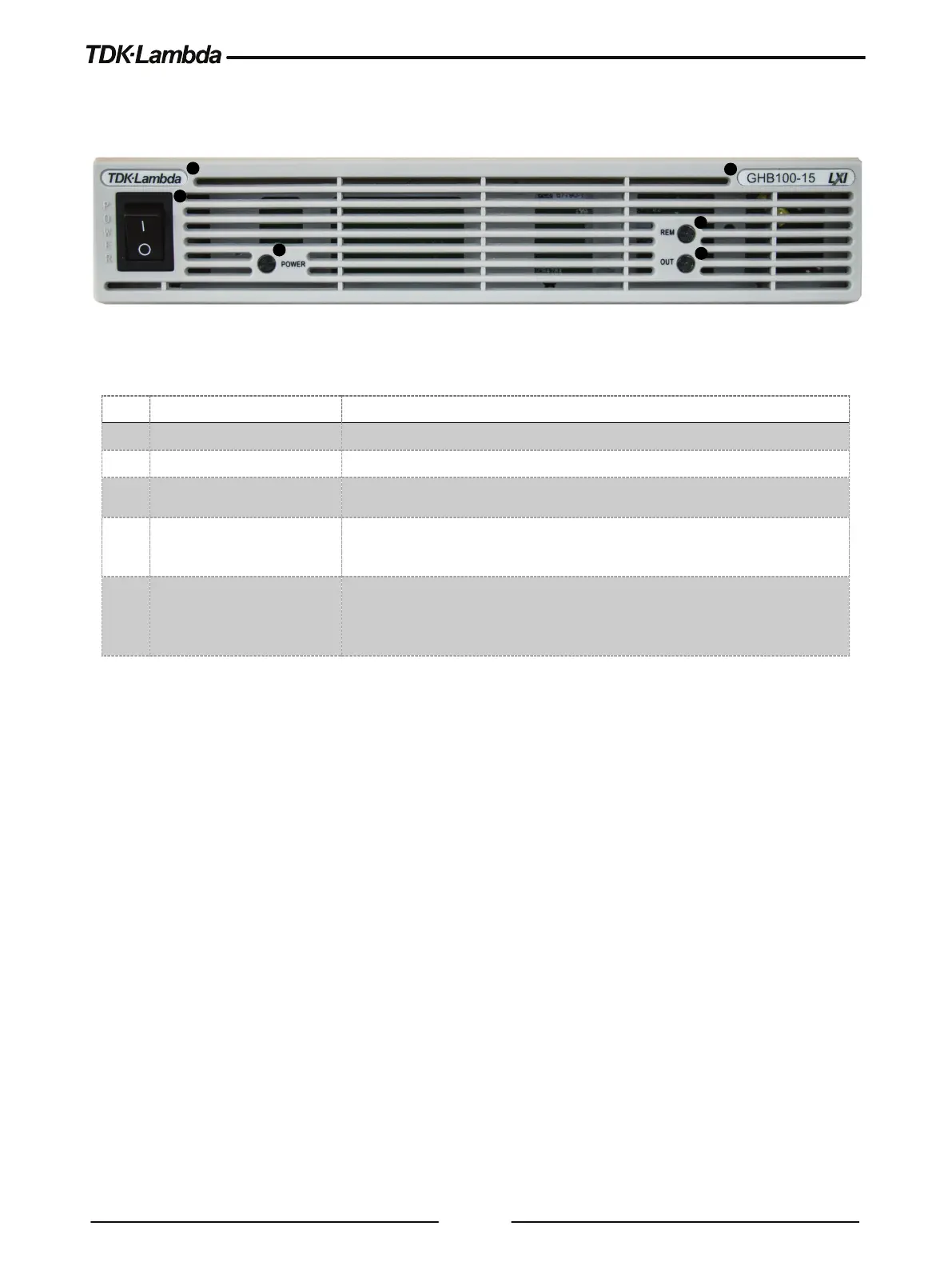
Refer to Figure 2–2 and Table 2-2 for description of the Blank Front Panel controls and Indicators.
Figure 2–2: Blank Front Panel Controls
1 Power Switch
2 Power Supply Model
Model, Voltage & Current Identifier.
3 Power LED
Power Supply ON/OFF status LED.
Green LED lights when Power Supply is ON (Power Switch ON).
4 REM LED
Green LED lights if power supply is controlled by a remote communication
(RS232/485, USB, LAN, OPTional).
5 OUT LED
Output ON/OFF status LED.
Green LED lights when DC Output is enabled.
Red LED blinks in case of an alarm. Refer to User Manual, Alarms and
Protective Functions Section.
Table 2-2: Blank Front Panel Controls













 To Next Page