Attention!
The label sensor can be damaged!
Do not use sharp objects or strong solvents to clean the label sensor.
The label sensor can be dirtied by paper dust. This can adversely affect label detection.
1
2
3
4
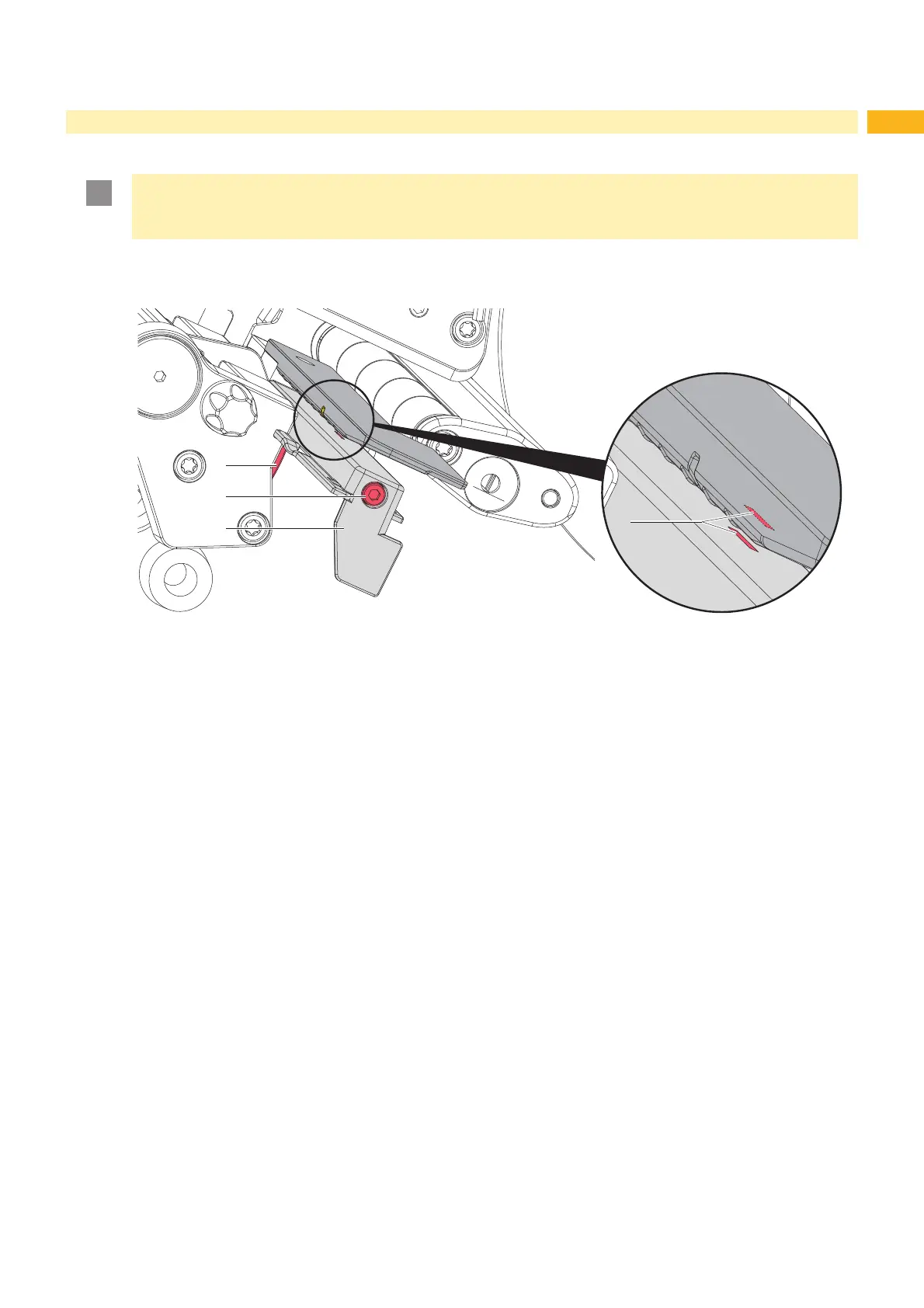
Fig. 17 Cleaning the label sensor
1. Remove labels and transfer ribbon from the printer.
2. Loosen screw (2).
3. Push down and hold the button (1) and slowly pull label sensor outward via the tab (3). Ensure that the label
sensor cable is not strained or torn out by this action.
4. Clean label sensor slots (4) with a brush or cotton swab soaked in pure alcohol (IPA).
5. Push label sensor back via tab (3) and set it via screw (2). (Z 4.1.3 on page 14).
6. Reload labels and transfer ribbon.



 To Next Page