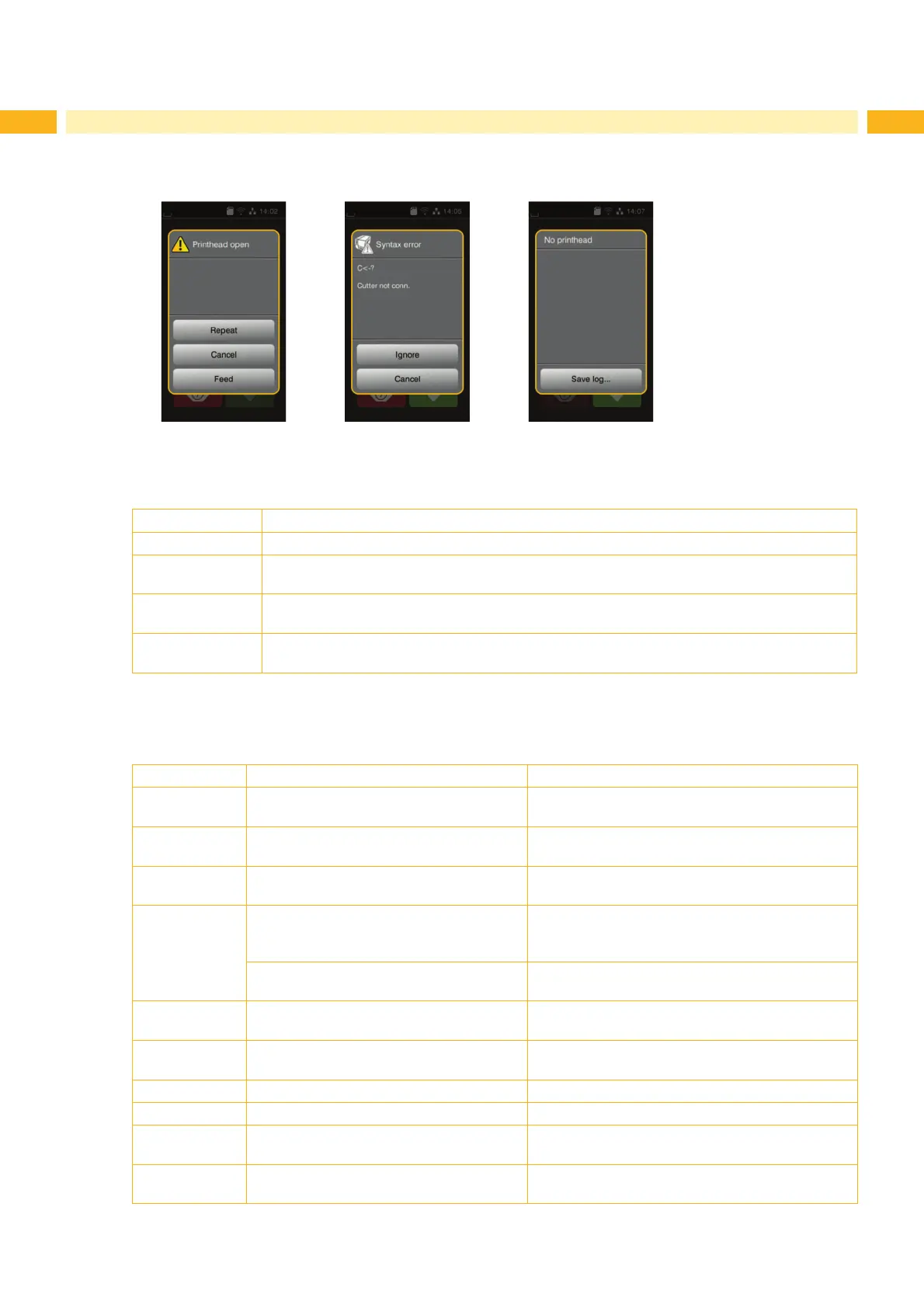
Fig. 18 Error display
The error treatment depends on the type of error Z 7.2 on page 22.
The display offers the following possibilities to continue after an error has occurred:
Repeat The print job will continue after clearing the cause of the error.
Cancel The print job will be cancelled.
Feed The paper feed will be synchronized. Thereafter the print job can be continued with the repeat
function.
Ignore The error message will be ignored. The print job will continue possibly with limited
performance.
Save log The error does not allow print operation.
)RUGHWDLOHGDQDO\VLVVHYHUDOV\VWHP¿OHVFDQEHVDYHGWRDQH[WHUQDOPHPRU\VRXUFH
Table 5 Possible options of error messages
7.2 Error Messages and Fault Correction
Error message Cause Resolution
Barcode error Invalid barcode content, e.g. alphanumeric
characters in a numerical barcode.
Correct the barcode content.
Barcode too big The barcode is too big for the allocated
area of the label.
Reduce the size of the barcode or move it.
%XIIHURYHUÀRZ The input buffer memory is full and the
computer is still transmitting data.
Use data transmission via protocol (preferably
RTS/CTS).
Cutter blocked The cutter cannot return to its home
SRVLWLRQDQGUHPDLQVLQDQXQGH¿QHG
position.
Switch off the printer and remove the material.
Switch on the printer and restart the print job or
change the material.
No cutter function Restart the printer.
If error persists seek out the service department.
Cutter jammed The cutter is unable to cut the labels but is
able to return into its home position.
Press Cancel and change the material.
Device not conn. Programming addresses of non-existent
devices
Either connect this device or correct the
programming.
File not found 7KHUHTXHVWHG¿OHLVQRWRQWKHFDUG Check the contents of the card.
Font not found Error with the selected font Cancel current print job and change the font.
0HPRU\RYHUÀRZ Current print job contains too much infor-
mation (e.g. selected font/large graphics)
Cancel current print job.
Reduce the amount of data to be printed.
Name exists 'XSOLFDWHXVDJHRI¿HOGQDPHLQWKHGLUHFW
programming
Correct print job.



 To Next Page