40
Settings (Audio)
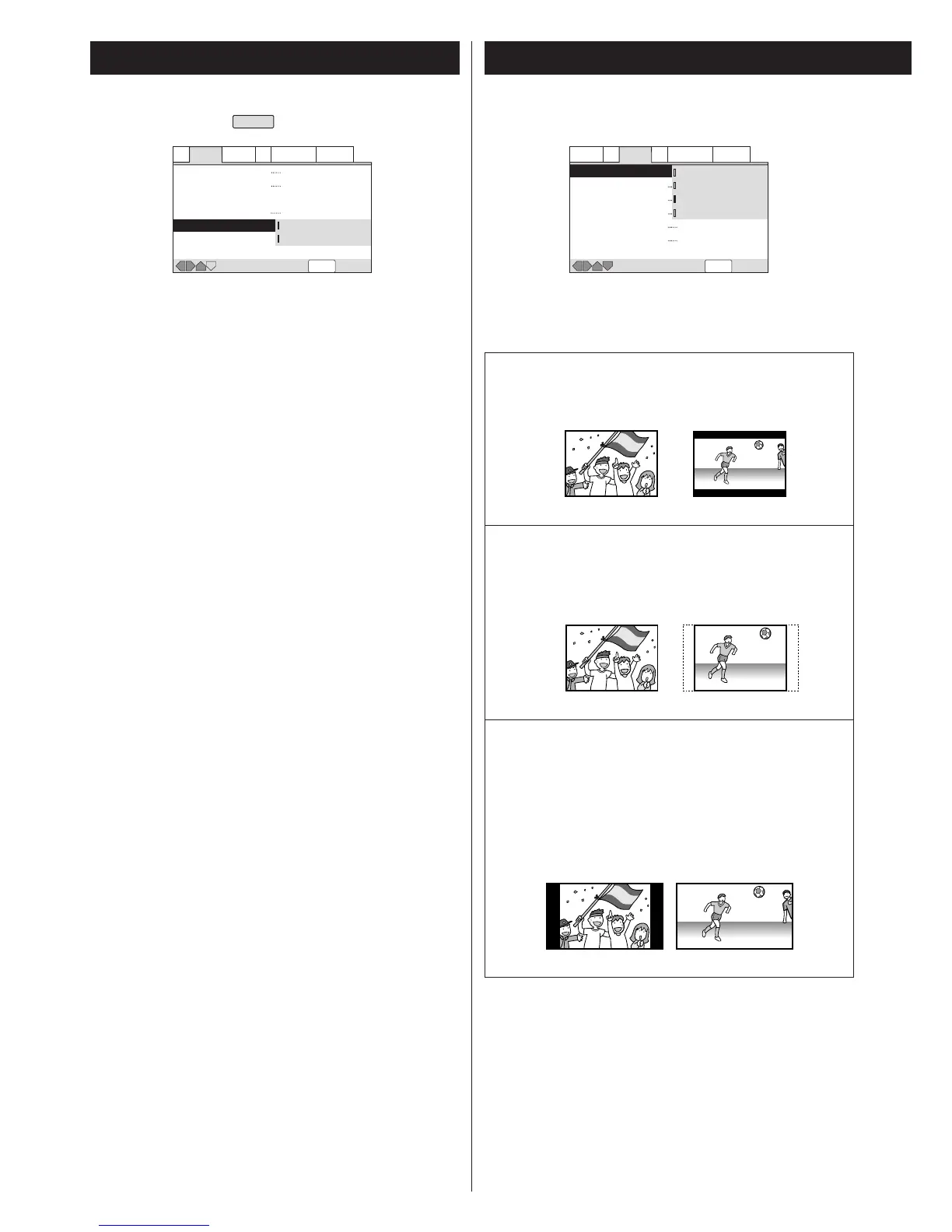
On:
For better sound quality of audio CD, select "On". The unit
bypasses audio circuits which are not necessary for audio CD.
Off (default):
Be sure to select "Off" when you play a DTS encoded CD, or
noise will be produced.
A1 Audio2 Video1 V2 Language General
SETUP
Move Exit
Virtual Surround
Audio Out
Speaker Setting
Gain Setting
CD Digital Direct
Off
2 Channel
Fix
On
Off
Audio1 A2 Video1 V2 Language General
SETUP
Move Exit
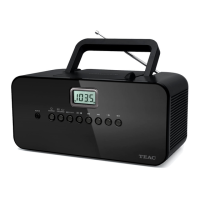
TV Screen
Component Video
Video Out
S-Video Out
Frame Search
Screen Saver
4:3 (Letter box)
4:3 (Pan&Scan)
16:9 (Wide)
16:9 (Compressed)
Off
Off
4:3 (Letter Box)
When you connect a normal TV to the system, this setting
displays a wide picture with black bars at the top and
bottom of the screen.
4:3 (Pan & Scan)
When you connect a normal TV to the system, this setting
displays a wide picture on the whole TV screen with a
portion (right and left sides of the picture) automatically cut
off.
16:9 (Wide) (default)
Use this setting when you connect a wide-screen TV to the
system.
16:9 (Compressed)
When your TV is compatible with progressive scan and isn't
capable of changing aspect ratio, select this setting. 4:3
picture will be displayed with black bars on right and left
sides of the screen.
< Some wide-screen discs that do not permit Pan & Scan mode
playback are automatically played in Letterbox mode.
< Depending on the DVD, 4:3 Letterbox may be selected
automatically instead of 4:3 Pan & Scan and vice versa.
<
If WIDE is selected and a normal TV is connected, 16:9 content
will appear distorted during playback (objects look thin).
<
You must also read the instructions of your TV.
CD Digital Direct
EXPERT
Select the aspect ratio to match your TV.
<
You cannot change this setting during playback.
TV Screen
Settings (Video)


 To Next Page