39
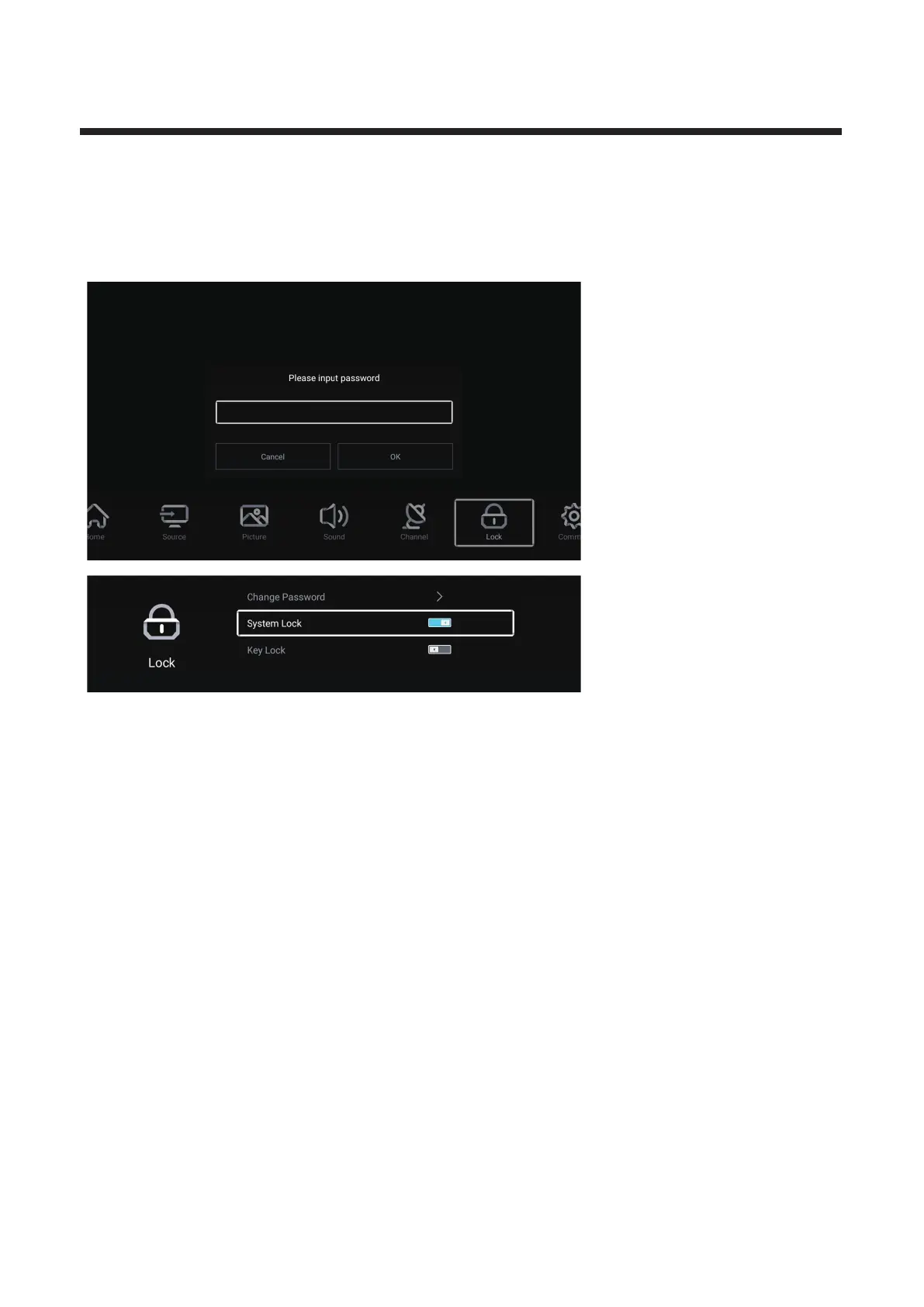
Lock
P MENU button to enter the main menu.ress
Press / button to select Lock. ◄ ►
Press OK button to input password to enter the sub-menu.(Defaul t password is 0000)
Press / button to select .▼ ▲ Change Password/System Lock
Change Password
▼ ▲ Change Password set Password
Press / button to select .Press ENTER button to .
System Lock
▼ ▲ ◄ ► n Off.
Press / button to select System Lock.Press / button to select O /
Key Lock
▼ ▲ ◄ ► n Off.Press / button to select Key Lock.P
ress / button to select O /



 To Next Page