41
Press / button to select▼ ▲ PVR Setting/OSD Timer/Autostandby Timer/Sleep Timer/
B
lue Screen/Teletext/Audio Language 1st/Audio Language 2nd/Subtitle Language 1st/
Subtitle Language 2nd/HDMI CEC Setup/Scene mode/ECO Mode/MenuReset.
PVR Setting
▼ ▲
Press / button to select PVR Setting The PVR Setting is available only in DTV sou rce
Press / button to select Select Disk/ /Speed/Record List/ .▼ ▲ Format Schedule List
Press ENTER button to enter sub-mune.
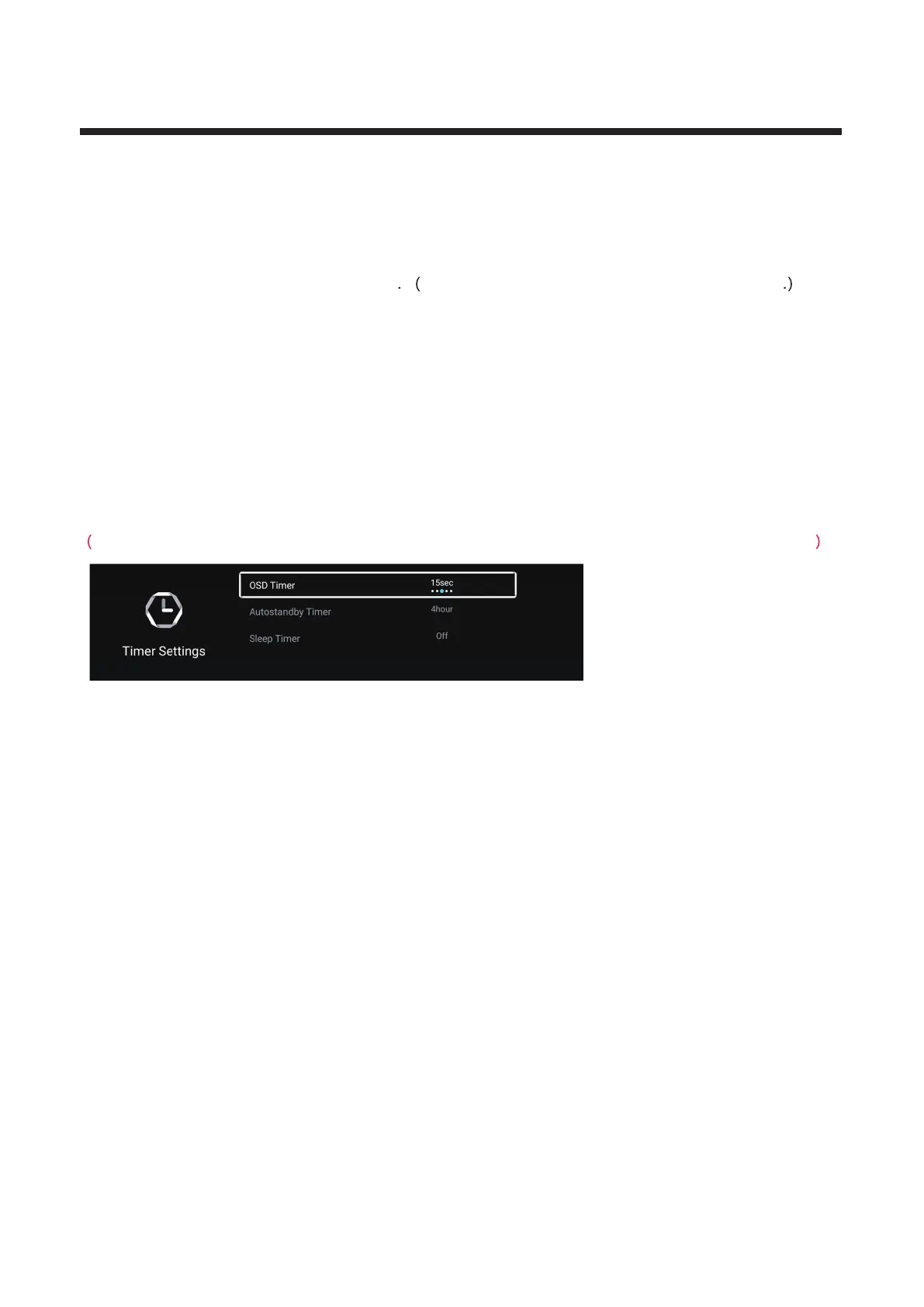
Timer Settings
▼ ▲
Press / button to select Timer Settings.
Press / button to select /Autostandby Timer/Sleep Timer
/On Timer/
▼ ▲ OSD Timer On Time/
On Source/ On Channel/Off Timer/Off Tim e.
Press ENTER button to enter sub-mune.
Note:On Timer/On Time/On Source/On Channel/Off Timer/Off Tim e are the option al features.
OSD Timer
▼ ▲Press / button to select OSD Timer.
Press / button to select Off/5sec/ sec/30sec/40sec.◄ ►
15
Autostandby Timer
▼ ▲
Press / button to select Autostandby Timer.
Press / button to select Off/ /
4hour/5hour.
◄ ► 3hour



 To Next Page