45
PC
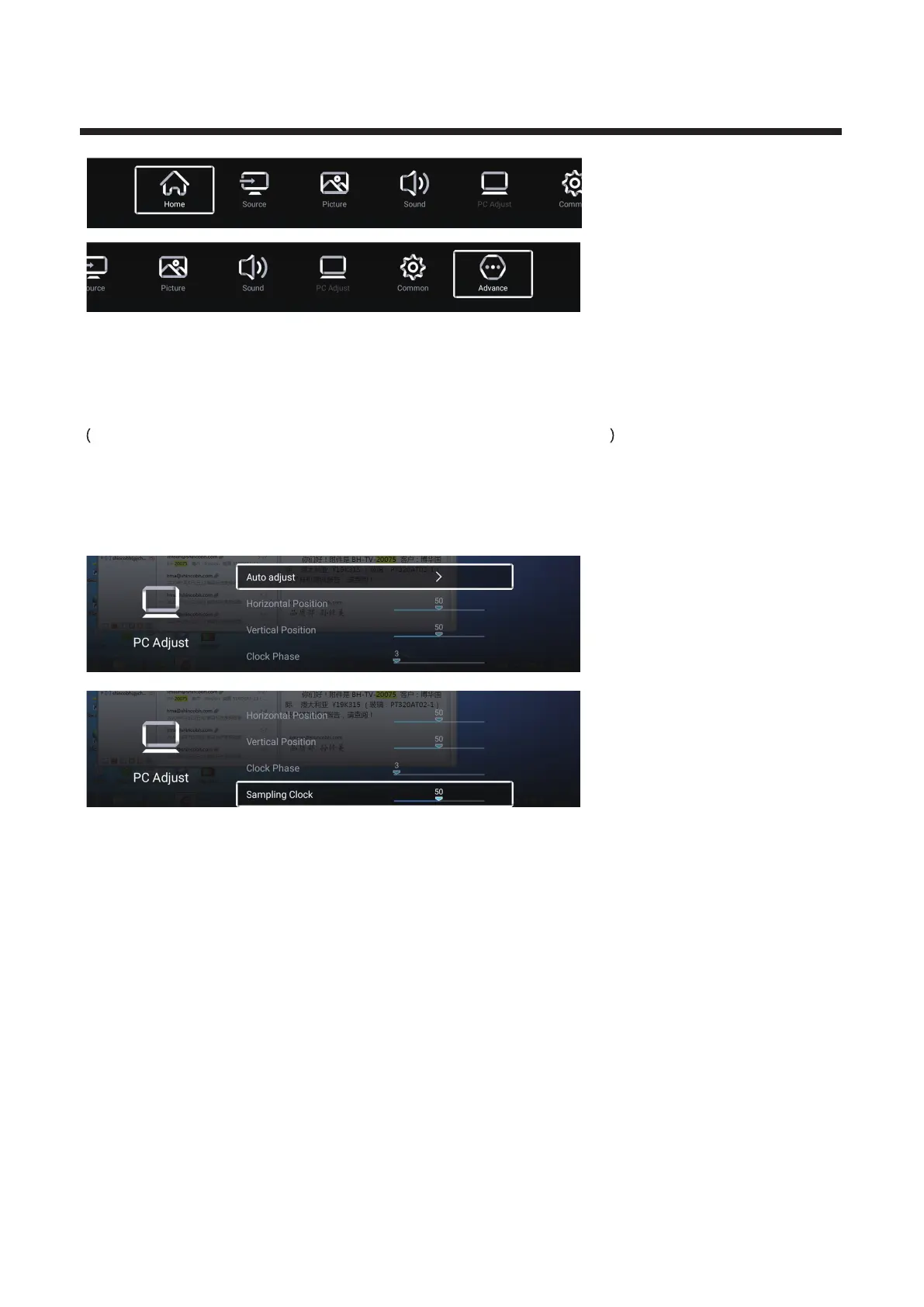
Press More under the “WISDOM SHARE” on the Home page. ▼ ▲/ /◄ / ► button to select
Press button to select ▼ ▲/ “VGA” then enter PC menu.
P ◄ ►ress / button to highlight the desired menu icon , and press ENTER button to select.
Optional:Home/Source/Picture/Sound/PC Adjust/Common/Advance
PC Adjust
P ◄ ►
ress / button to PC Adjust.
Press ENTER button to enter the sub-menu.
Press button to select Auto adjust/Horizontal Position/Vertical Position/
▼ / ▲
Clock Phase/Sampling Clock.
Auto adjust
Press Enter button to start adjusting the Horizontal Position/Vertical Position/
Clock Phase/Sampling Clock automatically.
Horizontal Position
Adjust the horizontal position of the picture.
Press / button to adjust.
◄ ►



 To Next Page