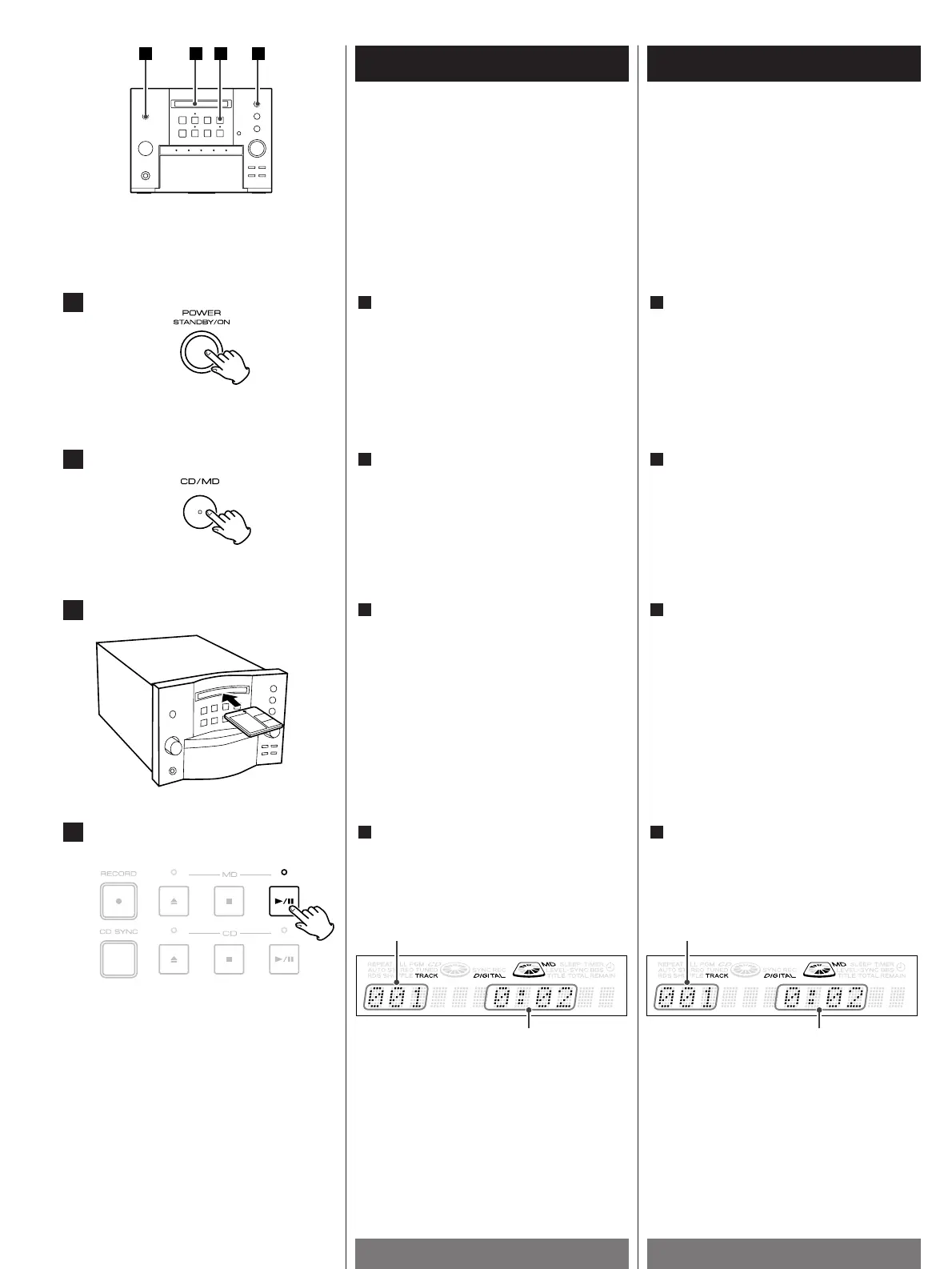
Load a Mini Disc.
<
Insert a Mini Disc into the slot securely.
The orange indicator is lit when a MD is
inside the unit.
<
"READING" is displayed while the unit is
checking the contents of the disc.
<
If a title has been assigned to the disc,
the title will be displayed.
3
Mettez un mini-disc.
<
Insérez correctement un mini-disc dans
la fente.
Le voyant orange est allumé lorsqu’un
mini-disc est installé dans l’appareil.
<
Le message "READING" s’affiche
pendant que l’appareil vérifie le contenu
du disque.
<
Si le disque possède un titre, ce titre
s’affiche.
3
1
2
elapsed time
track number
temps écoulé
numéro de la plage
Press the PLAY/PAUSE button(G/J) to
start playback.
Playback starts from the first track.
4
3
4
Appuyez sur le bouton PLAY/PAUSE
(G
/J) pour commencer la lecture.
La lecture commence à partir de la
première piste.
4
Press the POWER switch to turn the unit
ON.
1
Appuyez sur le bouton POWER pour
mettre l’appareil sous tension.
1
Press the CD/MD button to select "MD".
"NO DISC" will be displayed if no disc is
set.
2
Pour sélectionner l'option "MD",
appuyez sur la touche CD/MD.
S'il n'y a pas de disque dans le lecteur,
l'indication "NO DISC" s'affiche.
2


 To Next Page