78
FRANÇAIS
Effacement rapide (1)
ENGLISH
1
Quick Erase (1)
Use the following procedure to erase
desired tracks in stop mode.
Be careful in using this operation because
tracks cannot be recovered once they have
been erased.
Erasing One or More Tracks at
a Time
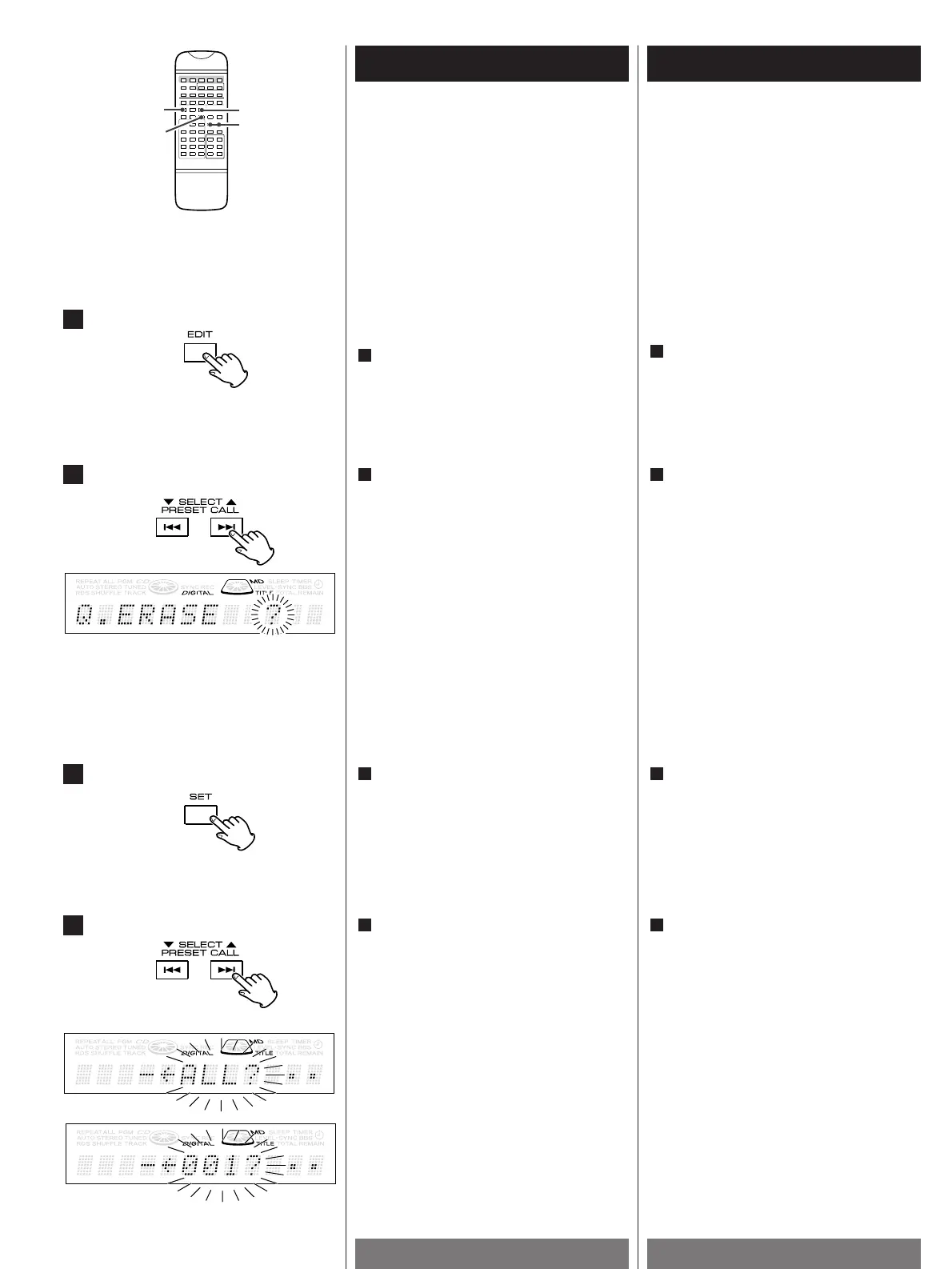
In the stop mode, press the EDIT button.
1
Utilisez la procédure qui suit pour effacer
les pistes désirées en mode arrêt.
On exécutera cette opération avec
prudence car les pistes ne peuvent plus être
récupérées une fois effacées.
Effacement d’une ou plusieurs
pistes à la fois
En mode arrêt, appuyez sur le bouton
EDIT.
1
2
4
3
Select a track numbers to be erased by
pressing the SELECT button.
<
To erase all the tracks, select "ALL".
4
Sélectionnez un numéro de piste à
effacer en appuyant sur le bouton
SELECT.
<
Pour effacer toutes les pistes,
sélectionnez "ALL".
4
Press the SET button.
3
Appuyez sur le bouton SET.
3
Select Q.ERASE by pressing the SELECT
button.
Every time the SELECT button is pressed,
the mode is changed as follows:
Q.MOVE? : Moving tracks.
Q.ERASE? : Erasing track(s).
<
Press the EDIT button again to cancel the
editing operation.
<
Editing is canceled if no operation is
performed for 8 seconds.
2
Sélectionnez Q. ERASE (Effacement
rapide) en appuyant sur le bouton
SELECT.
Chaque fois que vous appuyez sur le
bouton SELECT, le mode change comme
suit :
Q.MOVE ? : déplacement des pistes
Q.ERASE ? : effacement de piste(s)
<
Appuyez de nouveau sur le bouton EDIT
pour annuler la modification effectuée.
<
La modification est annulée si aucune
opération n’est effectuée dans les 8
secondes.
2


 To Next Page