EasyManua.ls Logo

Teac SR-100i - Setting the Clock; Clock Setting Procedure; Checking the Current Clock

Teac SR-100i
36 pages
Print Icon
To Next Page IconTo Next Page
To Previous Page IconTo Previous Page
Loading...
Setting
the
Clock
Set
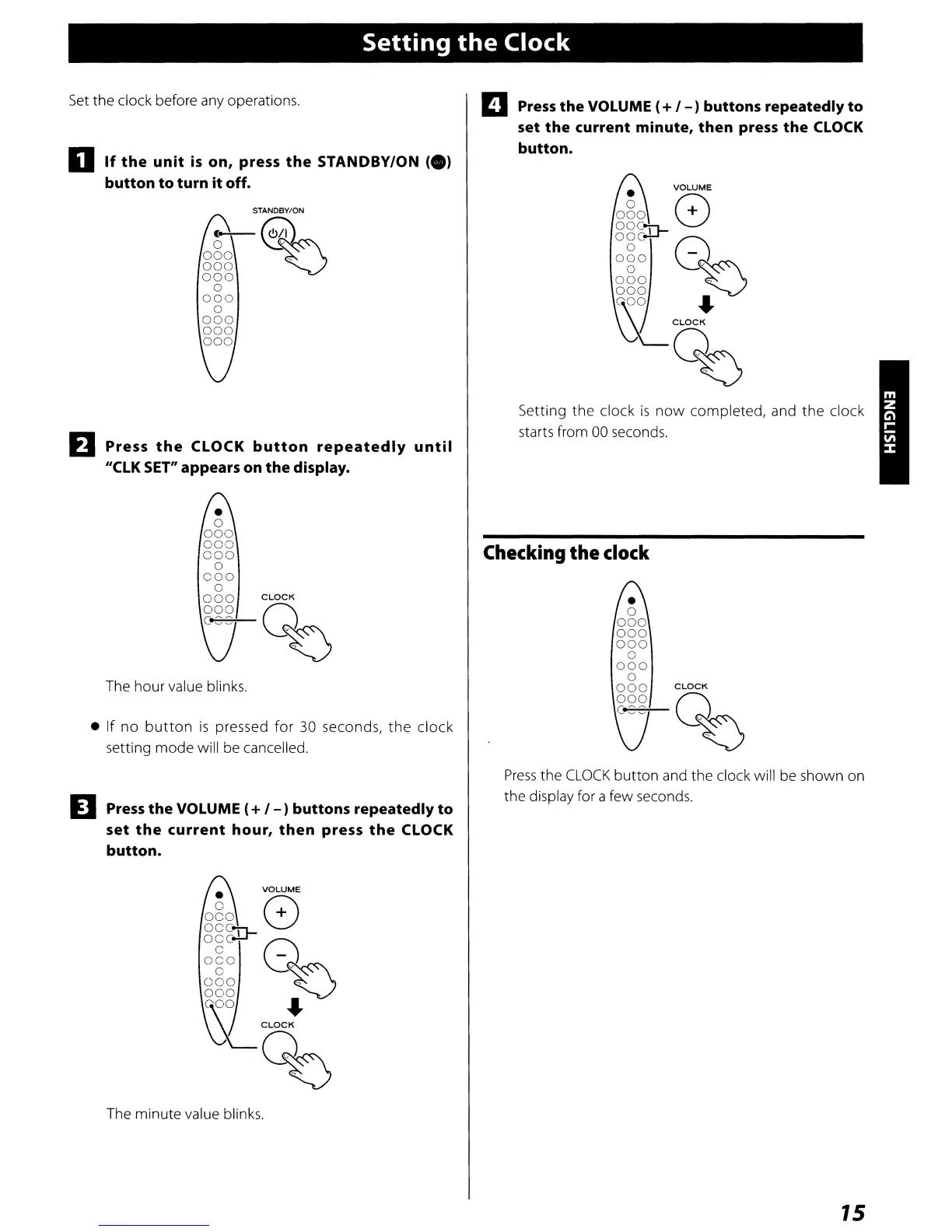
the clock before any operations.
o
If
the
unit
is
on, press
the
STANDBY/ON
ee)
button
to
turn
it
off.
STANDBY/ON
(--%1/
1
a "
000
~
000
000
a
000
a
000
000
000
EJ
Press
the
CLOCK
button
repeatedly
until
"ClK
SET"
appears on
the
display.
a
000
000
000
a
000
a
000
CLOCK
000
Q
c~
~
The hour value blinks.
If
no
button
is
pressed
for
30 seconds,
the
clock
setting
mode
will be cancelled.
D
Press
the
VOLUME e+ / - ) buttons repeatedly
to
set
the
current
hour,
then
press
the
CLOCK
button.
VOLUME
ago
8
oOC"\1-
ogc..u-
Q
oeo
~
o
000
~
000
aoo
....
~CLOCK
%
The minute value blinks.
m
Press
the
VOLUME e+ /
-)
buttons repeatedly
to
set
the
current
minute,
then
press
the
CLOCK
button.
VOLUME
080
Q
~!g~crJ-
Q~
000
~
000
aoo
....
~CLOCK
%
Setting the clock
is
now
completed, and
the
clock
starts from 00 seconds.
Checking
the clock
a
000
000
000
a
000
o
000
CLOCK
000
Q
C~
~
Press
the
CLOCK
button
and the clock will be shown on
the display for a few seconds.
15

Other manuals for Teac SR-100i

Related product manuals