Wake Up Timer
You
can
set
the unit to turn on
at
specific times.
• Adjust
the
clock before
setting
the
wake up
timer
(page
15).
Setting the
wake
up
timer
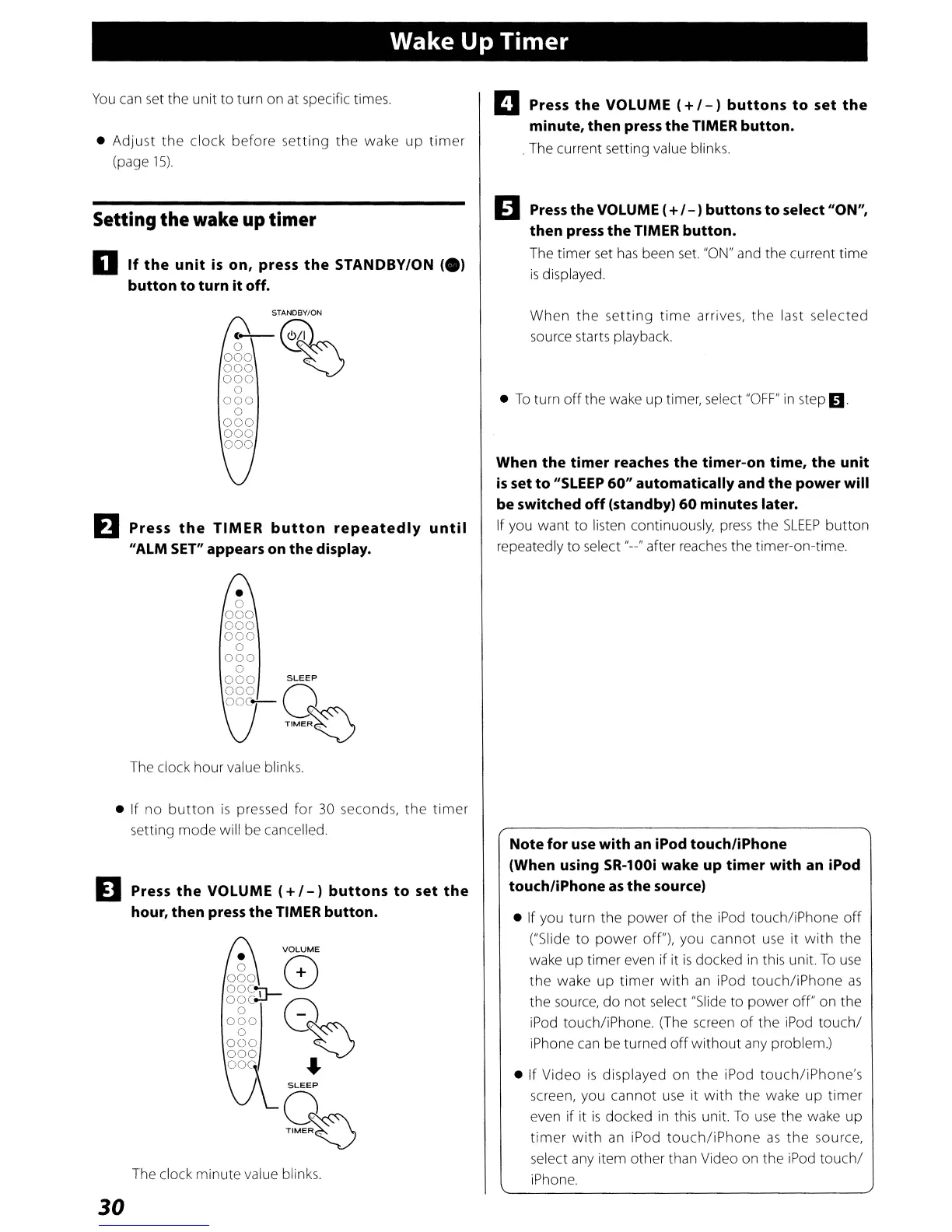
o
If
the
unit
is
on, press
the
STANDBY/ON
(e)
button to turn itoff.
STANDBY/ON
(--0
o
~~~~
000
~
000
000
o
000
o
000
000
000
EJ
Press
the
TIMER
button
repeatedly
until
"ALM
SET"
appears on the display.
•
o
000
000
000
o
000
o
000
SLEEP
000
Q
ooc-
TIME~
The clock hour value blinks.
• If no
button
is
pressed for
30
seconds,
the
timer
setting mode will be cancelled.
EJ
Press
the
VOLUME
(+
/
-)
buttons
to
set
the
hour, then
press
the TIMER button.
VOLUME
ogo
8
oOC:tr-
~~~!
Q~
000
~
000
•
OO~\
...
,L
SLEEP
%
The clock minute value blinks.
30
D Press
the
VOLUME
(+
/
-)
buttons
to
set
the
minute, then press the TIMER button.
. The current setting value blinks.
D
Press
the VOLUME (+/ - )buttons
to
select "ON",
then press the TIMER button.
The
timer
set
has
been
set.
"ON"
and the current time
is
displayed.
When
the
setting
time
arrives,
the
last selected
source starts playback.
•
To
turn
off
the wake up timer, select
"OFF"
in
step
D.
When the timer reaches the timer-on time, the unit
is
set to
"SLEEP
60" automatically and the power will
be switched
off
(standby)
60
minutes later.
If you want to listen continuously,
press
the
SLEEP
button
repeatedly
to
select "--" after reaches the timer-on-time.
Note for
use
with an iPod touchliPhone
(When using SR-100i wake up timer with an iPod
touch/iPhone
as
the source)
• If you turn the power
of
the
iPod
touch/iPhone
off
("Slide
to
power
off"), you cannot
use
it
with
the
wake up timer even if it
is
docked
in
this unit.
To
use
the
wake up
timer
with
an
iPod
touch/iPhone
as
the source, do not select "Slide to power off" on the
iPod touch/iPhone. (The screen
of
the
iPod
touchl
iPhone
can
be turned
off
without
any problem.)
• If Video
is
displayed on
the
iPod
touch/iPhone's
screen, you cannot
use
it
with
the wake up timer
even if it
is
docked
in
this unit.
To
use
the wake up
timer
with
an
iPod
touch/iPhone
as
the
source,
select any item other than Video on the
iPod
touchl
iPhone.



 To Next Page