EasyManua.ls Logo

Teac SR-100i - Basic Operation; Power On and Source Selection; Volume and Sound Enhancement

Teac SR-100i
36 pages
Print Icon
To Next Page IconTo Next Page
To Previous Page IconTo Previous Page
Loading...
Basic
Operation
This
chapter
describes
the
basic
operation
which
is
available in every mode.
o
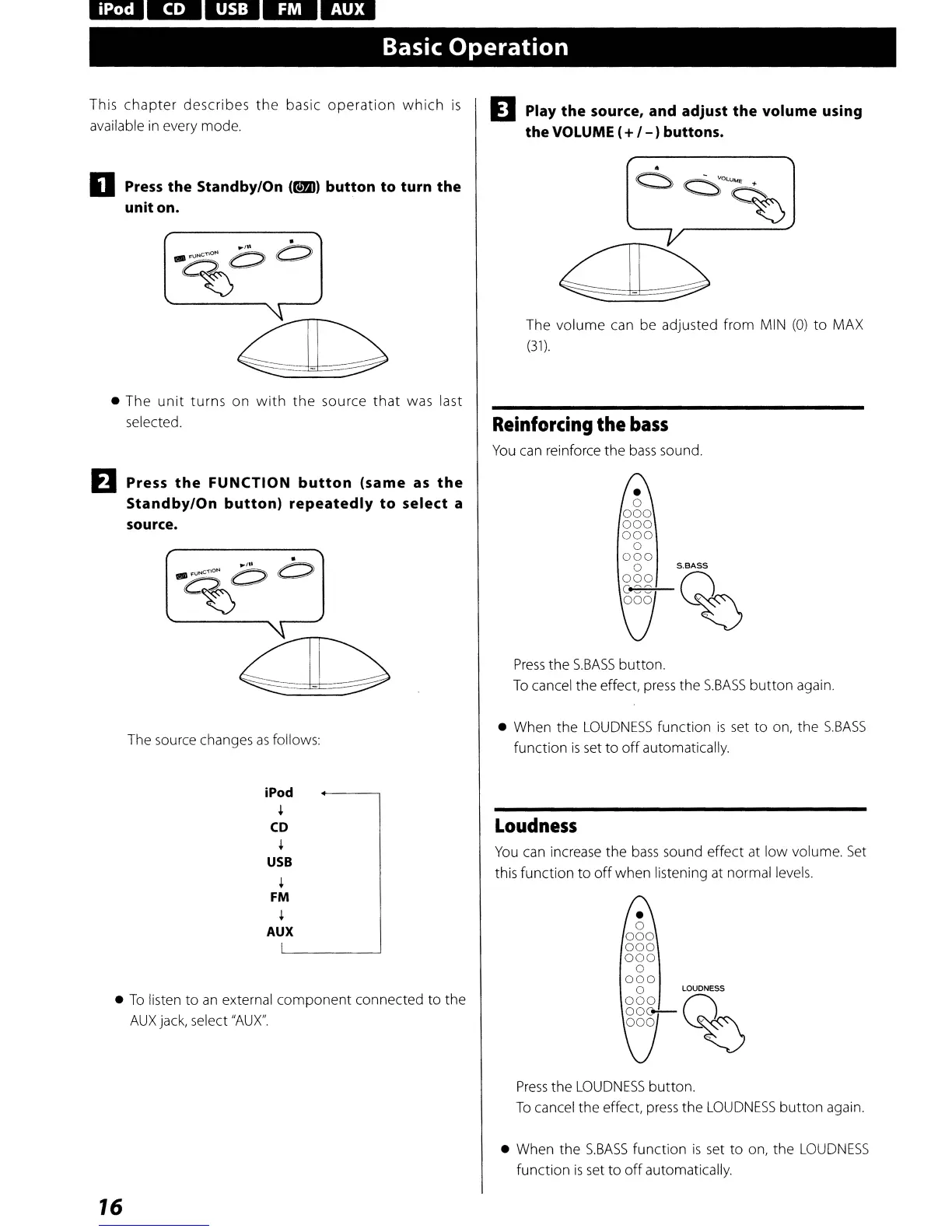
Press
the
Standby/On
(t!!m)
button
to
turn
the
unit
on.
The
unit
turns
on
with
the
source
that
was last
selected.
EJ
Press
the
FUNCTION
button
(same
as
the
Standby/On
button)
repeatedly
to
select a
source.
The source changes
as
follows:
iPod
+
CD
+
USB
+
FM
+
AUX
To
listen
to
an
external
component
connected
to
the
AUX
jack, select
"AU
X".
16
D Play
the
source, and adjust
the
volume using
the VOLUME (
+
/-
)buttons.
The
volume
can be adjusted
from
MIN
(0)
to
MAX
(31)
.
Reinforcing
the
bass
You
can reinforce
the
bass
sound.
a
000
000
000
a
000
o
S.8ASS
000
n
666
~~
Press
the
S.BASS
button.
To
cancel
the
effect,
press
the
S.BASS
button
again.
When
the
LOUDNESS
function
is
set
to
on,
the
S.BASS
function
is
set
to
off
automatically.
Loudness
You
can increase
the
bass
sound effect at
low
volume.
Set
this
function
to
off
when
listening at normal levels.
Press
the
LOUDNESS
button.
To
cancel
the
effect
press
the
LOUDNESS
button
again.
When
the
S.BASS
function
is
set
to
on,
the
LOUDNESS
function
is
set
to
off
automatically.

Other manuals for Teac SR-100i

Related product manuals