Listening
to
the
FM
Radio
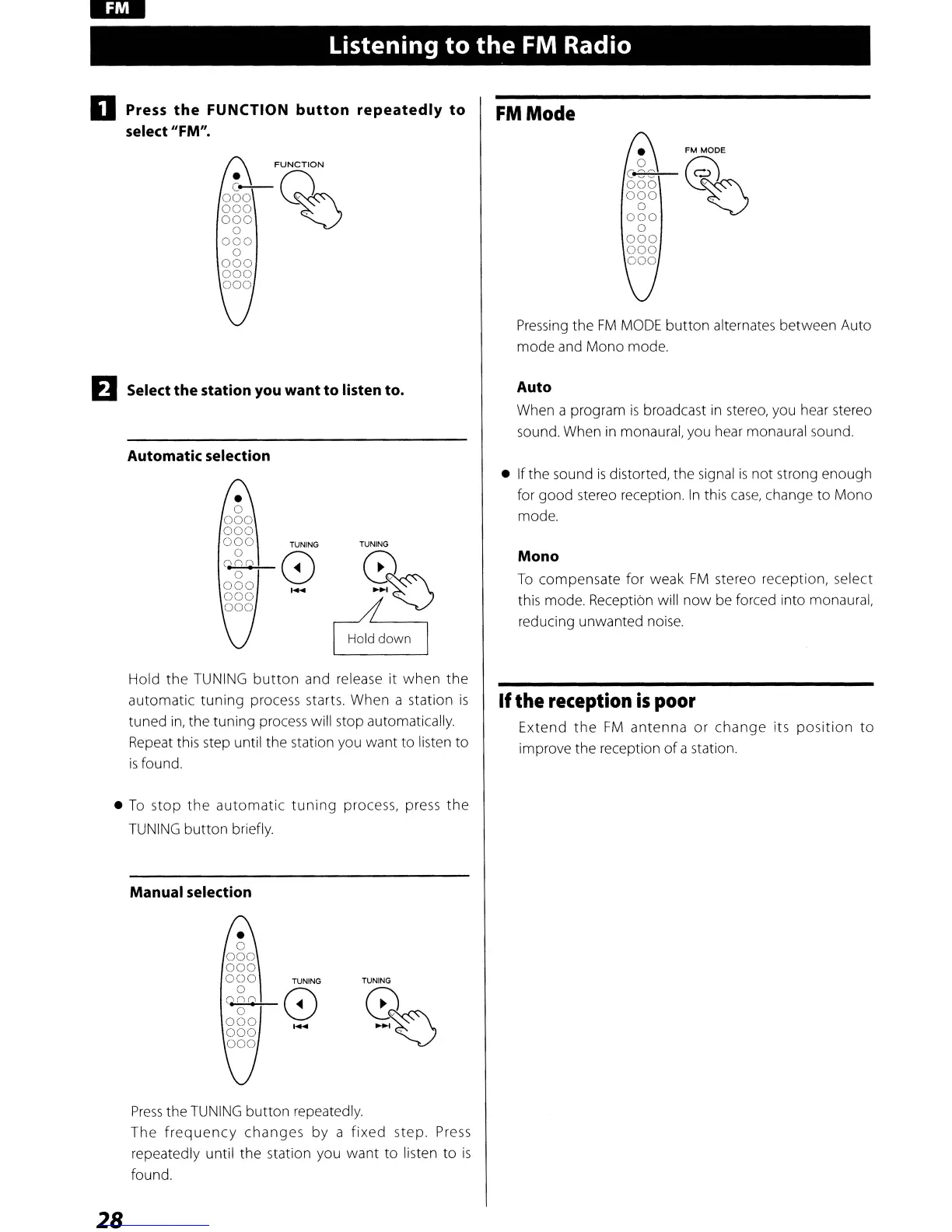
o Press
the
FUNCTION
button
repeatedly
to
select "FM".
FUNCTION
o80Q~
000
~
000
o
000
o
000
000
000
EJ
Select the station you want to listen to.
Automatic selection
FMMode
•
FM
MODE
ggg
@~
000
,
o
000
o
000
000
000
Pressing
the
FM
MODE
button
alternates between Auto
mode and Mono mode.
Auto
When a program
is
broadcast
in
stereo, you hear stereo
sound. When
in
monaural, you hear monaural sound,
•
o
000
000
000
o
Qn~
o
000
000
000
TUNING TUNING
8 0
-
~~
8
• Ifthe sound
is
distorted, the signal
is
not strong enough
for good stereo reception.
In
this
case,
change
to
Mono
mode.
Mono
To
compensate for weak
FM
stereo reception, select
this mode, Reception will
now
be forced into monaural,
reducing unwanted noise.
Hold
the
TUNING
button
and release it
when
the
automatic
tuning
process starts. When a station
is
tuned
in,
the tuning process will stop automatically.
Repeat this step until the station you want
to
listen
to
is
found,
•
To
stop
the
automatic
tuning
process, press
the
TUNING
button
briefly.
Manual selection
If
the
reception
is
poor
Extend
the
FM
antenna
or
change
its
position
to
improve the reception
of
a station,
•
o
000
000
000
o
qn~
o
000
000
000
TUNING
8
TUNING
%
Press
the
TUNING
button
repeatedly.
The
frequency
changes
by a
fixed
step. Press
repeatedly until the station you want to listen
to
is
found.
28



 To Next Page