44
10. Synchronization function
10-6.
Checking connections
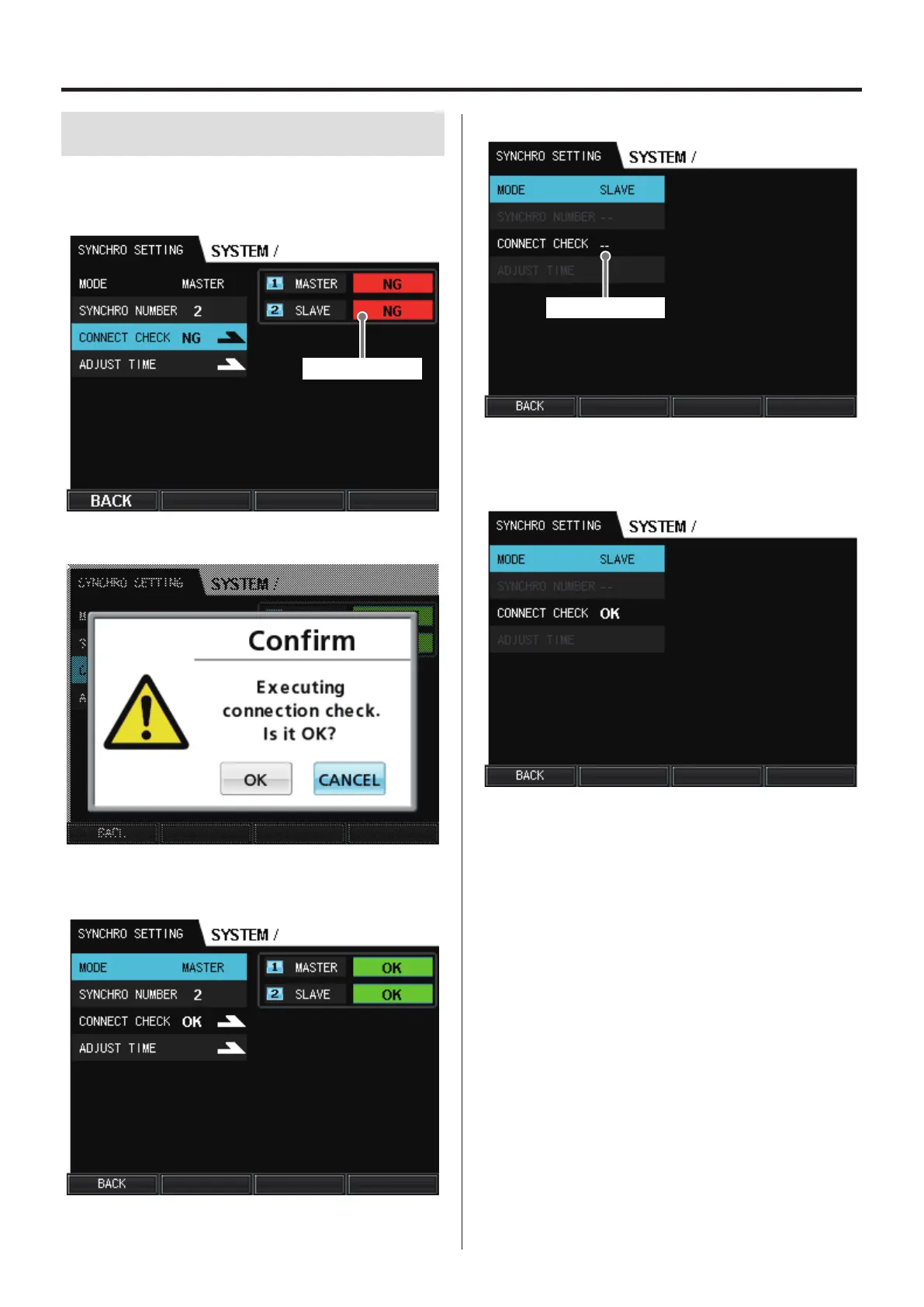
Confirm that the master and slave units are connected correctly.
Select CONNECT CHECK on the master unit and press the VALUE
knob.
Connection status
Select OK in the dialog box, and press the VALUE knob.
If the connection is confirmed to be okay, the connection status of
the master and slave units will be shown as “OK”.
o The slave unit does not have a CONNECT CHECK option.
Connection status
If the connection check conducted on the master unit completes
successfully, the connection status of the slave unit will be shown as
“OK”.


 To Next Page