EasyManua.ls Logo

Teac WX-7000 - User Manual

Teac WX-7000
88 pages
Print Icon
To Next Page IconTo Next Page
Loading...
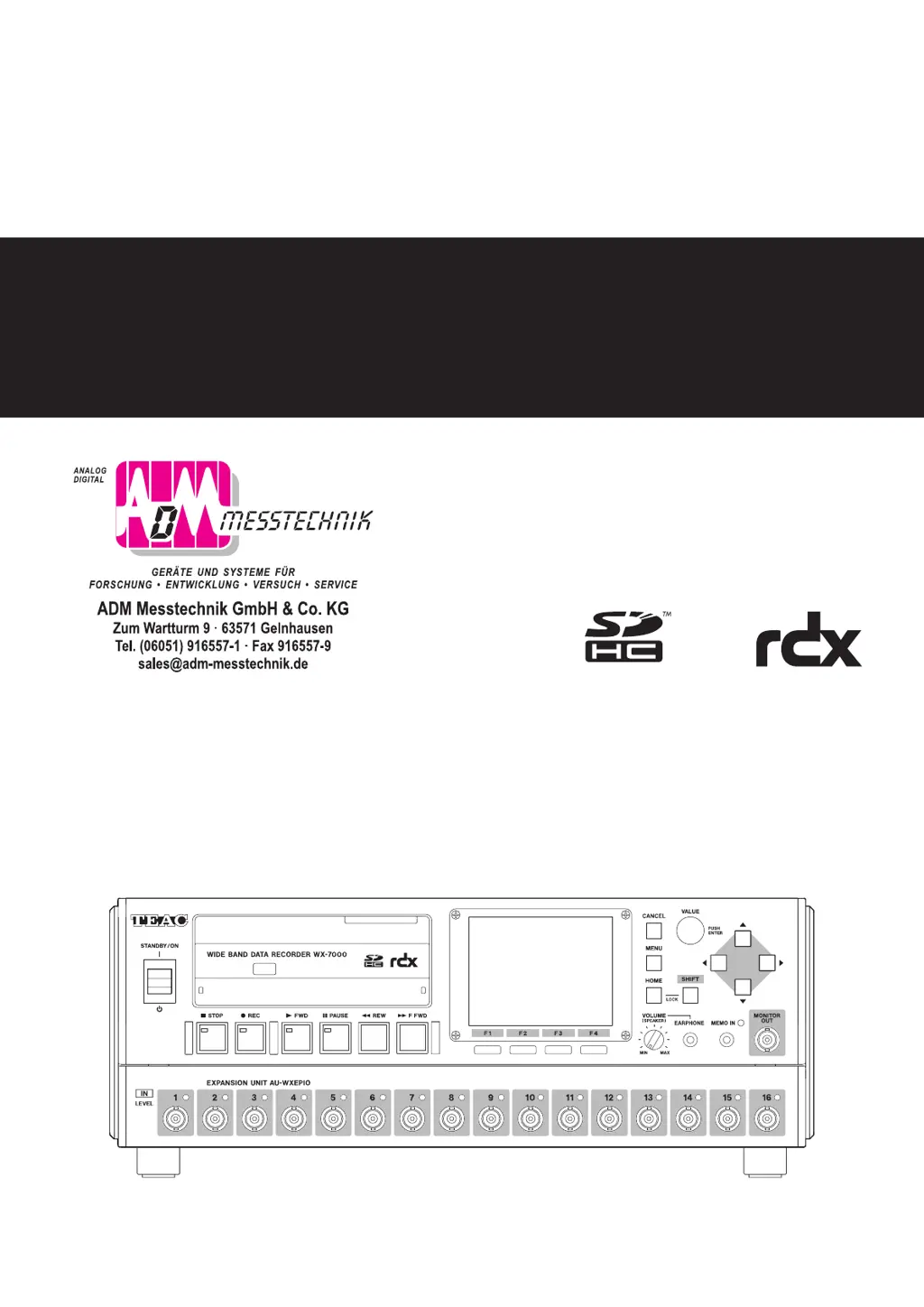
WIDE BAND DATA RECORDER
Owners Manual
Z
WX-7000
D01190210J

Table of Contents

Other manuals for Teac WX-7000

Questions and Answers

  • C
    ccampbellAug 17, 2025
    What to do if the Teac WX-7000 Voice Recorder shows 'Inserted media is not supported'?
    • T
      tyrone28Aug 17, 2025
      If your Teac Voice Recorder displays the message 'Inserted media is not supported', the problem may be due to several reasons. First, ensure that the media you are using is compatible with the WX-7000. Second, check whether the media has been formatted by the WX-7000. When formatting media for the first time, format it using the WX unit. Finally, verify that you are using media that has been confirmed to work with the WX-7000.
  • R
    Randy FlowersAug 20, 2025
    Why WX Navi does not recognize the Teac Data Loggers WX-7000?
    • B
      Brandon CowanAug 20, 2025
      If WX Navi isn't recognizing your Teac Data Loggers WX-7000, check these things: * Make sure the LAN cables are properly connected. * Verify that the IP address and subnet mask settings are correctly configured. * Ensure that the computer’s firewall isn't blocking it. * Try turning the WX-7000 power off and on again, then restart WX Navi.
  • C
    Curtis CookeAug 22, 2025
    What to do if main unit buttons do not function on Teac Data Loggers?
    • M
      meltonnicholeAug 22, 2025
      If the buttons on your Teac Data Loggers unit aren't working, here are a couple of things to check: * See if the panel is locked; if it is, unlock it. * Note that the buttons are disabled during WX-Navi operation. After interrupting transmission with WX-Navi, button use will be possible again after at least 3 minutes.
  • H
    hollyhallAug 25, 2025
    What to do if “Inserted media is not supported” message appears on Teac Data Loggers?
    • B
      brownpatriciaAug 26, 2025
      If you're getting an “Inserted media is not supported” message on your Teac Data Loggers, consider the following: * Confirm that compatible media is loaded. * Check if the media has been formatted by the WX-7000. If not, use the WX-7000 to format it. * When formatting media for the first time, format it using the WX unit. * Verify that you are using media that has been confirmed to work with the WX-7000.
  • P
    Patrick WilsonAug 28, 2025
    How to fix Teac Data Loggers if power will not turn on?
    • T
      Thomas WoodsAug 28, 2025
      If your Teac Data Loggers power won't turn on, check if the power adapter is connected and that the DC power supply voltage isn't too low.
  • J
    jamescalhounAug 30, 2025
    Why cannot select the sampling frequency on Teac Data Loggers?
    • M
      Melissa BishopAug 30, 2025
      If you cannot select the sampling frequency on your Teac Data Loggers, ensure that the number of channels is not set to more than what the recording media supports.
  • C
    Christopher GonzalezSep 1, 2025
    What to do if RDX cartridge not recognized on Teac Data Loggers?
    • P
      Patrick CoffeySep 1, 2025
      If the RDX cartridge is not recognized immediately after insertion in your Teac Data Loggers, turn the WX-7000’s power off and then on again.
  • J
    Jared MitchellSep 4, 2025
    How to fix Teac WX-7000 if power will not turn on?
    • M
      Michael BaldwinSep 4, 2025
      If your Teac Voice Recorder is not turning on, there are a couple of things to check. First, make sure the power adapter is properly connected. Second, verify that the DC power supply voltage is appropriate.
  • U
    upittsSep 6, 2025
    Why WX Navi does not recognize the Teac Voice Recorder WX-7000?
    • N
      Nicole CobbSep 6, 2025
      If WX Navi is not recognizing the WX-7000 Teac Voice Recorder, consider these potential causes: * Ensure the LAN cables are correctly connected. * Verify the IP address and subnet mask settings are correct. * Check if the computer’s firewall is blocking the device. Additionally, try turning the WX-7000 power supply off and on again, then restart WX Navi.
  • K
    Katherine RossSep 9, 2025
    What to do if Teac WX-7000 Voice Recorder main unit buttons do not function?
    • B
      bhillSep 9, 2025
      If the main unit buttons on your Teac Voice Recorder are not functioning, first check if the panel is locked and unlock it. Also, note that the buttons are disabled during WX-Navi operation; after interrupting transmission with WX-Navi, button use will be possible again after at least 3 minutes.

Teac WX-7000 Specifications

General IconGeneral
MicrophoneBuilt-in stereo microphone
ModelWX-7000
CategoryVoice Recorder
Recording FormatMP3
Sampling Frequency44.1kHz
Bit Depth16-bit
InputExternal microphone input (3.5mm mini jack)
OutputHeadphone output (3.5mm mini jack)
StorageMicroSD card
Dimensions120mm

Related product manuals