76
17. Options
17-1.
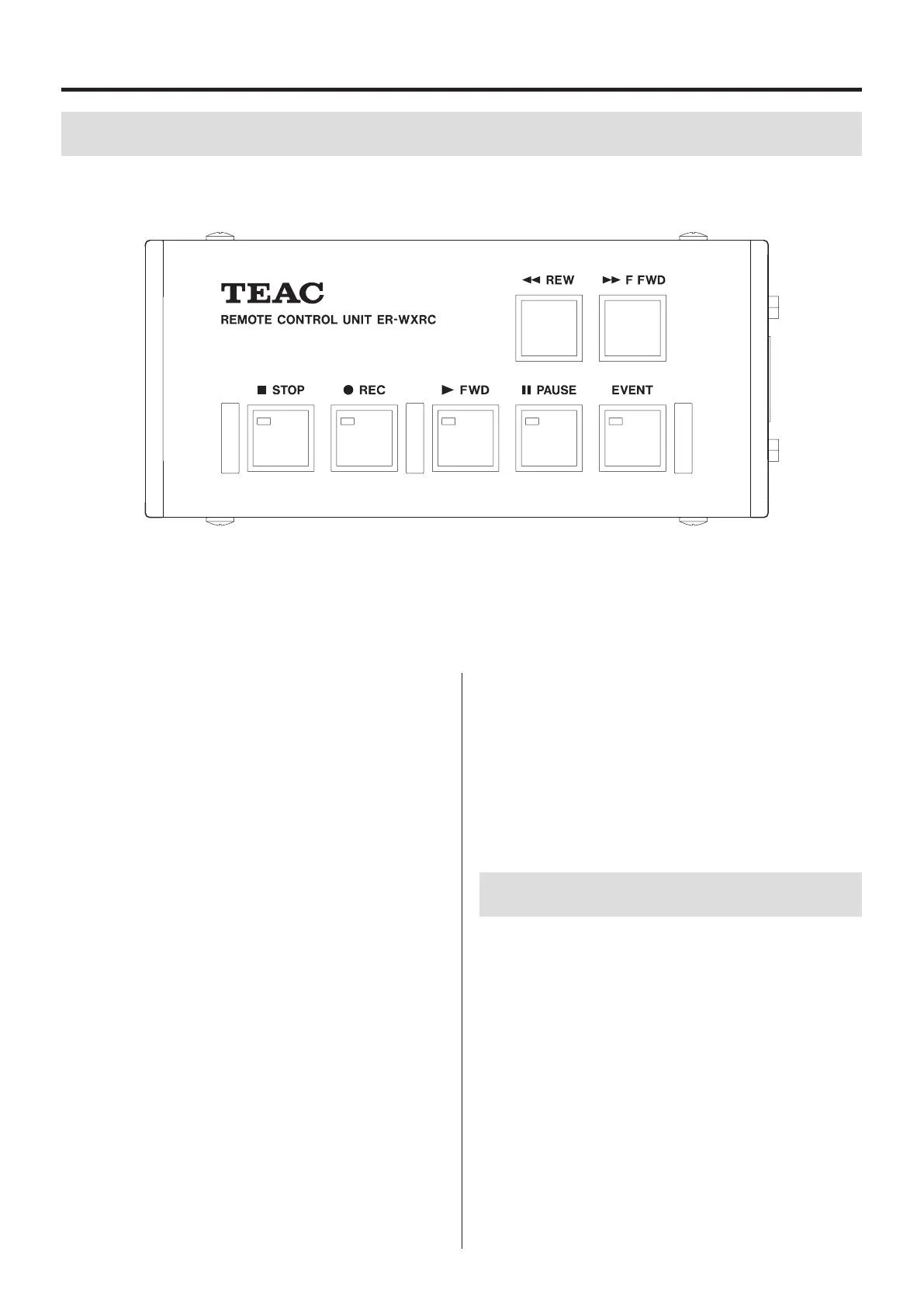
Remote control
Pause (9PAUSE) button
Press when stopped or playing back to make the system playback
ready.
Press when recording to make record ready.
Search (mREW/,F FWD) buttons
Use to search the playback files.
17-2.
Interface cards
The following optional card is available.
o IRIG-B timecode signal/GPS data input card
This is a simple remote control dedicated to the operation of the
recording unit transport buttons from a distance.
Connect the remote control to the DIGITAL CONTROL input connec-
tor on the rear panel of the recording unit with the included cable.
EVENT button
Add an event mark.
The following buttons function in the same way as the recording
unit transport buttons.
STOP (8STOP) button
Stops recording and playback.
Recording (0REC) button
Press when stopped to make the system record ready.
Playback (7FWD) button
Press when stopped or playback ready to start playback.
Press when record ready to start recording.


 To Next Page