45
10. Synchronization function
10-7.
Adjusting the time
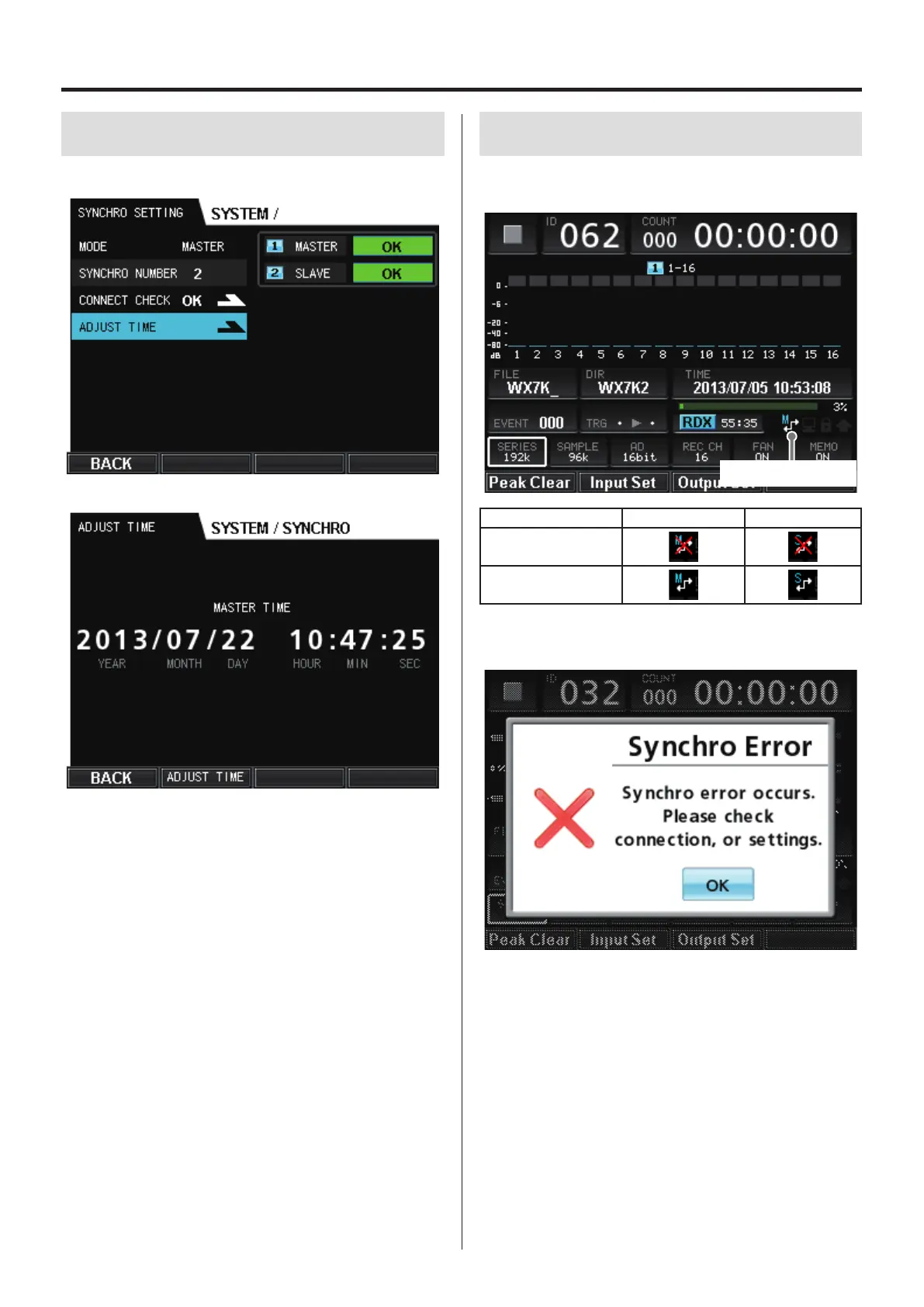
Select ADJUST TIME on the master unit, and press the VALUE knob.
The time is shown on the master unit.
Press F2 (ADJUST TIME) to set the time on the slave unit to the time
of the master unit (±1 second discrepancy).
10-8.
Synchronization status display
When synchronization connection is in use, the synchronization sta-
tus is shown on the HOME screen.
Synchronization status
Synchronization status Master unit Slave unit
Synchronization not
working
Synchronization
working
When synchronized recording or playback starts, if synchronization
fails, an error message appears.


 To Next Page