TJ UV Printer User Manual
Chapter 4. Install the software (Must install under computer system as WIN7/VISTA/XP!)
1. Install the compat driver
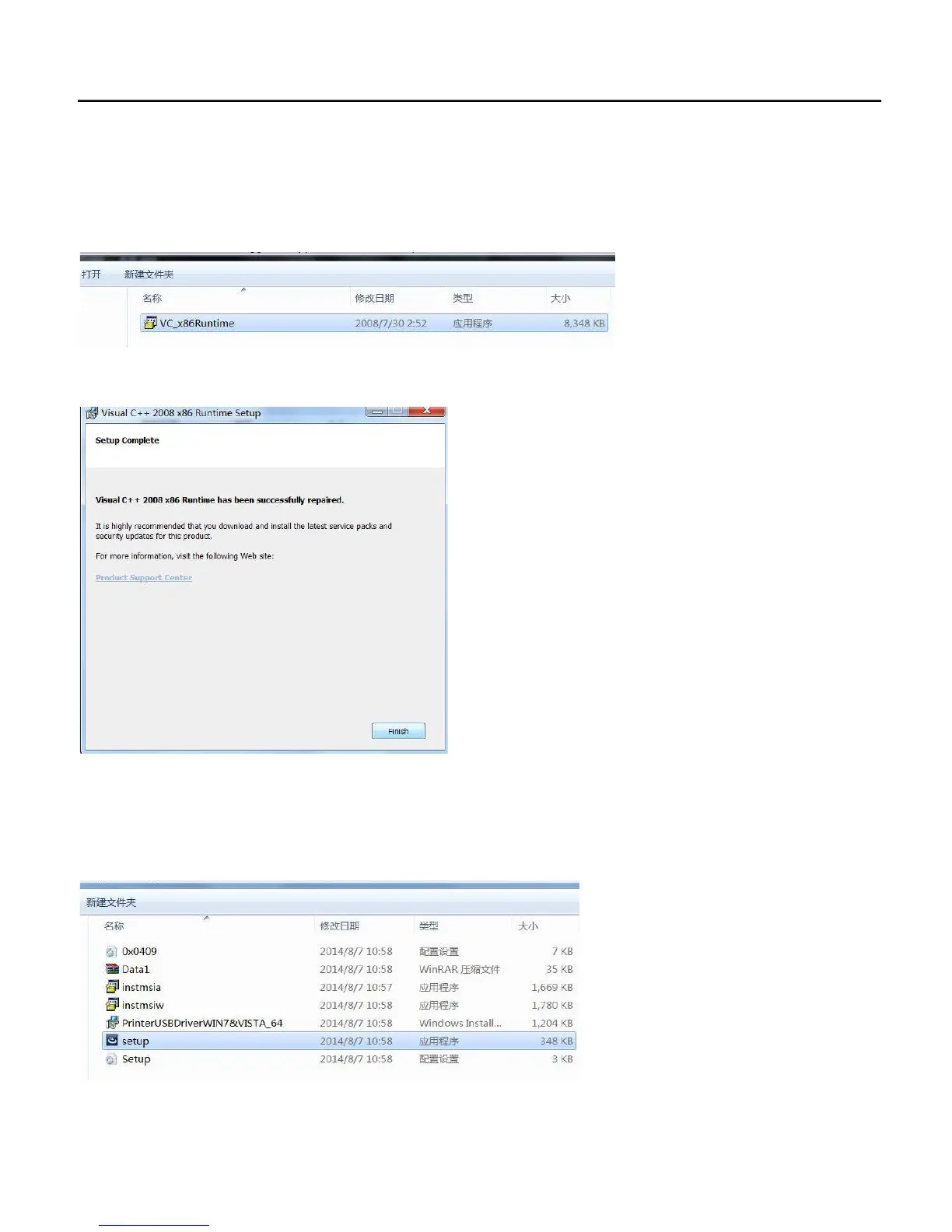
Open the compat runtime folder and install the compat driver named VCX86Runtime.exe
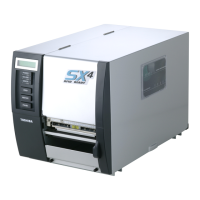
Then click FINISH to finish the installation.
2. Install the Printer USB driver
Find the suport and open the folder named “USB Device Driver”, please pay attention to your computer is 32bit or 64bit, must
install the driver match with your computer bit version. 32bit computer install the 32bit driver, 64bit install the 64bit driver.
3. Install the RIP software
26


 To Next Page