TJ UV Printer User Manual
7.3. Process the job from UltraRIP:
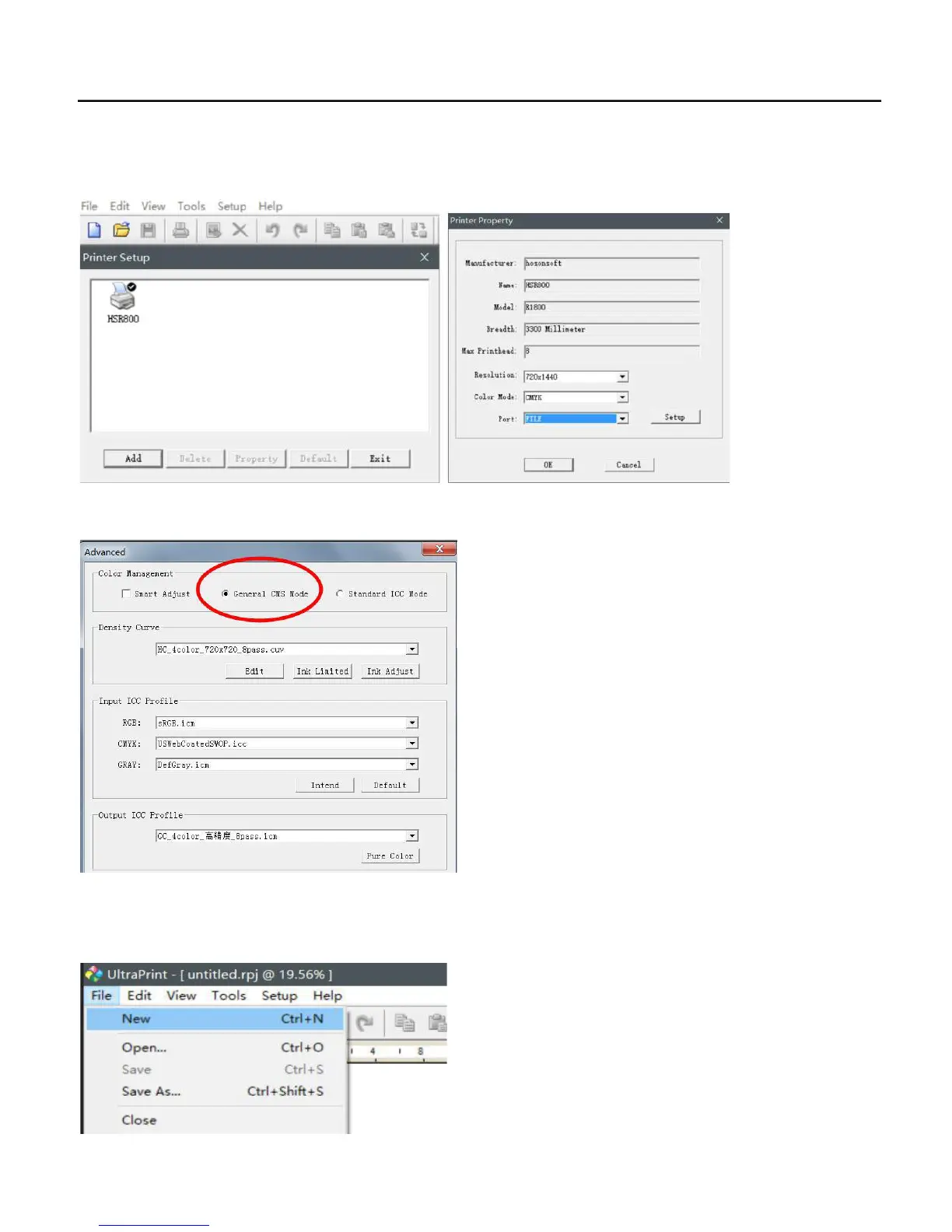
1.. Open the UltraPrint RIP software/file/printer setup/HSR800/make default/check the default setting as following:
2.. Go to UltraRIP/Setup/Option/Advanced/ Choose General CMS Mode.
3.. RIP a file for print only with color ink.
A: Go to UltraRIP/FILE/NEW to set up a new template.
58


 To Next Page