TJ UV Printer User Manual
Chapter 9. Maintenance
9.1. Daily job after printing
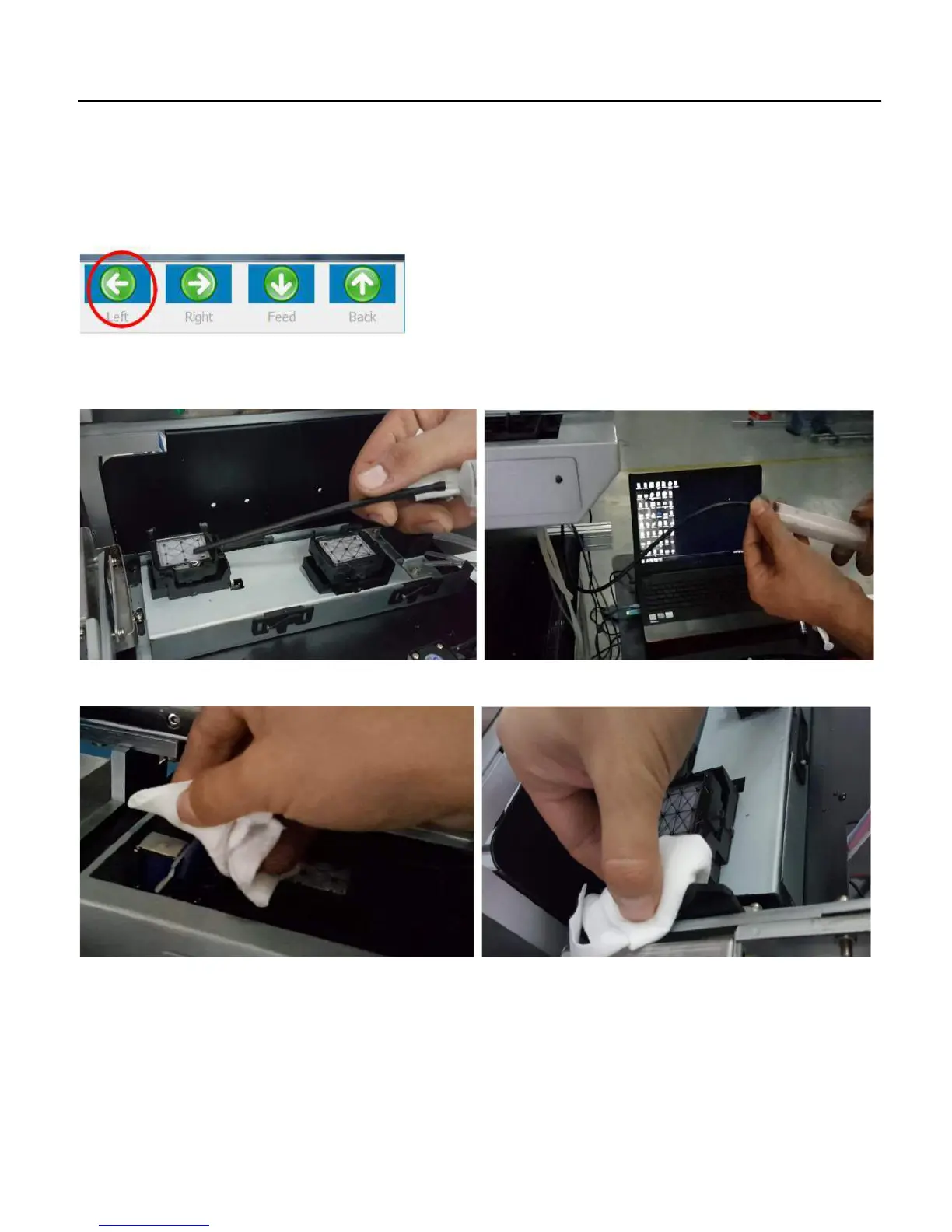
1..Move the carriage out of home position about 15cm by press TO left
2. Fill in some head cleaning solution to the both cap station, then use the injection to connect with the waste ink tube to flush out
the waste ink at the cap station.
3. . Clean the wipe by clean solution and non-woven tissue:
4. Use the clean non-woven tissue go with the head cleaning solution to wipe out the dirty ink at the surface of the print head.
69


 To Next Page