TJ UV Printer User Manual
5.2. Power on for print by rotary device way
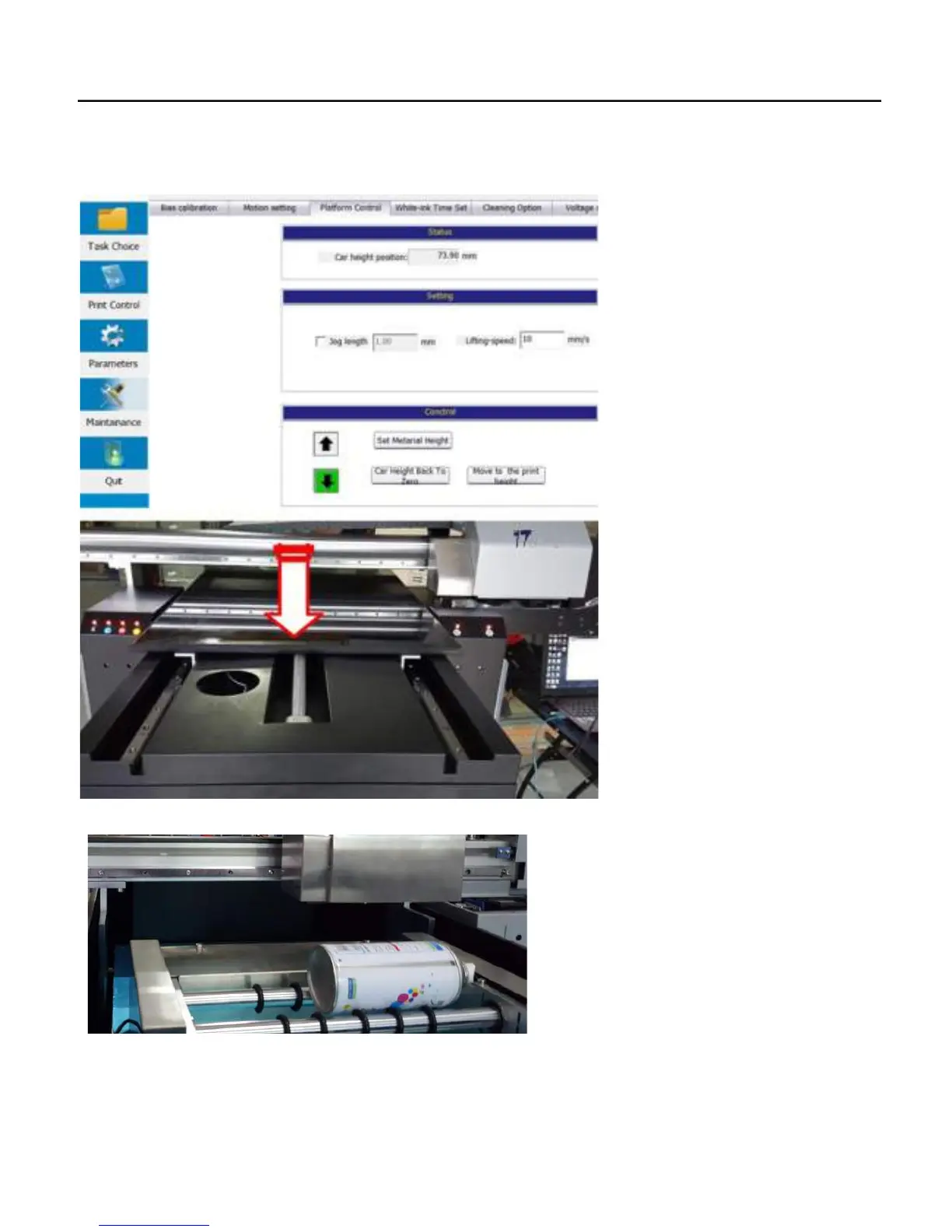
1. Power on the machine by flatbed way as chapter 5.1. then go to the Control software/Maintainance/Platform
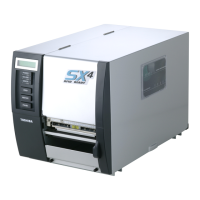
control/Control/Press down button to make the flatbed move down to get enough space for put the rotary device on the flatbed.
2. Put the rotary device to the top of the flatbed, be sure the rotary device will not scratch the print head.
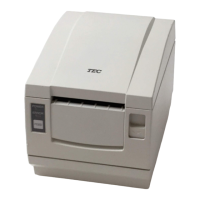
3. Put a rotary media at the top of the middle two running pole.
Adjust X axis: Move the top rail to the top of the bottle, And then adjust the rotary device with X axis straight,
32


 To Next Page