TJ UV Printer User Manual
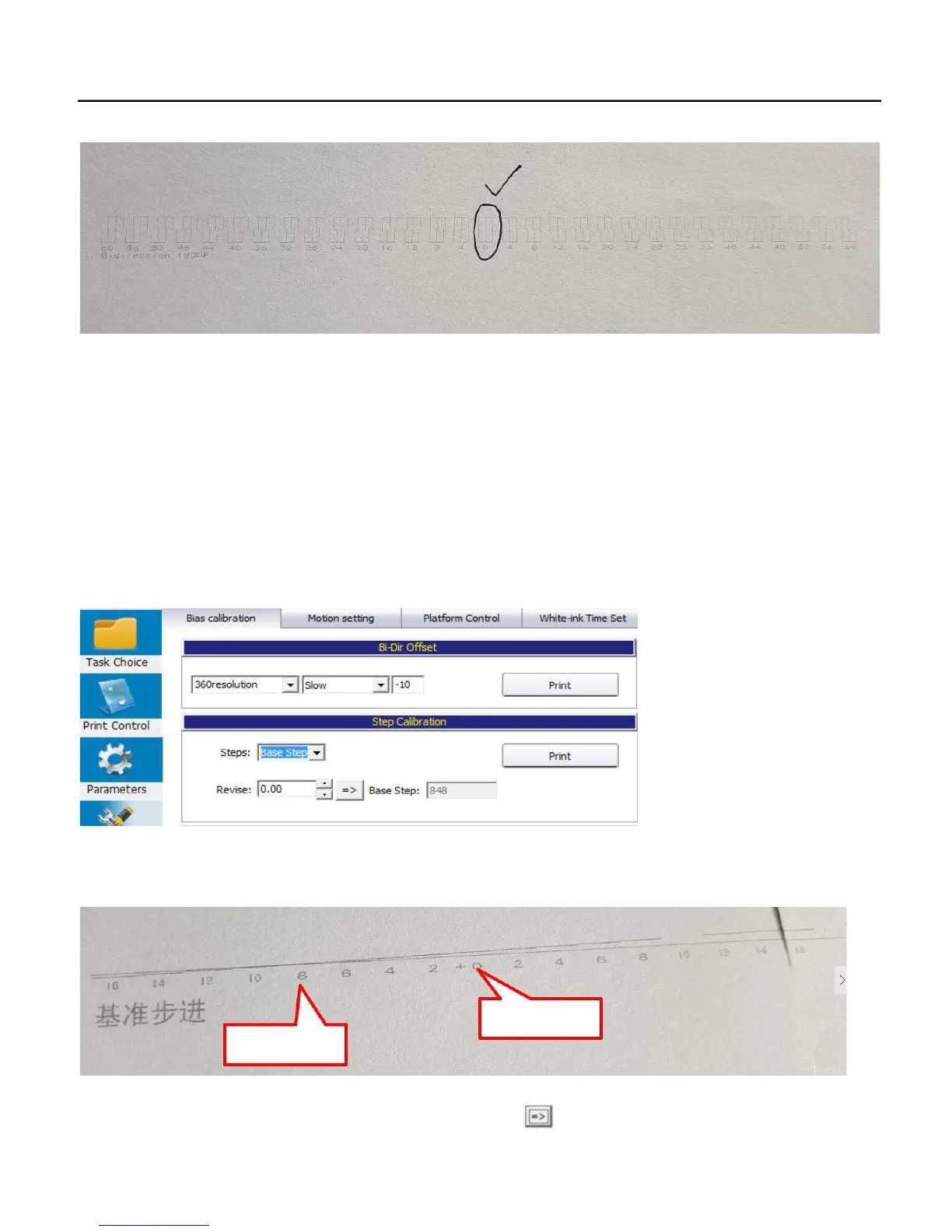
4..Then click Print again to check if 0 is most squares, if 0 still not most squres, then need to do the step as following again.
5.. Do the calibration for 180dpi middle/fast speed as the same way.
6.. Do the calibration for the 360dpi slow/middle/fast speed as the same way.
7.5. Step calibration
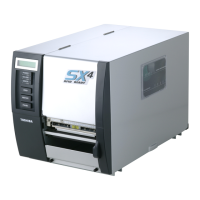
1. Put a new white paper on the flatbed, Go to control software/Maintainance/Bias calibration/step calibration/steps/Base
step/Print:
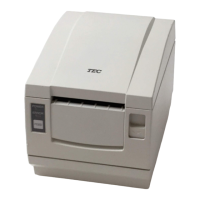
2.. Check the printing result, be sure the across point is 0, if not 0, just add the across number to the currect revise position. Be
attention that must add to the currect number but not put the number directly!
0 is not across!
-8 is across!
3. Then put the most accrossed number to the control system and Press as:
51


 To Next Page