TJ UV Printer User Manual
7.4. Calibrate the Bi-direction calibration:
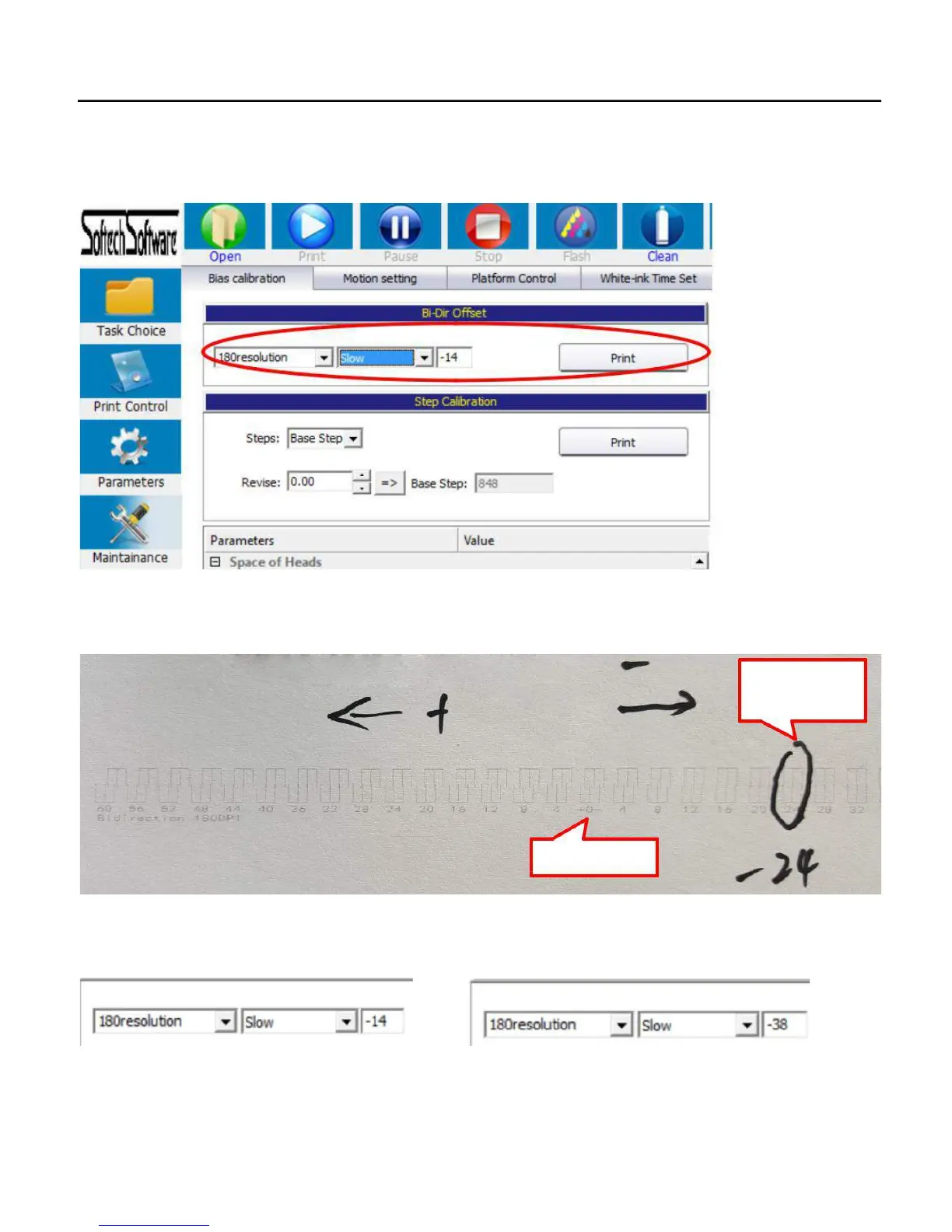
1. Put a new white paper on the flatbed, Go to control software/maintainance/Bias calibration/180dpi/slow/, then click Print.
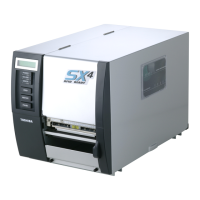
2.Check the printing result, be sure the 0 is best squares, if 0 is not squares, just find out the number that with squares, the number
left yard 0 is plus, right yard 0 is minus:
-24 is best
squares
0 is not squares
3..Then go to the software, check the currect number, and add the above number with most squares to the currect number, Be
attention that do not put the number directly! Must add from the current number!
+(-24)=
(Before) (After)
50


 To Next Page