TJ UV Printer User Manual
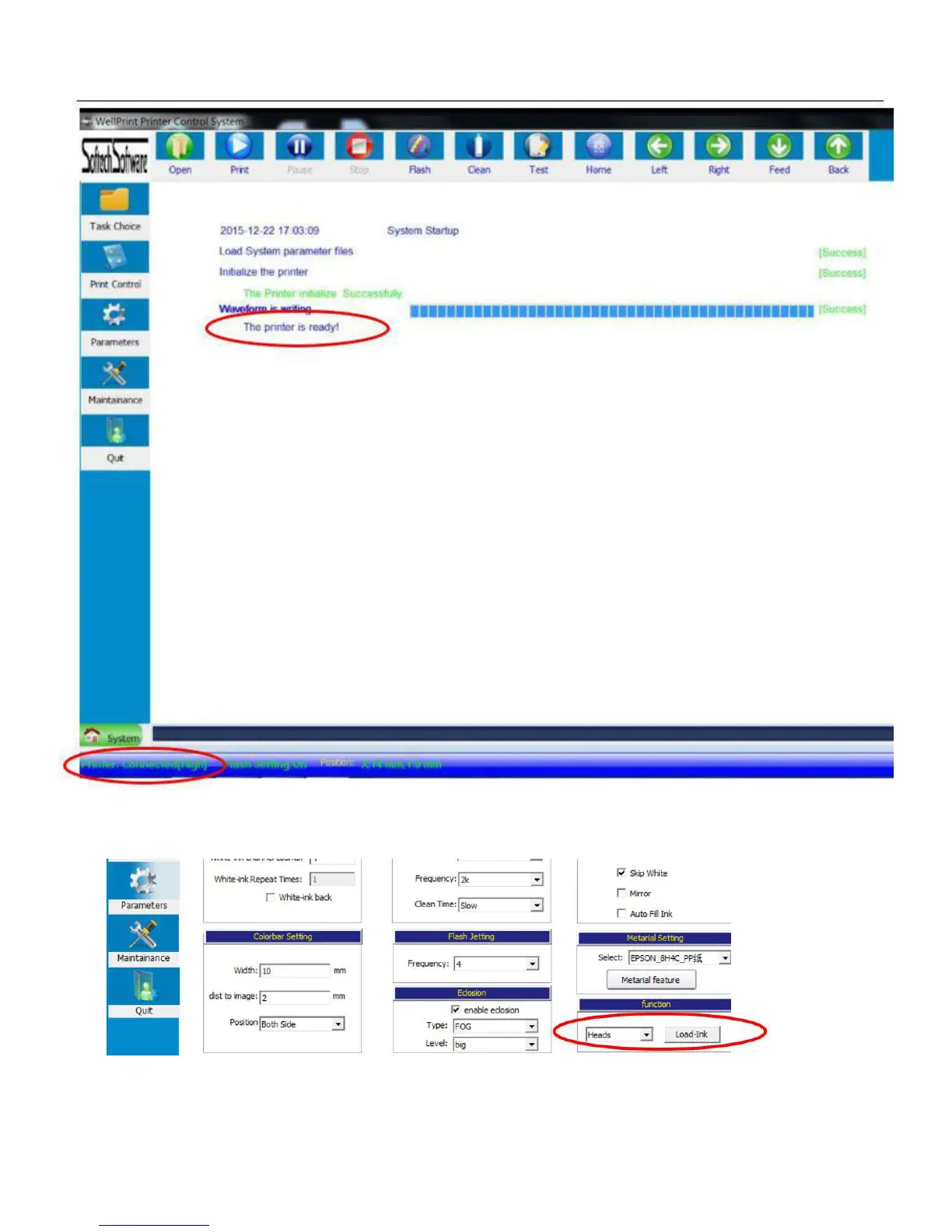
5. Then open Parameters/functions/heads/load ink, Then the ink will fill to the print head by the clean pump from all ink
damper.
6. Put a white paper on the flatbed to do a nozzle check of the print head. Go to the software/TEST/head status, and if you
put white ink to printer, just do the nozzle check again at the black flatbed table directly(click on white ink print), if the
nozzle check show is not good, then need load ink again or go to head cleaning
41


 To Next Page