TJ UV Printer User Manual
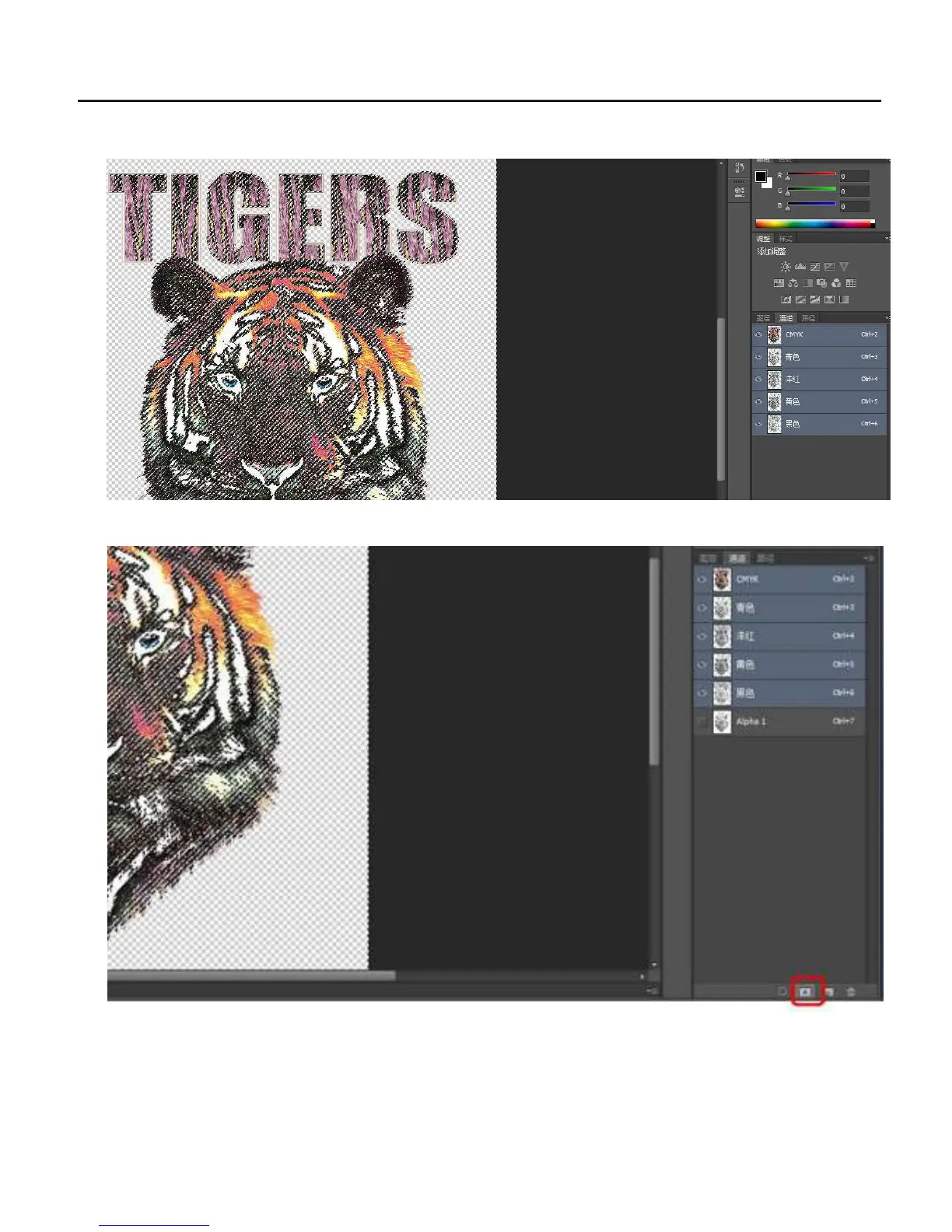
3. Select the color chanel that you want to make the embosed result : Press Ctrl at the computer, and one color of CMYK that
you want do the embossed result. For example take Cyan for make the embossed result, just press Ctrl and click Cyan layer.
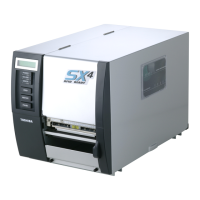
4..Click the create new chanel button to create a new color chanel:
4. Choose the new chanel that named Alpha1, then press Ctrl+shift+I to oppsite choose the layer:
55


 To Next Page