159
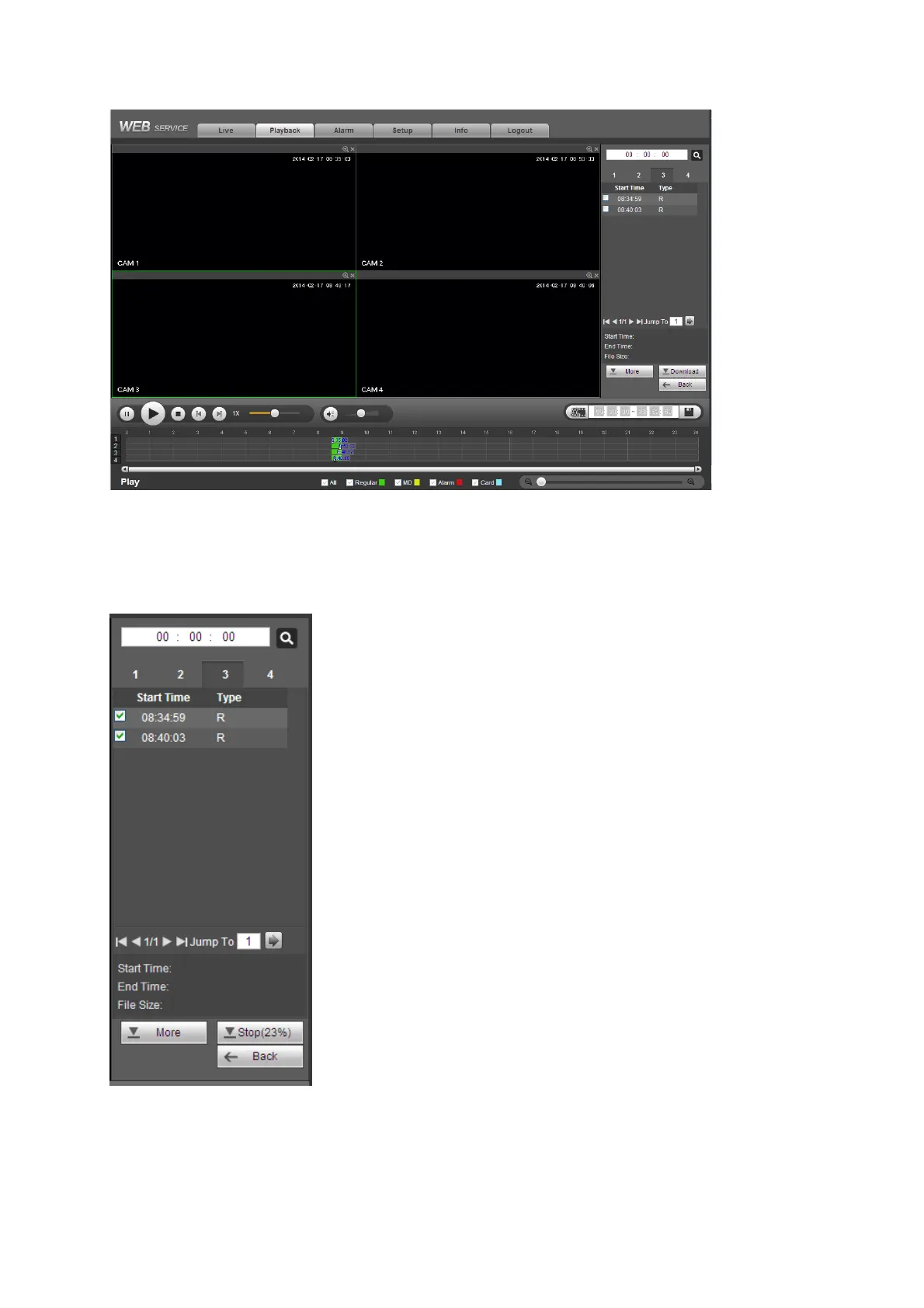
Figure5‐94
5.9.4 Download
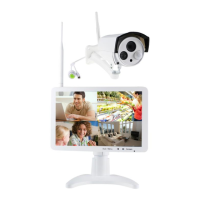
Select the file(s) you want to download and then click download button, you can see an interface
shown as in Figure 5-95. The Download button becomes Stop button and there is a process bar
for your reference. Go to you default file saved path to view the files.
Figure5‐95
5.9.5 Load more
It is for you to search record or picture. You can select record channel, record type and record
time to download. Or you can use watermark function to verify file.


 To Next Page