160
5.9.5.1 Download By File
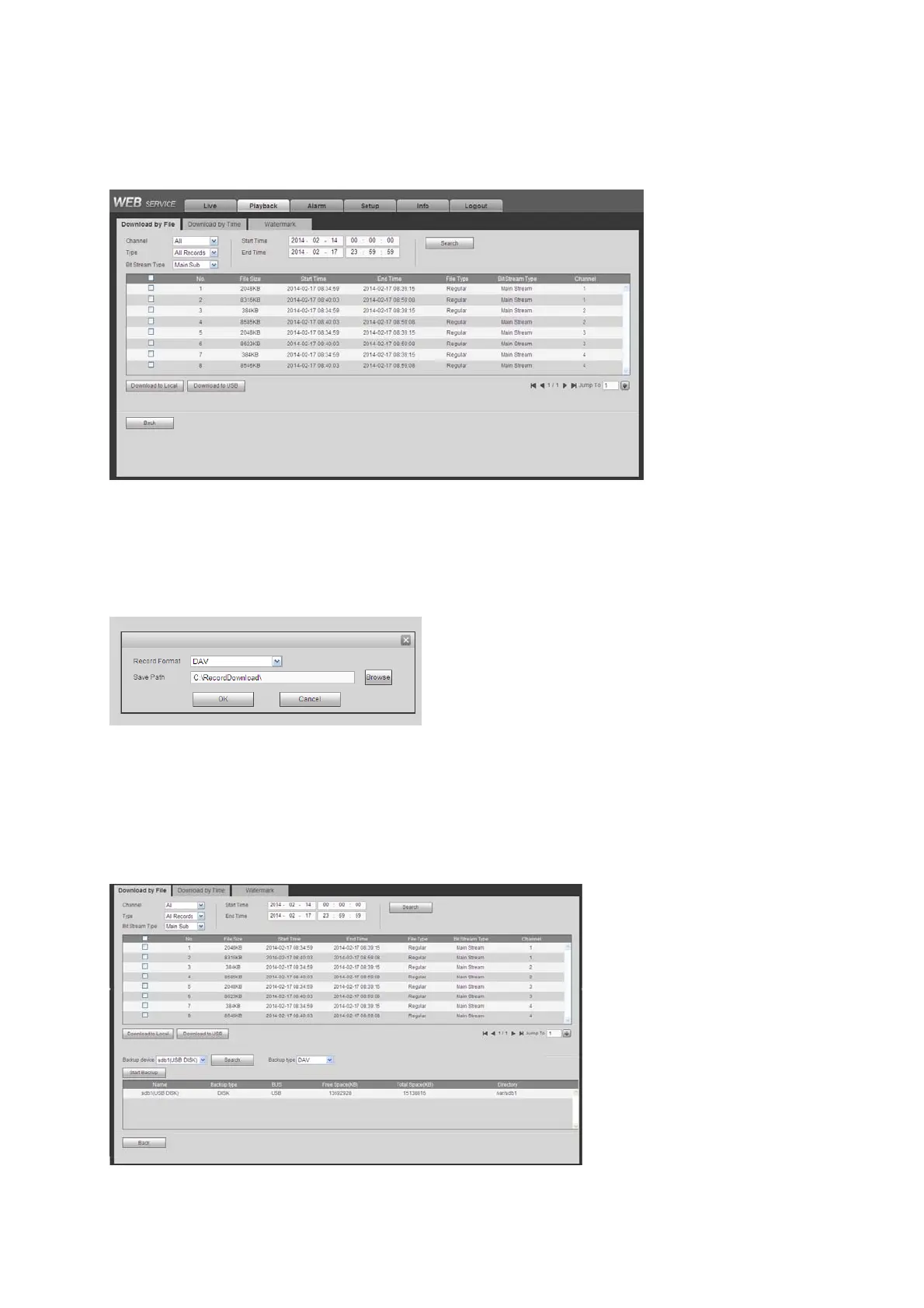
Select channel, record type, bit stream type and then input start time and end time. Click Search
button, the download by file interface is shown as in Figure 5-96.
Figure5‐96
Check the file(s) you want to download and there are two options for you to save the file(s).
Download to local
Click Download to local, system pops up the following interface for you to set record format and
saved path.See Figure 5-97.
Figure5‐97
You can click OK to download and view the download process. After the download operation, you
can see corresponding dialog box.
Download to USB
Connect the corresponding p peripheral device, and then click Download to USB button, you can
see the following interface. See Figure 5-98.
Figure5‐98


 To Next Page