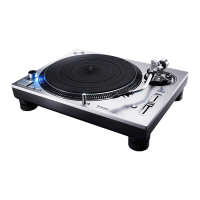
SL-1200M3D I
, . ,
Armclam
Arm rest
YES 6_======_ Balanced
,,/#///'/,,'///_/#/#/,
NO _ Too far forward
NO _ Toofarback
./#////-////,r/..-//-#/
F
Anti-skatingco
Armclamp
/
• Preparatory adjustments
i'_Release the tone arm.
O Take care with the stylus and removeits cover, then
release the arm clamp.
O Free the tone arm fromthe armrest.
_'_1Adjust horizontal balance
9 Push the cue lever down.
_P_Turn the anti-skating control to "0",
(fJ)Turn the balance weight until the arm is approximately
horizontal.
Takecare at thistime notto allowthe stylus totouch theunit.
[]Turn the stylus pressure control to "0"
Return the tone arm to the arm rest and fix it with the
arm clamp.
Turn the stylus pressure control to "0",
Holdthebalanceweightstillwhiledoingthis,
[] Adjust stylus pressure
Turnthebalanceweightto adjustto theappropriatepres-
sure for the cartridge you are using.
See the cartridge's instructionsfor recommended stylus pressure.
The stylus pressure contrct will turn at the same time. Stop when
the center linepoints to the required pressure.
To increase stylus pressure for scratch play []
Usethestylusweight(included)toincreasestyluspressureby 4 grams.



 To Next Page
