SL-1200M3D
==Adjustments while using the unit
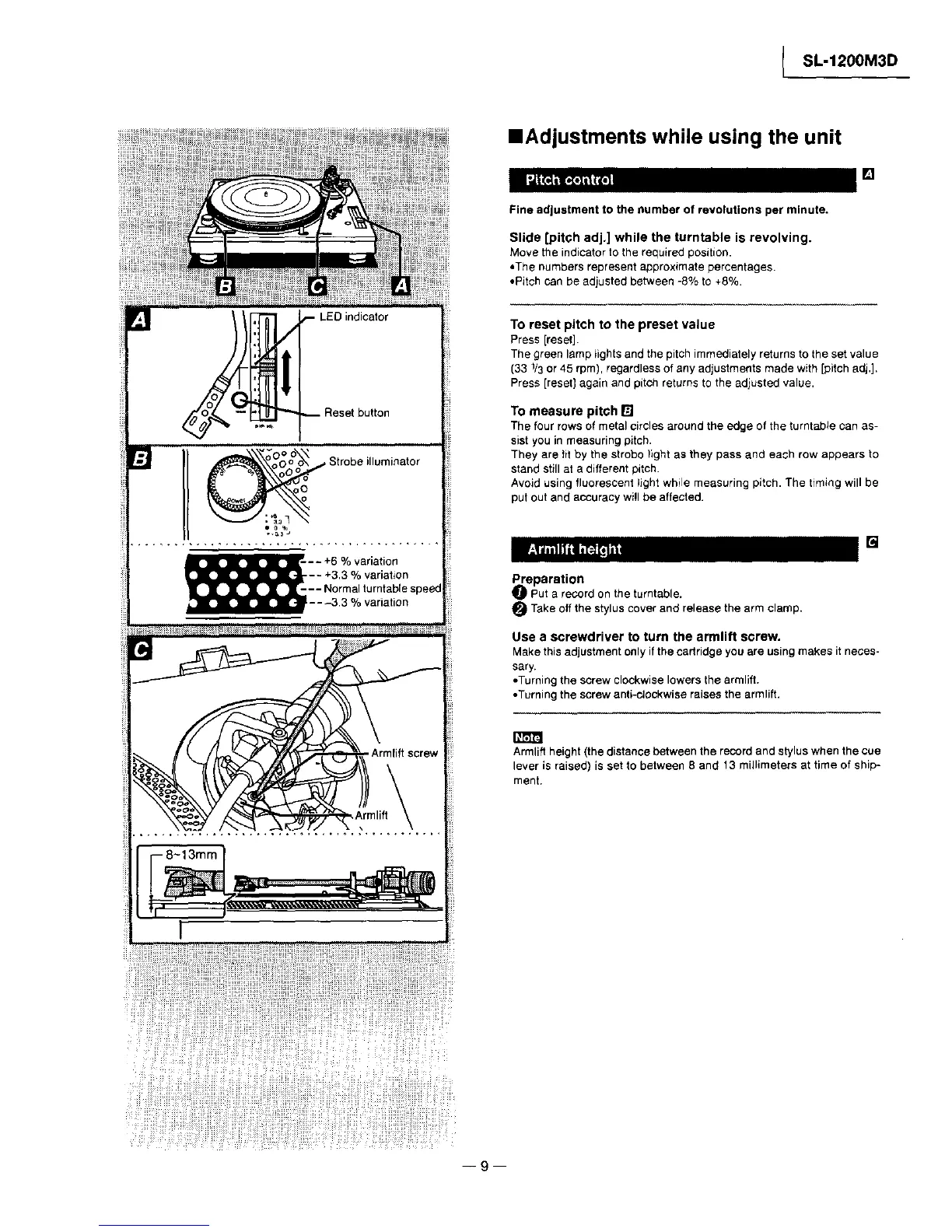
_-- LED indicator
-- Reset button
[] I ........
oo o o\ Strobe illuminator
oO° o
,__-- - +6 % variation
-- +3.3 % variation
--- Normal turntablespeed
---3.3 % variation
Fine adjustment to the number of revolutions per minute.
Slide [pitch adj.] while the turntable is revolving.
Move the indicator to the required position.
•The numbers represent approx+mate percentages.
•Pitch can be adjusted between -8% to +8%
To reset pitch to the preset value
Press [reset].
The green lamp _ights and the pitch immediately returns to the set value
(33 1/3or 45 rpm), regardless of any adjustments made with [pitchadj.].
Press [reset] again and pitch returns to the adjusted value.
To measure pitch
The four rows of metal circles around the edge of the turntable can as-
sist you in measuring pitch.
They are fit by the strobo llght as they pass and each row appears to
stand stillat a differentpitch.
Avoid using fluorescent tight while measuring pitch. The timing will be
put out and accuracy wi!l be affected.
• . • []
Preparation
_]_ Put a record on the turntable.
O Take off the stylus cover and release the arm clamp.
Use a screwdriver to turn the armlift screw.
Make this adjustmentonly if the cartridge you are using makes itneces-
sary.
• Turning the screw clockwise lowers the armlift.
• Turning the screw anti-ctockwise raises the armliff.
Armlift height (the distance between the record and styluswhen the cue
lever is raised) is set to between 8 and 13 millimeters at time of ship-
ment.
--9



 To Next Page