28
7 Measurements and Adjustments
Use the Service Mode to adjust this unit (Auto lift-up function Adjustment and Automatic Adjustment).
• Auto lift-up function Adjustment::
Perform this adjustment when TONE ARM UNIT, MAIN PCB or MOTOR is replaced.
• Automatic Adjustment:
Perform this adjustment when the DC Motor Unit or MAIN PCB is replaced.
7.1. Service Mode Startup Procedure
<Service Mode Startup Procedure>
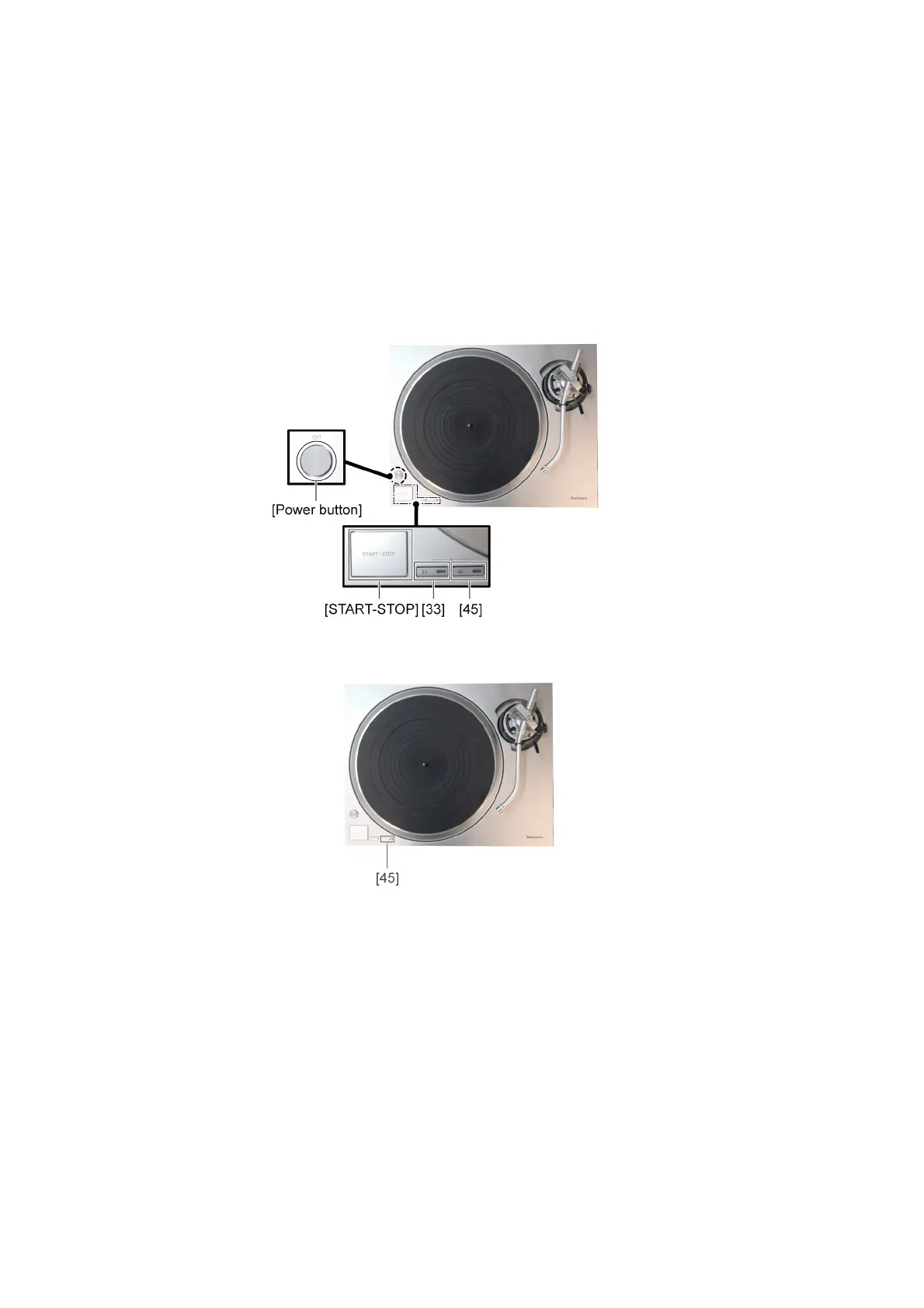
1. While holding down [Start-Stop] button, turn [ON/OFF(power)] switch to turn the unit, and then press Speed select button [33],
[33], [45], [45], [33], [33] in turn.
2. Release [Start-Stop] button.
<Service Mode Startup Check>
• If [45] LED flashes, the Service Mode has started up.
<How to finish the Service Mode>
• Turn the power "OFF" with [POWER SW], or pull out the AC cord.


 To Next Page