13
Call: 1-631-648-7481 or Visit: support.technocnc.com
Titan Series WinCNC Manual
WinCNC
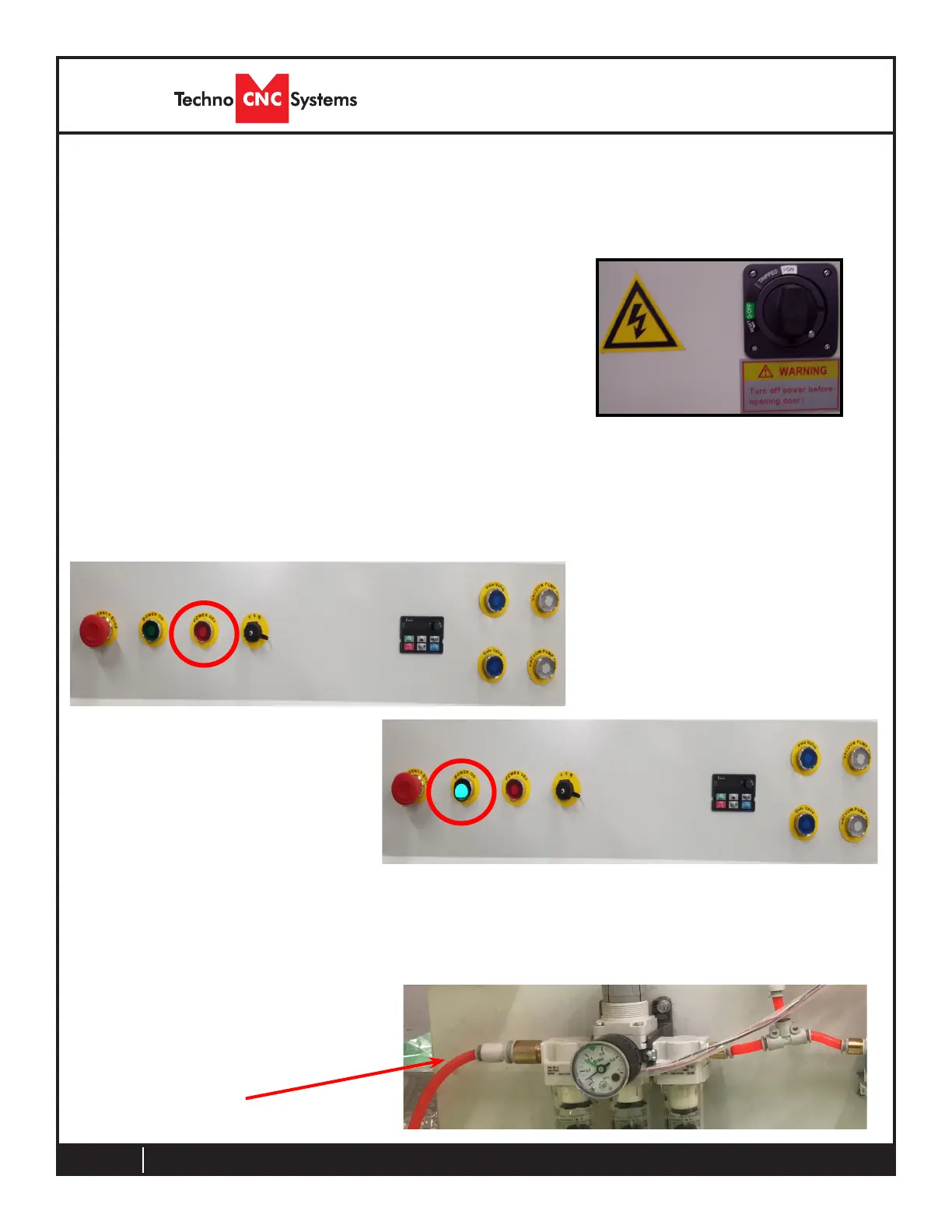
Power is now applied to the
controller box. The red light
will now light up indicating
the machine is powered, but
motors are not yet enabled. Fig
2.2b
Press the green button to ap-
ply power to the controller and
enable the motors. Fig 2.2c
Fig. 2.2b
Once the electrical connections have been made,
controller is powered by turning the main power
switch, on the front of the machine, to the ON
position (as shown in Fig. 2.2a).
Both the front and rear access doors must be closed
Fig. 2.2a
NOTE: If the red button stays lit and the green button does not stay ON, please
check to make sure that the Emergency Stop button is not pressed. Twist the
Emergency stop button to release.
2.2 Enabling The Machine
Make sure you have your
clean, dry air with at least 90
psi connected at the rear of
the machine.
Fig. 2.2c



 To Next Page