28
Call: 1-631-648-7481 or Visit: support.technocnc.com
Titan Series WinCNC Manual
WinCNC
III. Operating Tutorials
WARNING: Adjust the step size carefully. If you set the step size to an excessive value, the
machine will move by that value and could damage the machine.
Jog Menu
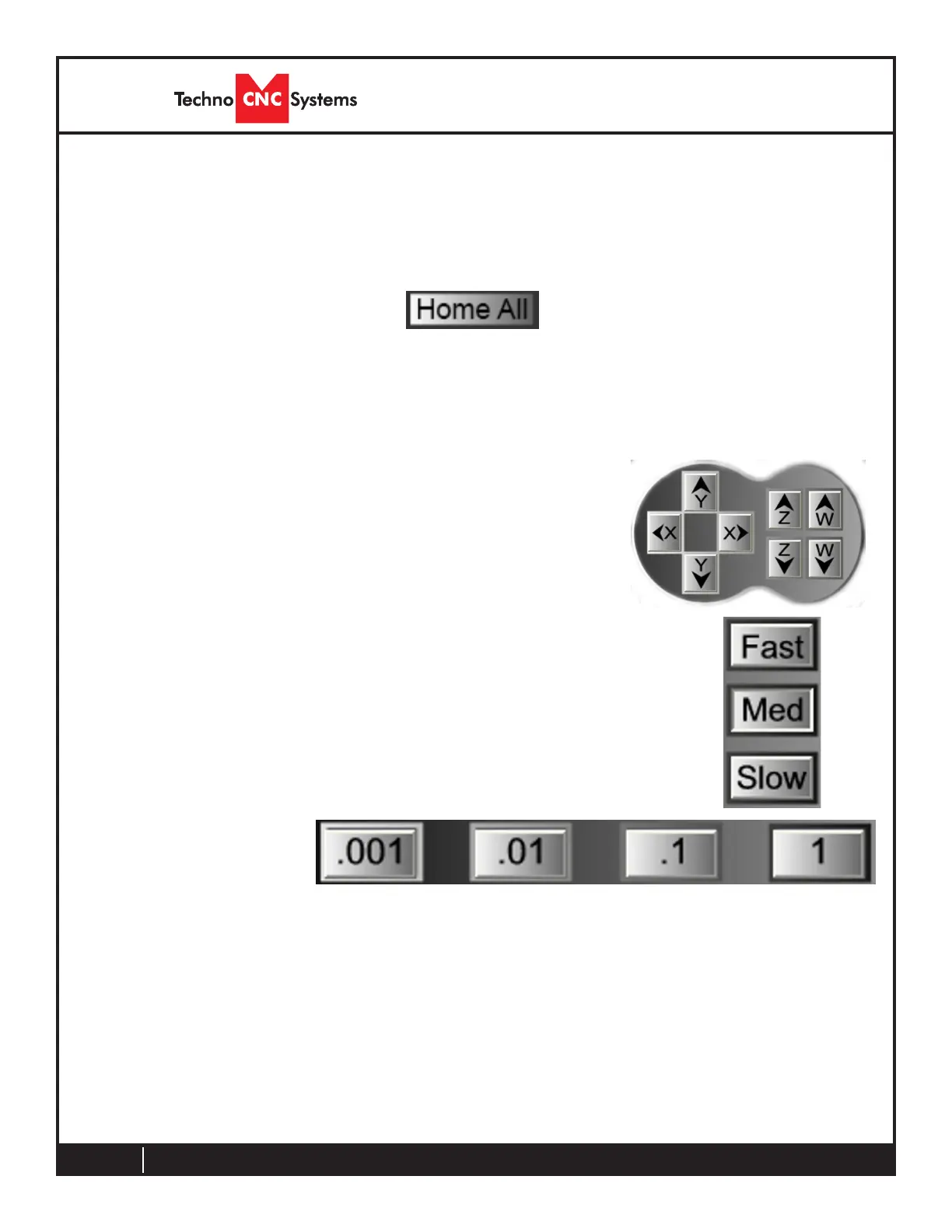
0.001 (F6) - Sets jog increment to 0.001 units of measure.
0.01 (F7) - Sets the jog increment to 0.01 units of measure.
0.1 (F8) - Sets the jog increment to 0.1 units of measure.
1 (F9) - Sets the jog increment to 1 unit of measure.
Custom (F10) - Allows the user to set a custom jog increment.
3.2- Manual Operation
Jog Increment
/ Step Buttons
Jog Buttons
These buttons are what allow you to initiate a manual jog
movement. In jog mode, holding the button down will continuously
move the machine. In step jog mode, each time a button is
pressed the machine will move according to the jog increment that
has been selected. Holding the button down in step jog mode will
move the machine only once.
Speed Buttons
When using these buttons, the machine will now be in jog mode and will
move at a speed indicative of the button pressed.
The WinCNC controller supports two types of manual movement; Transit and Jog Increment modes.
Transitisasmooth,continousmotionandJogIncrementmovesthemachineindente,precisesteps.
When using these buttons, the machine will now be in Jog Increment/Step mode and will move at the
distancespeciedontheselectedbutton.
3.1- Machine Startup - Homing
WhenstartingthemachineandWinCNCsoftware,therstthingtheoperatorshoulddois“Home”the
machine. This allows the operator to check the functionality of the limit switches, and reference the
machinesothatpreviousoriginpositionscanbeused.Press“HomeAll”tohomethemachine.



 To Next Page