38
Call: 1-631-648-7481 or Visit: support.technocnc.com
Titan Series WinCNC Manual
WinCNC
4.3 Learning Tool Pocket Positions
The Titan machine will already know the exact locations of the 8 tool holder pocket positions.
However,itispossiblethattheoperatormayneedto“relearn”thesepositions.Thismayhappen
ifthemachinegoesoutofsquare,ifthepocketmoves,oriftheoperatorchoosestoaddan
additional pocket to the rack.
The process is as follows:
Using the jog keys, the operator will move the machine very close to the tool stand rack.
Next, the operator must disable software limits in order to move into the pocket positions. Press
the“SoftLimits”crossinthetoolbartodisablesoftlimits.
After soft limits are disabled, the operator must slowly jog and step the tool into the white clip.
Make sure to move slowly and carefully in order to avoid breaking the clip. The idea is to simulate
the machine putting the tool away.
SorstlineupisXdirection,thenlowerdowntoaproperZheightandnallymovebackintheY
direction until the tool is in the pocket. Once in a good position, do NOT move the machine again.
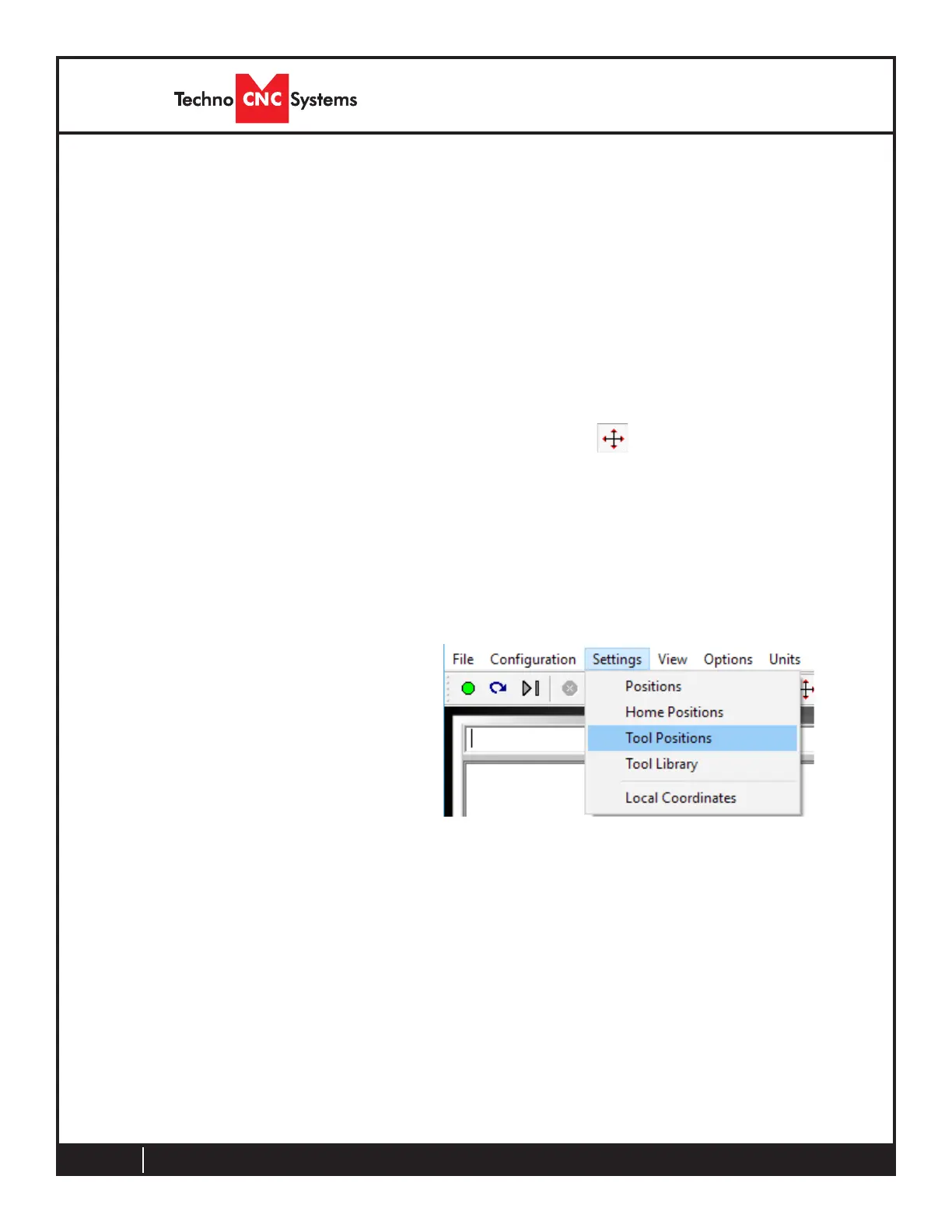
Go to settings and then tool positions



 To Next Page