39
Call: 1-631-648-7481 or Visit: support.technocnc.com
Titan Series WinCNC Manual
WinCNC
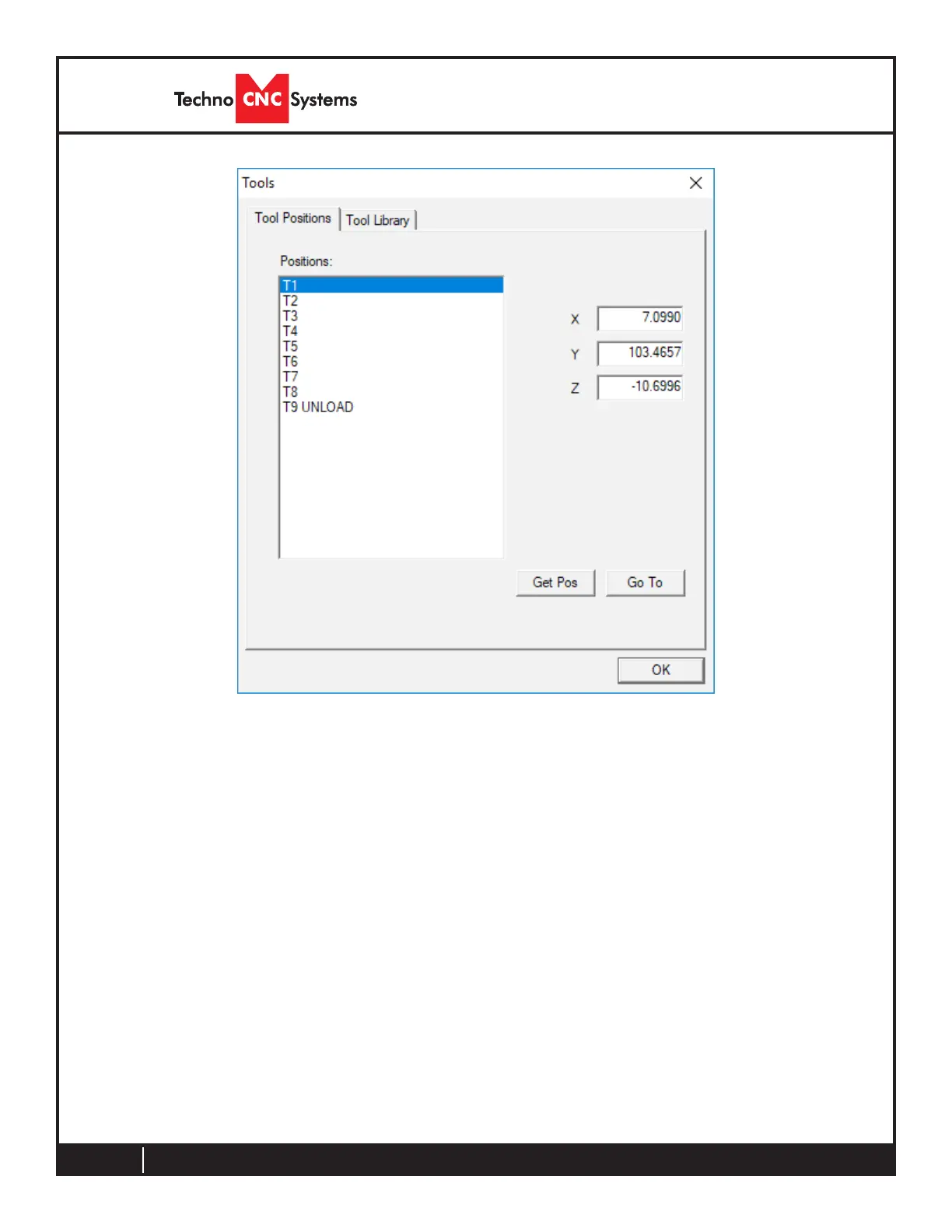
Saving Tool Pocket Positions
Oncethemachineisinthepocketpositionandtheoperatorhasopenedthe“ToolPositions”
menu, and the pocket positions can be learned.
First, select the proper tool number from the position list.
Thenchoose“GetPosition”
This will save the machines current position as the XYZ cooridinates for the selected tool.
The operator will notice the values for XYZ change.
Press“OK”whennished.
DONOTADJUST“T9UNLOAD”,thisvalueisnecessaryforpropertoolchanges.Thisvalueisthe
start and end clearance position of the tool change once in line with the pocket



 To Next Page