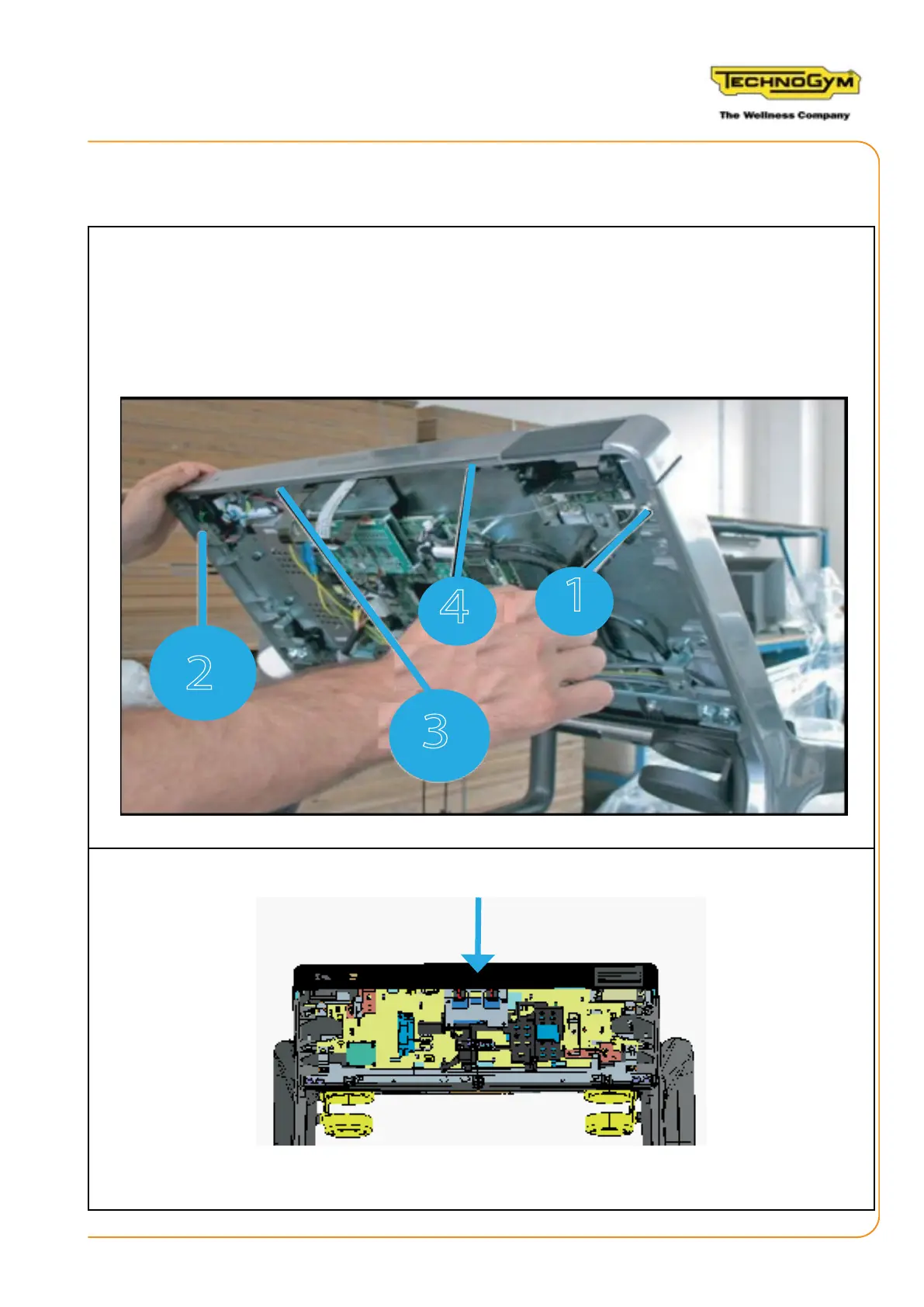
2.2 DISASSEMBLING THE DISPLAY
1. Remove the screw (1) to the upper right, using a 4 mm hexagonal key.
2. Loosen the two black central screws (3) and (4), using a 5 mm hexagonal key.
3. Loosen the screw (2) to the top left, using a 10 mm fork wrench.
4. Disconnect the cables with connectors that connect the Wellness System key reader, the USB
socket and the I-POD Docking station.
5. Remove the upper frame.
RUN PERSONAL-UPGRADE VISIOWEB-UNITY 2.0
Assembly instructions- Rev. 1.1
e-mail: support@technogym.com
Page 11












 To Next Page