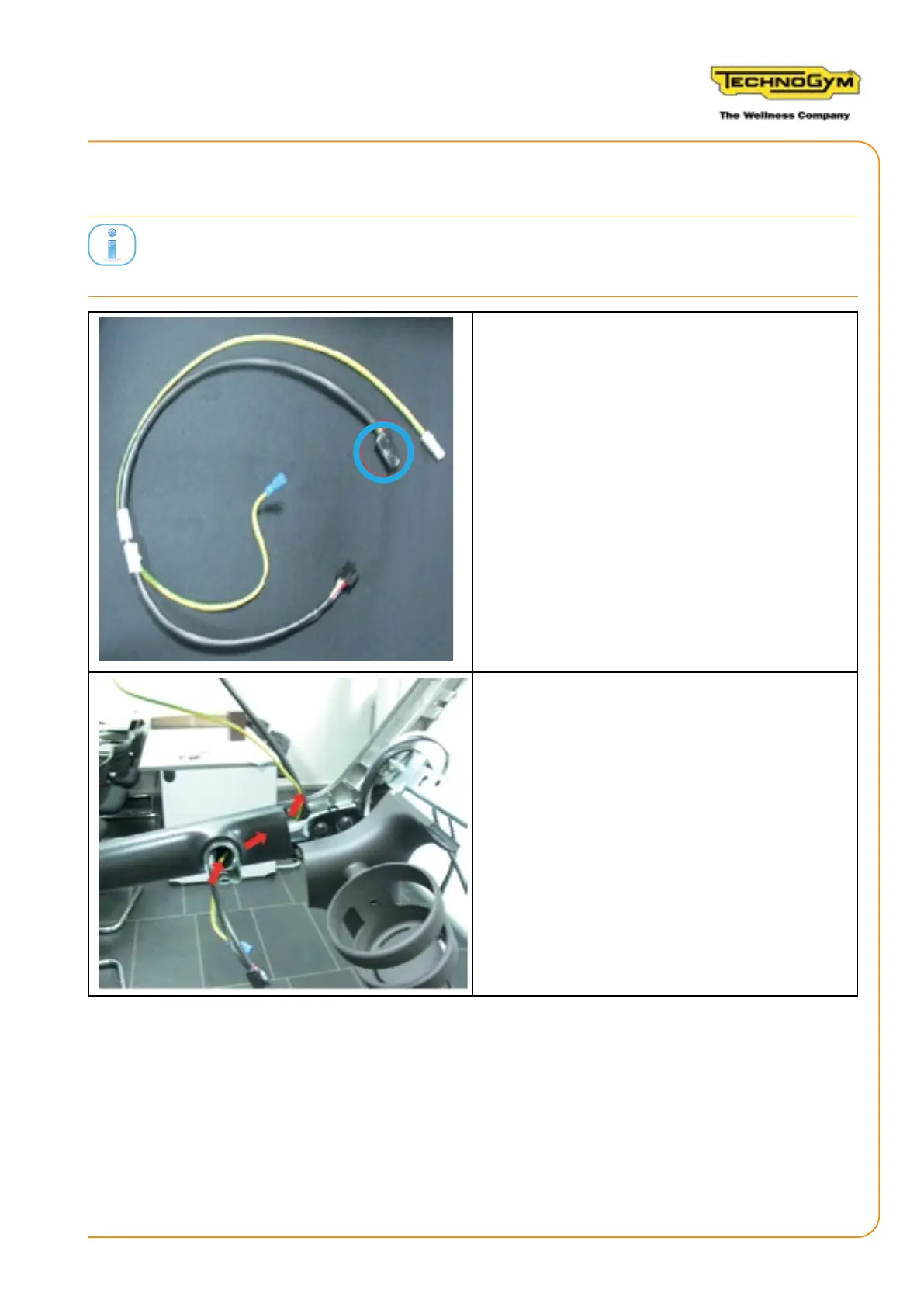
2.4 REPLACING THE RECEIVER AND JOYSTICK SIGNAL CABLE
Replace the joystick cable 0WCU0322 with the receiver and joystick signal cable supplied in the kit
0WCU0777.
1. Use electrical tape to fasten the 24 pin con-
nector (12x2) to the cable, to make it easier for
the cable to exit from the side frame.
2. Pull out the cable with the black sheathing to
be replaced from the left side frame.
3. Cut the blue faston from the yellow cable to
be replaced. Use a yellow cable as a guide to
insert the new cable 0WCU0777.
4. Insert the cable 0WCU0777 as indicated in the
gure.
5. Remove the yellow cable that acts as a guide.
RUN PERSONAL-UPGRADE VISIOWEB-UNITY 2.0
Assembly instructions- Rev. 1.1
e-mail: support@technogym.com
Page 17












 To Next Page