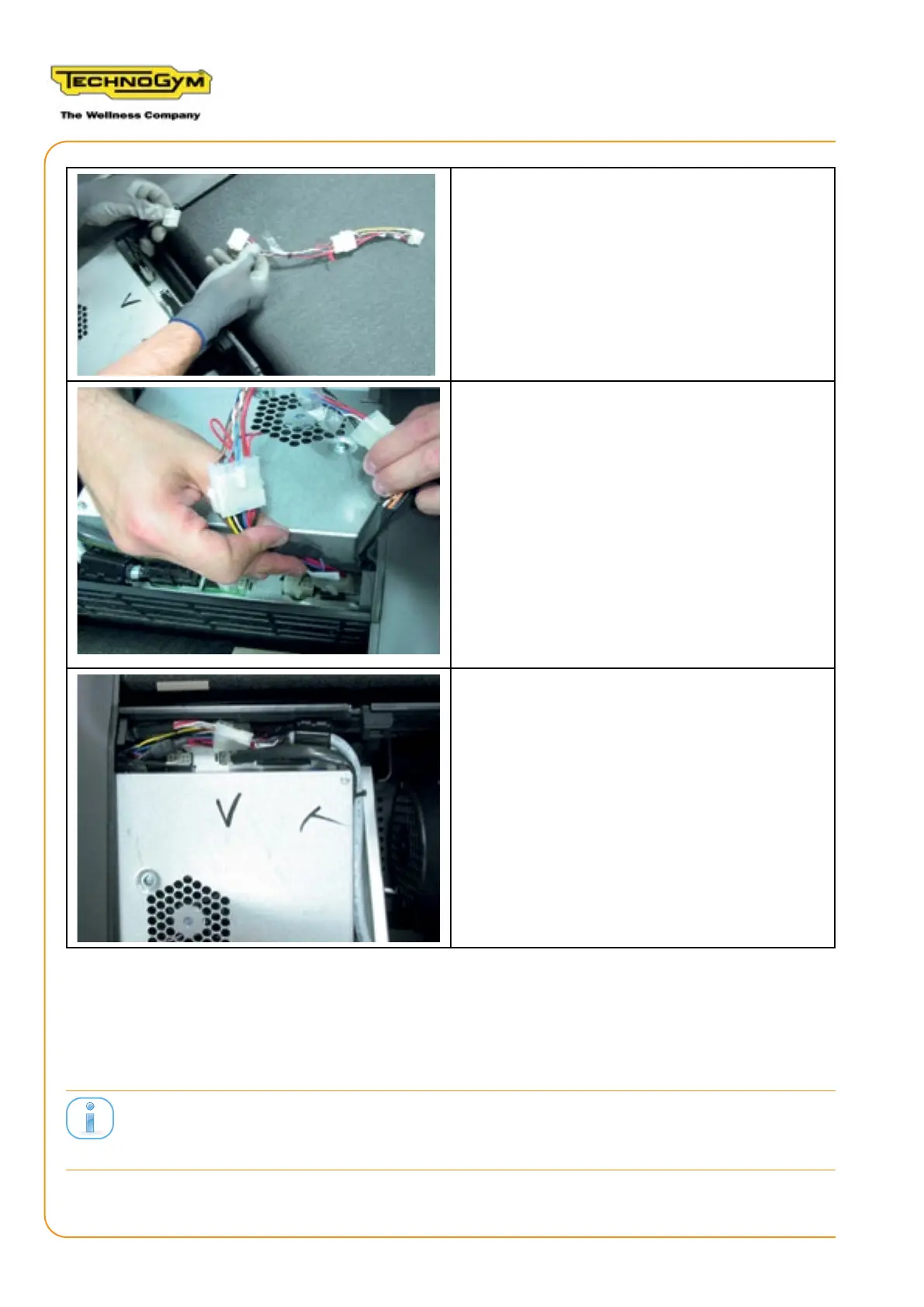
5. Connect the connector that arrives from the
display to the run low kit cable alewin and the
adapter cable for alemet.
6. Connect the adapter cable connector for
alemet to the low kit.
7. The remaining two cables must no longer
be connected. Arrange the cables in an orderly
manner to reduce the dimensions.
2.9 REASSEMBLING THE DISPLAY GUARD AND LOW KIT
• Reclose the low kit guard.
The secondary switch on LED connector must be reconnected before reing the low kit
guard.
• Reclose the rear of the display with the guard.
RUN PERSONAL-UPGRADE VISIOWEB-UNITY 2.0
Assembly instructions- Rev. 1.1
e-mail: support@technogym.com
Page 32












 To Next Page